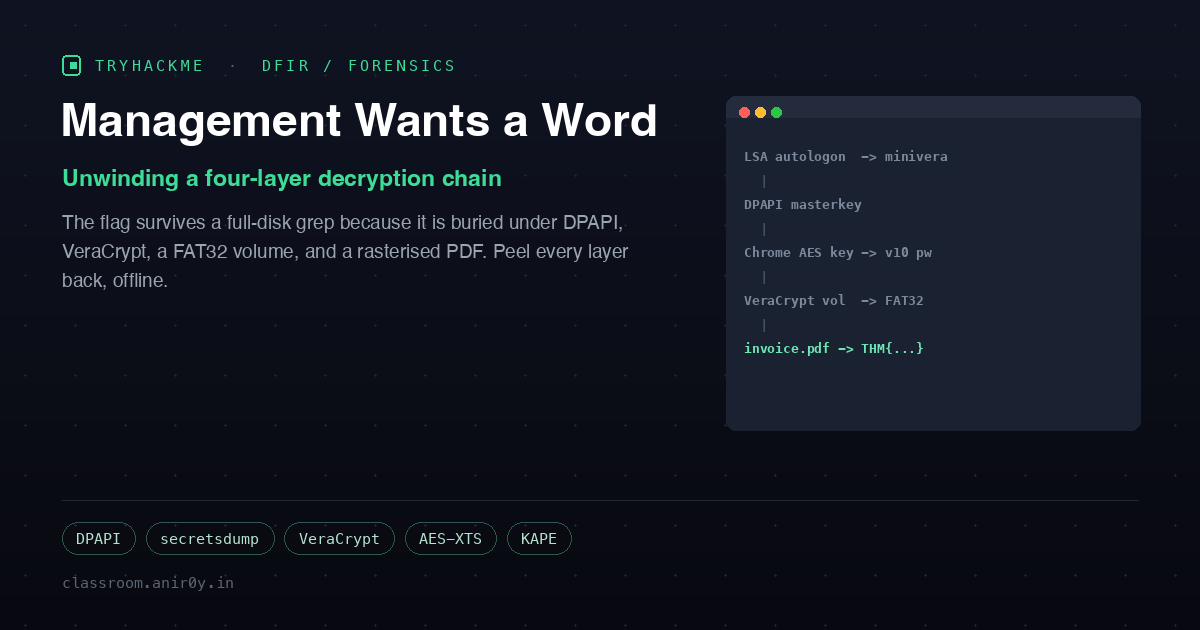
Management Wants a Word
Housekeeping recovered a guest laptop registered to someone called Vera. IT pulled a full KAPE triage collection off it before wiping the machine, and that triage is all we get: 461 files, about 342 MB of Windows artifacts. The brief is deliberately vague, which is the point. Vera left a password behind, and somewhere on that disk is “something she was keeping very quiet.” Find the password, open the thing.
The instinct on any flag hunt is to grep the whole collection for THM{. On this challenge that instinct fails completely, and understanding why it fails is the entire lesson.
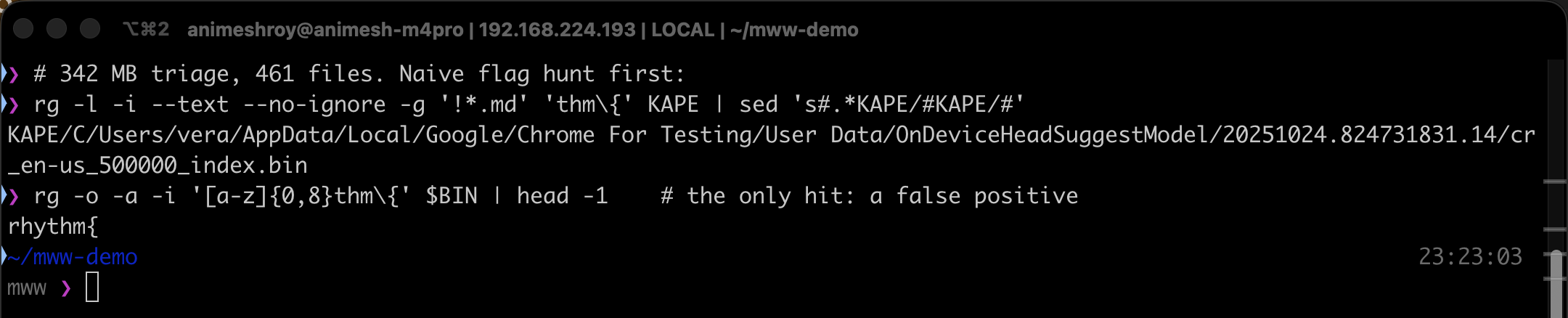
A recursive ripgrep for thm{, text and binary, across all 461 files returns exactly one hit: a Chrome on-device autocomplete model. And that hit is the word rhythm{. The flag is not stored in plaintext anywhere, because it is buried under four independent layers of protection, and each artifact in the triage is a deliberate rung on the ladder down to it.
The one file that does not look like a file
The first useful lead is a 100 MB file named backup sitting in Vera’s Documents folder. file cannot identify it, and its entropy is the giveaway.

file says data (no signature), and a Shannon entropy of 7.9998 bits/byte over the first megabyte means the content is indistinguishable from random. A headerless, maximum-entropy, 100 MB blob is the textbook fingerprint of a VeraCrypt volume. That also explains the empty keyword search: the payload is encrypted, so of course no text search can see inside it. The rest of the triage exists to hand us the passphrase.
Layer 1: the Windows password, leaked in the clear
Chrome stores saved passwords encrypted, and the key to that encryption is ultimately protected by the Windows account password. So the chain has to start there. The SAM, SYSTEM, and SECURITY hives are all in the triage, and secretsdump reads two things out of them.
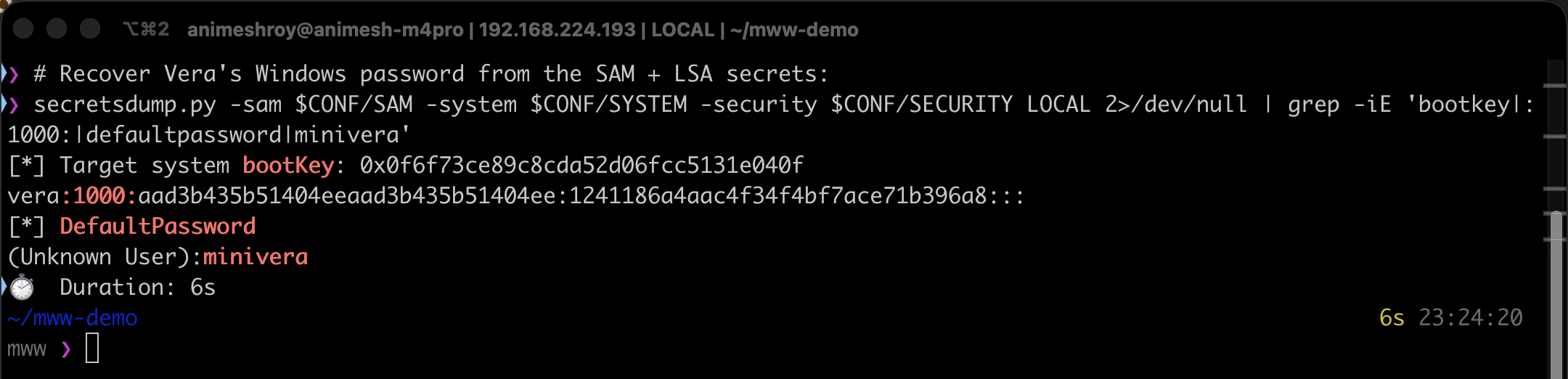
Vera’s NT hash comes out of the SAM, but we do not even need to crack it. The machine had autologon configured, and autologon stores its password in cleartext as the LSA secret DefaultPassword. secretsdump prints it directly: minivera. (MD4 of minivera in UTF-16LE matches Vera’s NT hash, so it is confirmed.) A password that was never meant to leave the machine walked straight out of the LSA store.
Layers 2 and 3: DPAPI to the saved Chrome password
Chrome’s browser history shows Vera visiting a bytelotus.thm:8080 “SecureVault” portal, and Login Data holds a saved credential for it whose blob starts with the bytes v10, meaning AES-256-GCM. The GCM key lives in Chrome’s Local State, wrapped by Windows DPAPI, whose master key is in turn encrypted with Vera’s password. So the unwinding is: minivera decrypts the DPAPI master key, the master key decrypts the Chrome AES key, and the AES key decrypts the saved password. One small script (impacket for DPAPI, pycryptodome for the GCM) does all three hops.
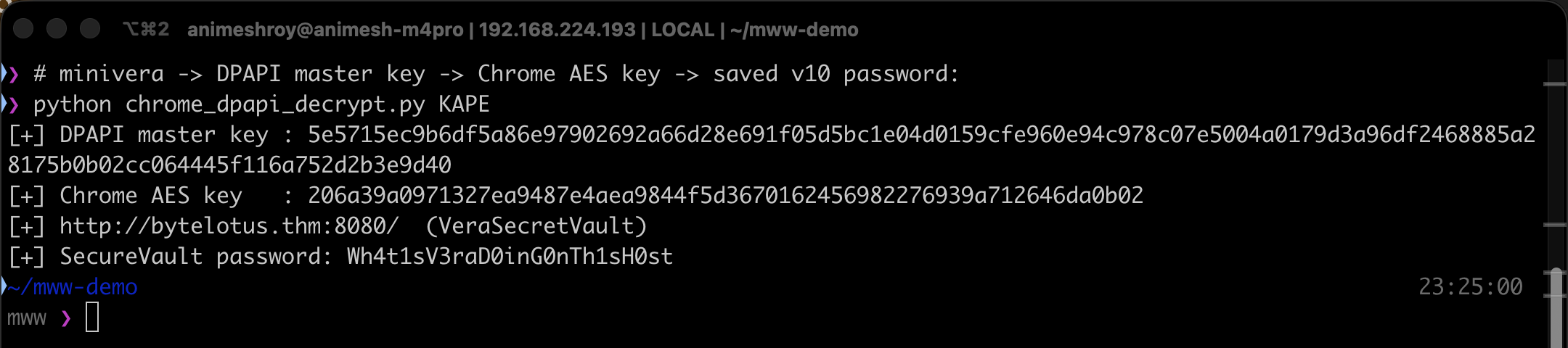
The saved SecureVault password is Wh4t1sV3raD0inG0nTh1sH0st, and it is the same string Vera reused as the VeraCrypt passphrase.
Layer 4: opening the container without VeraCrypt
There was no VeraCrypt binary on the analysis host (a Mac), so I decrypted the volume header directly. A VeraCrypt header key is PBKDF2-HMAC-SHA512 over the passphrase and the first 64 bytes of salt, 500,000 iterations, feeding AES-256-XTS. Since pycryptodome has no XTS mode, the decryptor implements XTS over AES-ECB with the GF(2^128) tweak by hand. Decrypt the header, check the magic, pull the master key and geometry, then decrypt the data area sector by sector.
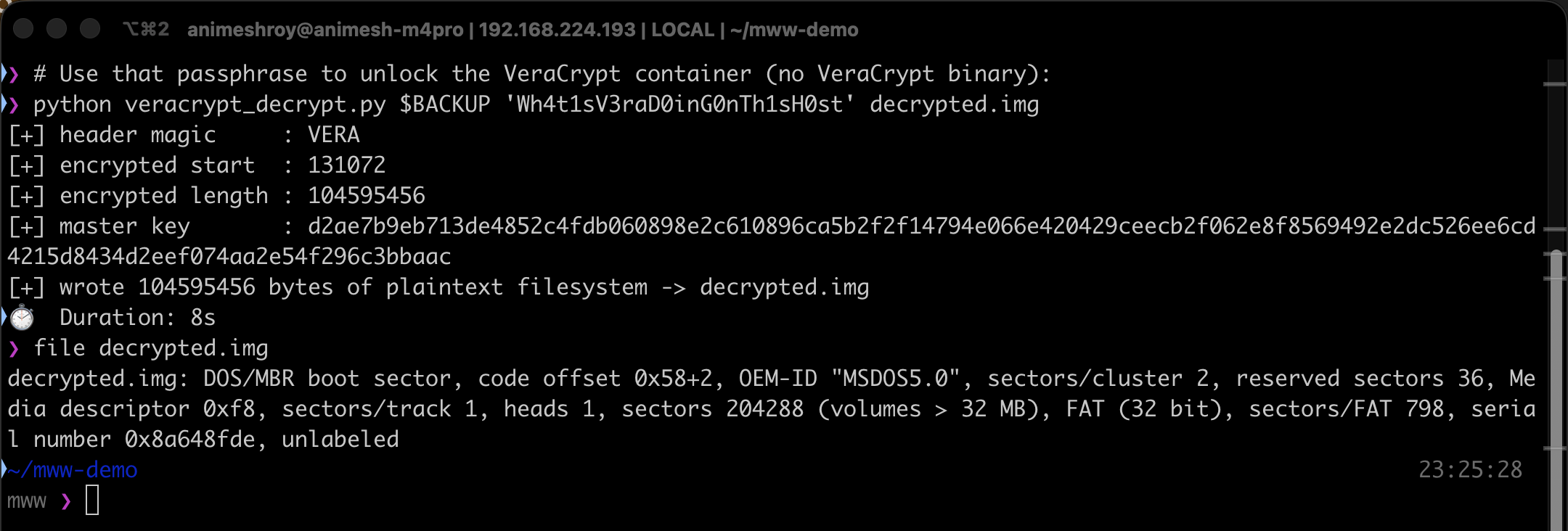
The decrypted header magic is VERA, which proves the passphrase, and the recovered master key decrypts a valid FAT32 filesystem in about eight seconds. From there it is a normal mount.
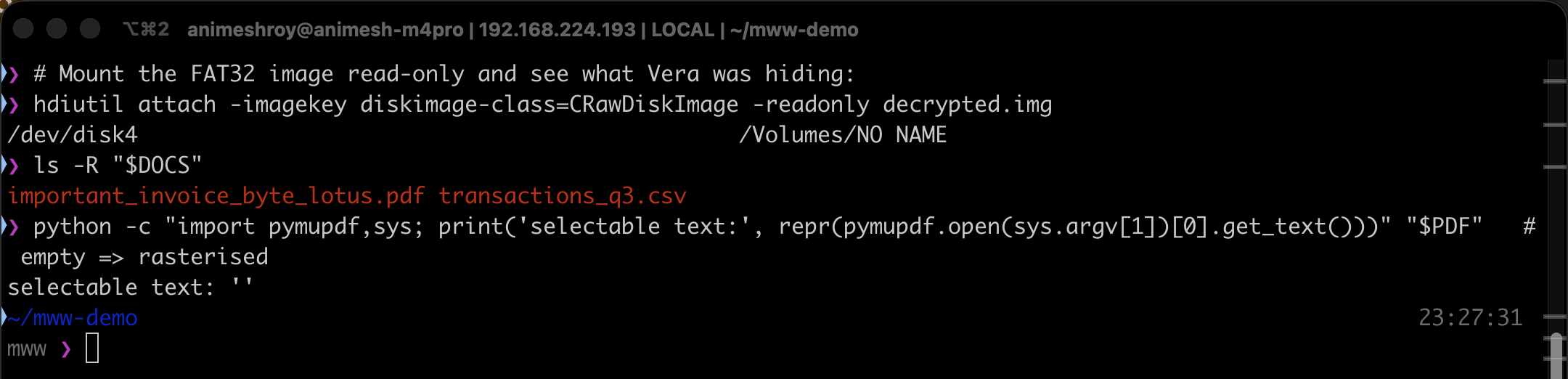
Mounting the image read-only reveals a secret_financial_documents folder holding important_invoice_byte_lotus.pdf and a small CSV. Asking PyMuPDF for the PDF’s text returns an empty string, which means the page carries no text at all. It is an image.
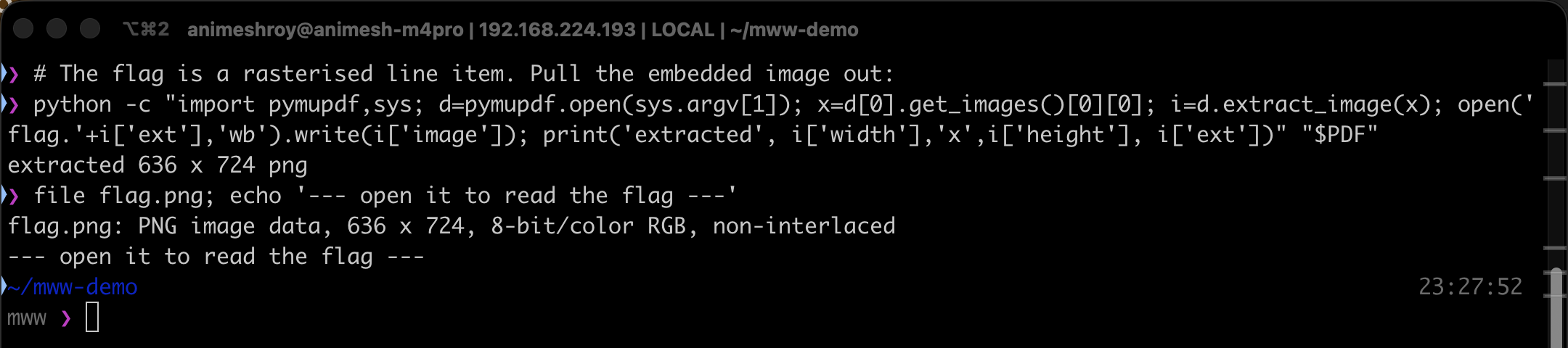
Pulling the one embedded XObject image out of the PDF and opening it shows the invoice, with the flag printed as line item number one.
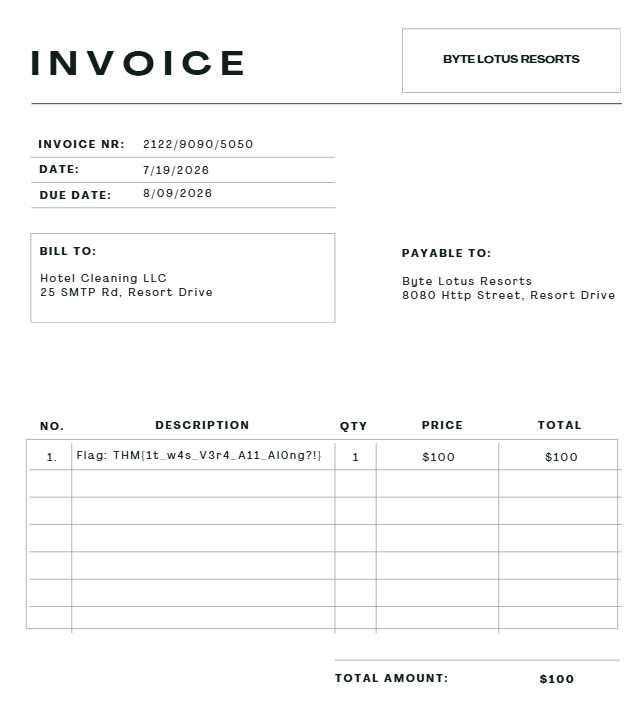
THM{1t_w4s_V3r4_A11_Al0ng?!}
The flag text is the punchline: the answer was Vera, and it was distributed across every artifact all along. Both decryption scripts are here:
DPAPI + VeraCrypt decryptors on GitHub Gist:
chrome_dpapi_decrypt.py+veracrypt_decrypt.py
Why the keyword search failed
The flag survived a full-disk grep because it was wrapped in four independent layers, each one defeating a different class of search:
- Encryption - a VeraCrypt AES-XTS volume with no header signature, so it looks like random bytes.
- Filesystem - the plaintext only exists once the volume is mounted; on disk it is inside the encrypted area.
- Container - the flag lived inside a PDF, not a loose text file.
- Rasterisation - the PDF “text” was an image, so even PDF text extraction sees nothing.
The investigator’s move is to stop treating artifacts as isolated dead ends and start reading them as pointers. A maximum-entropy blob, a leaked autologon secret, and DPAPI-protected browser credentials are not three unrelated findings; together they are a complete, self-contained decryption chain. Entropy analysis and artifact correlation beat brute keyword search every time the adversary has done even a little work to hide.
Room summary
| Challenge | Management Wants a Word (Hacker Holidays, DFIR / forensics) |
| Evidence | KAPE triage: SAM/SYSTEM/SECURITY, DPAPI master key, Chrome Local State + Login Data, a VeraCrypt backup |
| Windows password | minivera (LSA DefaultPassword autologon secret, not cracked) |
| Chrome / vault password | Wh4t1sV3raD0inG0nTh1sH0st (DPAPI -> Chrome AES key -> v10 GCM) |
| Container | VeraCrypt AES-256-XTS volume -> FAT32 -> invoice PDF (rasterised) |
| Flag | THM{1t_w4s_V3r4_A11_Al0ng?!} |
Wrap-up
This challenge is a compact tour of how real endpoint secrets are actually chained together on Windows: LSA autologon leaks, DPAPI wrapping browser keys, and full-volume encryption on top. Doing it offline, from nothing but a KAPE triage and a Mac with no Windows and no VeraCrypt, is the part that makes it stick. Every layer here is a technique you meet again in real incident response, and the habit it drills, follow the correlation, do not trust the keyword search, is the one that separates finding the flag from staring at 342 MB of noise.