Atomic Red Team
This is the second room of the SOC Level 2 Threat Emulation module, and it is where the vocabulary from Intro to Threat Emulation turns into a keyboard. Atomic Red Team is a library of small, self-contained tests, each mapped to a single MITRE ATT&CK technique, that you run to see exactly what telemetry a given TTP produces. The room walks you through driving the Invoke-AtomicRedTeam PowerShell module, reading the YAML that defines each test, and then using the artefacts those tests leave behind to build detections. It closes with a case study emulating APT37.
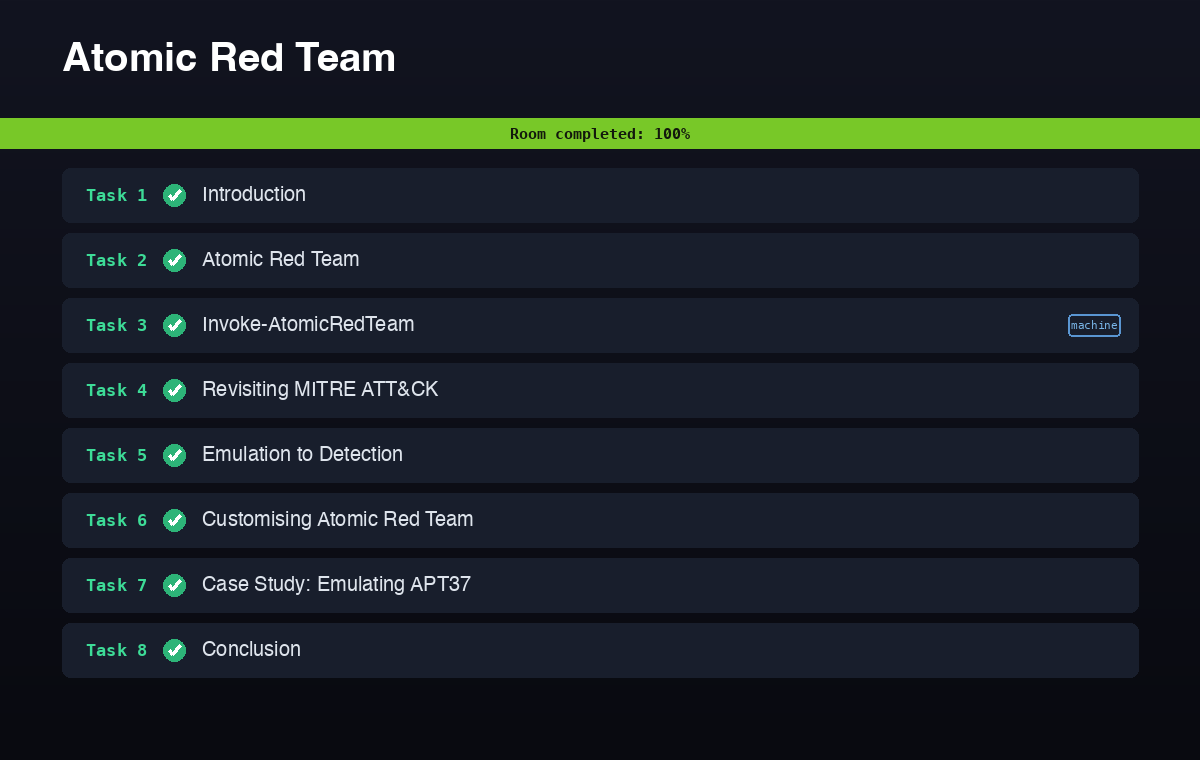
Task 2: the anatomy of an atomic
Before running anything, the room makes you understand what an “atomic” actually is. Each test is a YAML block with a fixed set of fields. Three of them come up as answers. Every test declares an executor, the interpreter that runs its commands, and while most tests use command_prompt or powershell, actions that a machine cannot automate use the manual executor, which just prints instructions for a human to follow. Each test carries an auto_generated_guid field, the unique identifier that lets you isolate and run one specific atomic out of many under the same technique. And each test that changes the system defines a cleanup_command field, the commands that delete files or revert configuration so the box is left as it was found.
Those three fields are the whole contract: what runs it, how to name it, and how to undo it.
Task 3: driving Invoke-AtomicRedTeam
Invoke-AtomicRedTeam is the cmdlet that executes the library. The discipline the room teaches is to read a test before you run it. -ShowDetailsBrief lists the tests under a technique without executing them, and -CheckPrereqs tells you what a test needs before it will work.
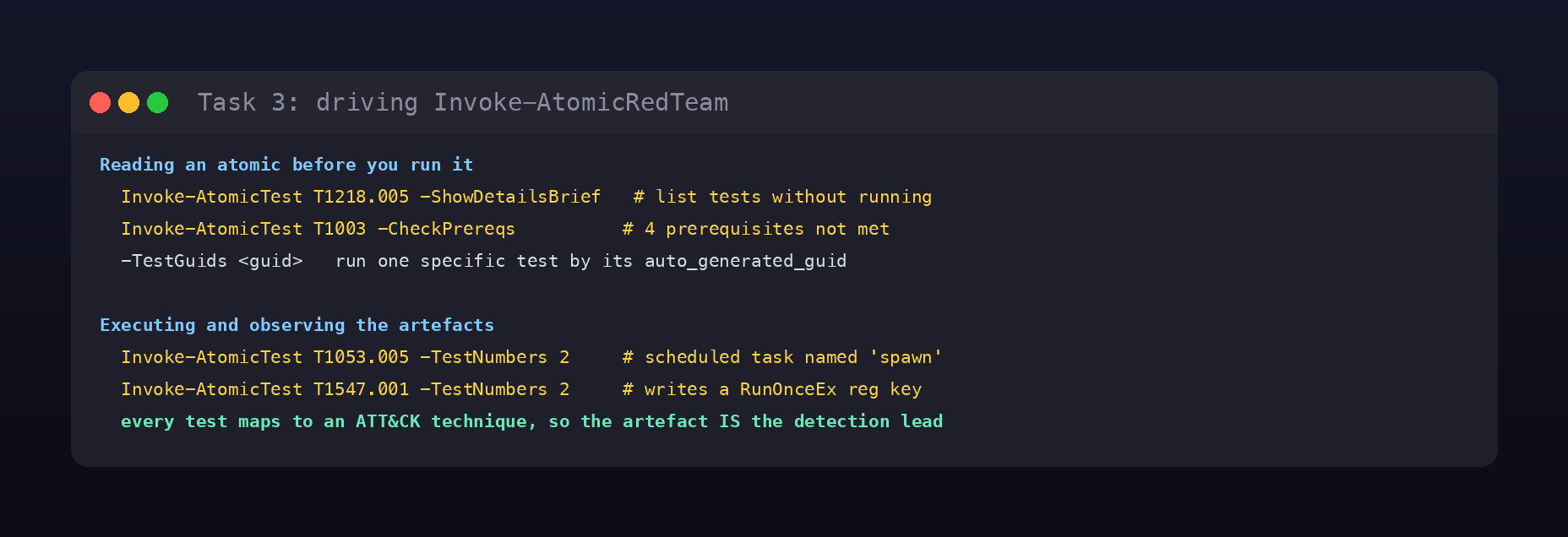
Working through the technique folders answers a cluster of questions. Atomic T1110.001 (password guessing) ships 4 tests supported on Windows. The second test under T1218.005 (Mshta) is named Mshta executes VBScript to execute malicious command. Running -CheckPrereqs against T1003 (OS credential dumping) reports 4 prerequisites not met. And when you want to run a single test by its identifier rather than its ordinal number, the parameter is -TestGuids.
Then you actually execute a few and watch the artefacts. The second test of T1053.005 (scheduled task) creates a task named spawn, and the second test of T1547.001 (Registry Run Keys) modifies the registry key HKLM\SOFTWARE\Microsoft\Windows\CurrentVersion\RunOnceEx\0001\Depend. This is the core loop of the whole room: run a technique, then look at exactly what it changed.
Task 4: revisiting MITRE ATT&CK
This task ties the tests back to real adversaries using the ATT&CK Navigator. Loading the layer for admin@338 shows 9 techniques attributed to the group, and the phishing technique in that mapping is T1566.001 (Spearphishing Attachment).
The rest of the task is more atomic execution against Windows. T1083 (file and directory discovery) has 4 tests supported on Windows. The prerequisite for T1049-4 is a file, Sharpview.exe, that must exist before the test will run. Executing T1059.003-3 (Windows command shell) echoes the string Hello, from CMD!. T1082-6 (system information discovery) returns the machine hostname, ATOMIC. And T1087.001-9 (local account discovery) reports 3 disabled accounts. Each answer is just the observable output of the corresponding test.
Task 5: from emulation to detection
This is the payoff task. Atomic tests are only useful to a SOC if the telemetry they generate feeds a detection, so here you run a test and immediately read the events it produced in Sysmon and Aurora EDR.
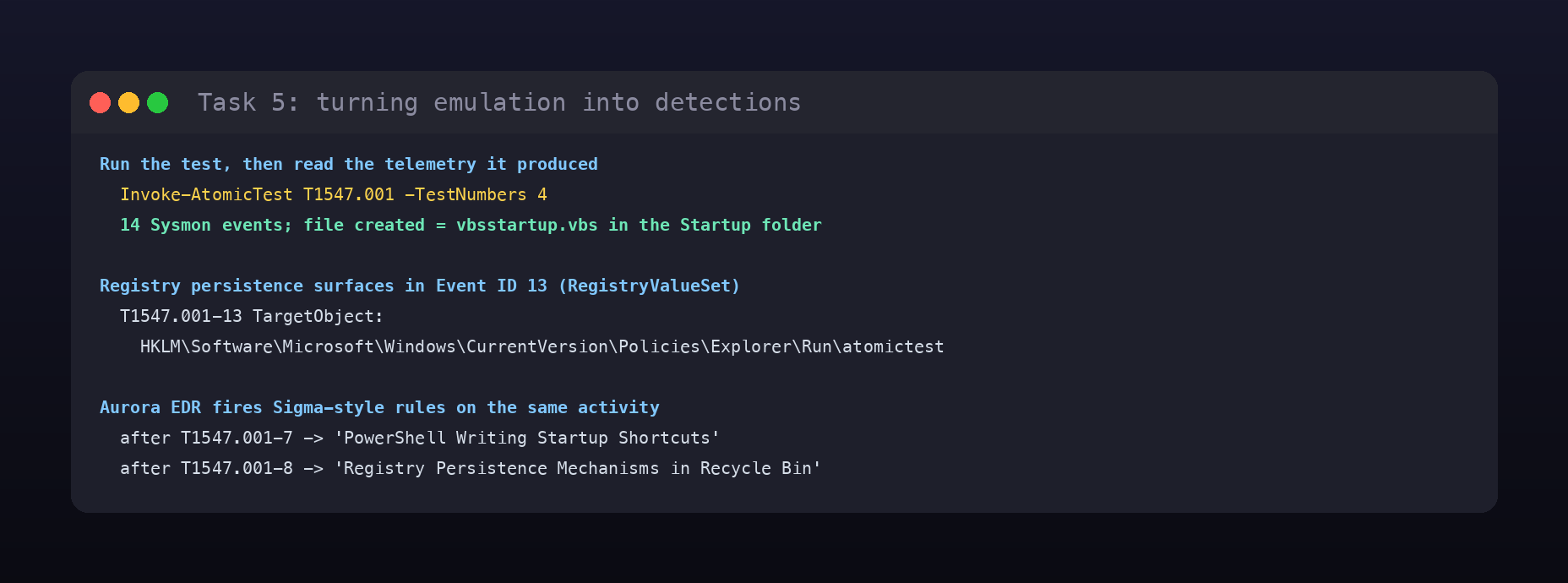
Executing T1547.001-4 generates 14 Sysmon events, and the file it creates is vbsstartup.vbs dropped into the Startup folder. Registry persistence shows up in the Sysmon Registry Value Set event (Event ID 13): after T1547.001-13 the TargetObject is HKLM\Software\Microsoft\Windows\CurrentVersion\Policies\Explorer\Run\atomictest. On the EDR side, Aurora fires Sigma-style rules on the same activity. Excluding the WHOAMI detection, the first rule triggered after T1547.001-7 is PowerShell Writing Startup Shortcuts, and after T1547.001-8 it is Registry Persistence Mechanisms in Recycle Bin. Run the TTP, read the rule that catches it: that is detection engineering in a loop.
Task 6: customising Atomic Red Team
Not every test works out of the box, because some depend on input arguments the environment does not satisfy (a password that fails a policy, for example). Two parameters fix this. -PromptForInputArgs lets you set the input arguments interactively at run time, and pairing a run with -Cleanup reverts the changes the test made once you are done. The module also ships a builder for new tests: the Atomic GUI, started with Start-AtomicGUI, serves a web form on port 8487 that generates the YAML definition for a test you design.
Task 7: case study, emulating APT37
The final task runs the full method against one adversary. The ATT&CK Navigator layer for APT37 lists 29 techniques, its phishing technique is Spearphishing Attachment, and 21 of its techniques have an existing atomic file you could run. Cross-referencing which of those atomics actually run on Windows, T1059.006 (Python) has no Windows-supported tests.
Then it is back to reading artefacts. The prerequisite description for T1055-1 is The 64-bit version of Microsoft Office must be installed. T1082 has 15 tests whose prerequisites are met. Executing T1547.001-3 logs three event IDs in ascending order, 1,11,13. With its default input value, T1529-1 (system shutdown) runs shutdown /s /t 1. T1106-1 creates a file whose TargetFilename in the Sysmon Event ID 11 log is C:\Users\Administrator\AppData\Local\Temp\2\T1106.exe. And the cleanup actions of T1105 generate 28 events. Picking one group, mapping its TTPs to atomics, running them, and reading the telemetry is exactly the workflow the module has been building toward.
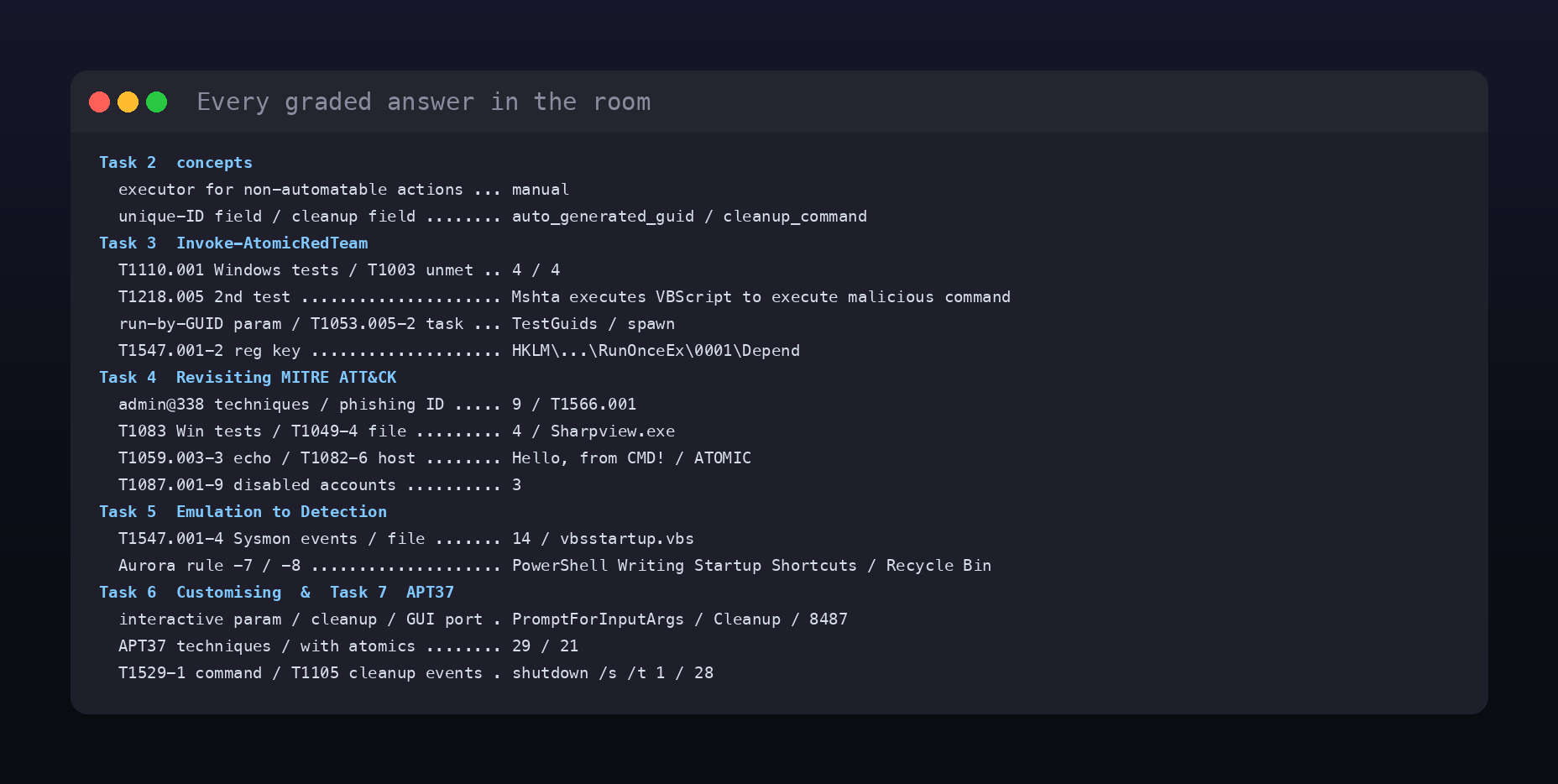
Every answer
| Task | Question | Answer |
|---|---|---|
| 2 | Executor for non-automatable actions | manual |
| 2 | Field with the unique identifier | auto_generated_guid |
| 2 | Field with the revert commands | cleanup_command |
| 3 | T1110.001 Windows tests | 4 |
| 3 | T1218.005 second test name | Mshta executes VBScript to execute malicious command |
| 3 | T1003 prerequisites not met | 4 |
| 3 | Parameter to run a test by GUID | TestGuids |
| 3 | T1053.005 second test task name | spawn |
| 3 | T1547.001 second test registry key | HKLM\SOFTWARE\Microsoft\Windows\CurrentVersion\RunOnceEx\0001\Depend |
| 4 | admin@338 techniques (Navigator) | 9 |
| 4 | admin@338 phishing technique ID | T1566.001 |
| 4 | T1083 Windows tests | 4 |
| 4 | T1049-4 required file | Sharpview.exe |
| 4 | T1059.003-3 echoed string | Hello, from CMD! |
| 4 | T1082-6 hostname | ATOMIC |
| 4 | T1087.001-9 disabled accounts | 3 |
| 5 | T1547.001-4 Sysmon events | 14 |
| 5 | File created by that test | vbsstartup.vbs |
| 5 | T1547.001-13 TargetObject | HKLM\Software\Microsoft\Windows\CurrentVersion\Policies\Explorer\Run\atomictest |
| 5 | Aurora rule after T1547.001-7 | PowerShell Writing Startup Shortcuts |
| 5 | Aurora rule after T1547.001-8 | Registry Persistence Mechanisms in Recycle Bin |
| 6 | Interactive input-args parameter | PromptForInputArgs |
| 6 | Parameter to revert changes | Cleanup |
| 6 | Atomic GUI default port | 8487 |
| 7 | APT37 techniques (Navigator) | 29 |
| 7 | APT37 phishing technique | Spearphishing Attachment |
| 7 | APT37 techniques with an atomic | 21 |
| 7 | APT37 atomic with no Windows tests | T1059.006 |
| 7 | T1055-1 prerequisite description | The 64-bit version of Microsoft Office must be installed |
| 7 | T1082 tests with met prerequisites | 15 |
| 7 | T1547.001-3 event IDs (ascending) | 1,11,13 |
| 7 | T1529-1 default command | shutdown /s /t 1 |
| 7 | T1106-1 TargetFilename | C:\Users\Administrator\AppData\Local\Temp\2\T1106.exe |
| 7 | T1105 cleanup events | 28 |
Wrap-up
Atomic Red Team is the room where threat emulation stops being a slide about adversaries and becomes a repeatable measurement. The mental model is small and durable: every atomic is one ATT&CK technique with a known executor, a GUID, and a cleanup routine; you inspect it with -ShowDetailsBrief and -CheckPrereqs, run it with Invoke-AtomicTest, and then read the Sysmon and EDR telemetry it produced. Do that in a loop across a real group’s TTPs, as the APT37 case study does, and you have generated a detection dataset on demand. The answers in this room are almost all just the observable output of a test, which is the whole point: run the technique, look at what it leaves behind, and turn that artefact into a rule.