| Follow @anir0y | |
|---|---|
| CAPTCHApocalypse |  |
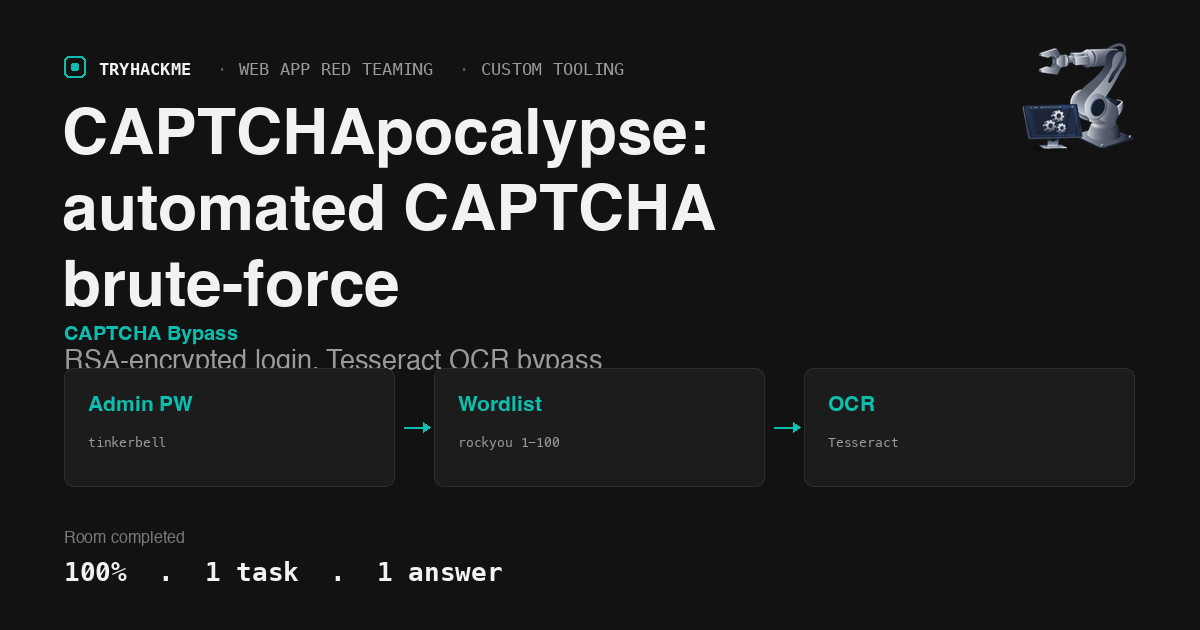
This medium-difficulty room in the Custom Tooling module of the Web Application Red Teaming path is a single-task challenge: brute-force an admin login protected by a CAPTCHA using the first 100 entries from rockyou.txt. The login mechanism is non-trivial, using RSA encryption on both the request and response, and the CAPTCHA plus CSRF token both rotate per attempt, so a naive replay loop fails silently. The room sits alongside Padding Oracles and Attacking ECB Oracles in the same path.
Task 1: Challenge
Reconnaissance
The target runs a PHP login page at http://MACHINE_IP/ with four fields: username, password, a CAPTCHA image from captcha.php, and a hidden csrf_token. The login button does not submit a form; it calls a JavaScript function login() defined in script.js.
Reading script.js reveals the full client-side crypto chain:
- The page collects
username,password,csrf_token, andcaptcha_input, URL-encodes them into a single string. - That string is RSA-encrypted (PKCS1v15) with a server public key embedded in the JS.
- The ciphertext is Base64-encoded and sent as
{"data": "<base64>"}via POST toserver.php. - The server responds with
{"data": "<base64>"}, which the client decrypts using a client private key, also embedded in the JS.
Both keys are 2048-bit RSA in PKCS#8 PEM format, sitting right in the page source. This means an attacker can craft and decrypt requests without a browser.
The three traps
A straightforward brute-force script (loop over passwords, POST each one) fails because of three per-request controls that are easy to miss:
CSRF token is single-use. Each load of index.php generates a fresh csrf_token in the hidden field. After one POST (successful or not), that token is consumed. Reusing it returns “Invalid CSRF token.” without checking the password or CAPTCHA at all.
CAPTCHA regenerates on every page load. Loading index.php (to get a fresh CSRF) also regenerates the CAPTCHA stored in the PHP session. The old CAPTCHA answer becomes invalid immediately. Calling captcha.php fetches the image for the current session’s CAPTCHA, but the answer was already set when index.php loaded.
No error distinction for stale tokens. The server returns “Invalid CSRF token.” for a reused CSRF, “CAPTCHA incorrect.” for a wrong CAPTCHA, and “Login failed!” for a wrong password. But if you are not checking the decrypted response for each of these strings, they all look like failures. A script that only checks for “successful” will silently burn through 100 passwords and report “no match.”
Building the brute-force tool
The approach that works: for each password attempt, do the full cycle.
GET /to obtain a freshcsrf_token(this also regenerates the CAPTCHA in the session).GET /captcha.phpto download the CAPTCHA image for this session.- OCR the image to extract the 5-character alphanumeric text.
- RSA-encrypt the login payload with the correct CSRF, password, and CAPTCHA.
- POST to
server.php, decrypt the response, check the result. - If “Login failed!”, move to the next password. If “CAPTCHA incorrect.”, retry with a fresh CAPTCHA (OCR misread). If “successful”, extract the flag from
dashboard.php.
The CAPTCHA images are 120x40 pixels, black text on a white background, 5 uppercase alphanumeric characters. Tesseract OCR handles them reliably with two settings: --psm 7 (treat the image as a single text line) and a character whitelist restricted to ABCDEFGHIJKLMNOPQRSTUVWXYZ0123456789. Without the whitelist, Tesseract confuses 5 with S, 0 with O, and occasionally drops characters.
  import subprocess, tempfile, os

  def ocr_captcha(img_bytes):
      with tempfile.NamedTemporaryFile(suffix='.png', delete=False) as f:
          f.write(img_bytes)
          f.flush()
          result = subprocess.run(
              ['tesseract', f.name, '-', '--psm', '7',
               '-c', 'tessedit_char_whitelist=ABCDEFGHIJKLMNOPQRSTUVWXYZ0123456789'],
              capture_output=True, text=True)
          os.unlink(f.name)
          return result.stdout.strip().replace(' ', '')
The RSA encryption and decryption use the keys extracted from script.js:
  from cryptography.hazmat.primitives.asymmetric import padding as asym_padding
  from cryptography.hazmat.primitives import serialization
  import base64

  SERVER_PUB = serialization.load_pem_public_key(b"-----BEGIN PUBLIC KEY-----\n...\n-----END PUBLIC KEY-----")
  CLIENT_PRIV = serialization.load_pem_private_key(b"-----BEGIN PRIVATE KEY-----\n...\n-----END PRIVATE KEY-----", password=None)

  def encrypt(text):
      return base64.b64encode(
          SERVER_PUB.encrypt(text.encode(), asym_padding.PKCS1v15())
      ).decode()

  def decrypt(b64):
      return CLIENT_PRIV.decrypt(
          base64.b64decode(b64), asym_padding.PKCS1v15()
      ).decode()
Running the attack
The script iterates through the first 100 passwords from rockyou.txt. Each attempt takes roughly 0.5 seconds (two HTTP requests plus one Tesseract invocation). On a CAPTCHA OCR failure (detected when the server returns “CAPTCHA incorrect.”), the script retries up to 3 times with a fresh CAPTCHA before moving to the next password.
  Brute-forcing 100 passwords with per-attempt CAPTCHA OCR
  ... 10/100 tried
  ... 20/100 tried
  ... 30/100 tried
  ... 40/100 tried
  ... 50/100 tried
  ... 60/100 tried
  [ 63] tinkerbell           => Login successful! (CAPTCHA=YAT7G)

  *** PASSWORD FOUND: tinkerbell ***
  *** FLAG: THM{REDACTED} ***
Password tinkerbell (line 63 in rockyou.txt) grants access. The dashboard at /dashboard.php displays the flag.
Answers
- What is the flag? THM{8938aed9fbf43bddb7c0a98f292dca00}
Takeaways
A CAPTCHA that is clean, monospaced, and undistorted is not a CAPTCHA at all. The images in this room are 120x40 black-on-white alphanumeric strings with no rotation, no noise, no overlapping lines, and no color variation. Tesseract with a restricted character whitelist solves them at near-100% accuracy. Real CAPTCHA implementations need distortion, variable fonts, background noise, or challenge types that resist OCR (image classification, audio, interactive puzzles). A CAPTCHA that a commodity OCR engine can read in 50 milliseconds adds latency to the attacker but does not add meaningful resistance.
Per-request CSRF rotation without rate limiting creates a false sense of security. The CSRF token and CAPTCHA both rotate on every page load, which prevents simple replay attacks. But nothing stops an automated client from requesting a fresh page, solving the CAPTCHA, and submitting a login attempt in a tight loop. The real missing control is rate limiting: locking the account after N failures, introducing exponential backoff, or requiring a secondary factor after repeated failures. The CSRF and CAPTCHA together slowed the attack from sub-second per attempt (a raw POST loop) to roughly half a second per attempt (full page cycle plus OCR), which is a 2x slowdown on a 100-password wordlist. That is not a defense.
Room solved 100%: 1 task, 1 answer.