| Follow @anir0y | |
|---|---|
| CSRF |  |
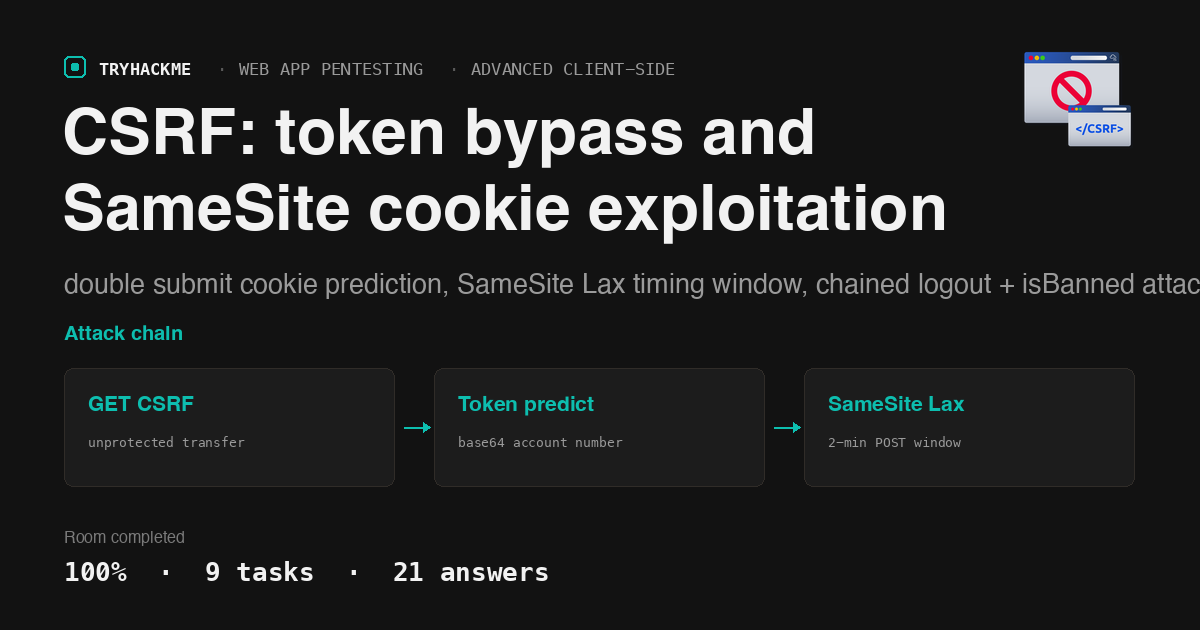
This medium-difficulty room in the Web Application Pentesting path walks through cross-site request forgery from basic GET-based exploits to advanced SameSite cookie bypasses. It sits in the Advanced Client-Side Attacks module alongside the XSS walkthrough. The lab deploys a banking application (MyBank) with a mailbox component, and each task escalates the attack surface: unprotected transfers, predictable CSRF tokens via double submit cookies, and SameSite Lax timing windows. For a room that chains XSS with CSRF in a single attack path, see the Whats Your Name walkthrough.
Task 1: Introduction
Prerequisites check. The room requires a VPN connection to the lab machine. The target runs two applications: a banking portal on port 8080 (mybank.thm) and a mailbox on port 8081 (mailbox.thm). Both resolve to the lab IP via Host header.
Task 2: Overview of CSRF Attack
CSRF exploits the trust a web application places in the user’s browser. When a victim visits an attacker-controlled page while authenticated to a target application, the browser automatically attaches the victim’s session cookies to any request the attacker’s page triggers. The application cannot distinguish the forged request from a legitimate one.
The room lists four effects of a successful CSRF attack: (a) unauthorised actions on the user’s behalf, (b) data manipulation, (c) session hijacking through forced credential changes, and (d) all of the above. The attacker does need prior knowledge of the application’s request format, since the forged request must match what the server expects.
Answers
- Which of the following is a possible effect of CSRF? d
- Does the attacker usually know the web application requests and response format while launching a CSRF attack? yea
Task 3: Types of CSRF Attack
Three types of CSRF exploits differ in how the forged request is delivered:
Stored CSRF embeds the malicious request directly in the target application (via a stored XSS or an embedded resource like an image tag). Every user who views the affected page triggers the forged request.
Reflected CSRF delivers the payload through a link the victim must click, typically via phishing email or social engineering.
Flash-based CSRF uses a .swf file to construct and send cross-origin requests. The Flash plugin handled cookies and redirects in ways that bypassed browser CSRF protections. This attack type is largely historical since Flash reached end of life in 2020, but the concepts carry forward to modern exploitation via XMLHttpRequest and the Fetch API.
The room distinguishes synchronous CSRF (full page reload, visible to the user) from asynchronous CSRF (background request via JavaScript, invisible). Asynchronous exploitation is the more dangerous variant because it operates without any visible page change.
Answers
- What is usually the extension of a malicious flash file used during a CSRF attack? .swf
- Which type of CSRF exploitation is carried out when operations are initiated without a complete page reload? Asynchronous
Task 4: Basic CSRF via Hidden Link and Image
The lab’s banking application at mybank.thm:8080 has a transfer endpoint at dashboard.php that accepts GET parameters for the destination account and amount. There is no CSRF token, no referer check, and no re-authentication. Any authenticated GET request with to_account and amount completes the transfer.
The attacker’s email in Josh’s mailbox (the one with the red “vulnerable” badge) contains a hidden link pointing to:
http://mybank.thm:8080/dashboard.php?to_account=GB82MYBANK5698&amount=1000
When Josh clicks this link while logged in, the browser sends the request with Josh’s session cookie attached, and the transfer executes:
curl -s -b /tmp/josh_bank.txt \
  "http://mybank.thm:8080/dashboard.php?to_account=GB82MYBANK5698&amount=1000"
  # Transfer successful! Flag: THM{SUCCESSFUL_ATTACK}
The protected version at dashboard_secure.php adds a CSRF token to every form and validates it server-side. The same forged request fails because it lacks a valid token:
curl -s -b /tmp/josh_bank.txt \
  "http://mybank.thm:8080/dashboard_secure.php?to_account=GB82MYBANK5698&amount=1000"
  # Invalid CSRF Token Found. Flag: THM{INVALID_CSRF_TOKEN}
The hidden image technique works the same way: an <img src="http://mybank.thm:8080/dashboard.php?to_account=...&amount=..."> tag forces the browser to make a GET request when the page loads. The src attribute does not need to point to an actual image; the browser fires the request regardless and simply fails to render the response as an image.
Answers
- What is the flag value after a successful transfer from Josh’s account? THM{SUCCESSFUL_ATTACK}
- What is the flag value once the CSRF attack is detected? THM{INVALID_CSRF_TOKEN}
- Does the hidden image exploitation require the img tag’s src attribute to be linked toward a legitimate image file? nay
Task 5: Double Submit Cookie Bypass
The bank application uses a double submit cookie pattern for CSRF protection on changepassword.php. The server generates a token, stores it in both a cookie (csrf-token) and a hidden form field (csrf_token), and validates that they match on submission. The theory: an attacker cannot read or set cookies for the target origin.
The flaw is in the token itself. The attacker opens the browser’s DevTools and finds the csrf-token cookie value. Running it through CyberChef with “From Base64” reveals the decoded value is the user’s own account number:
R0I4Mk1ZQkFOSzU2OTk= -> GB82MYBANK5699
The token is predictable. Since the attacker already knows Josh’s account number (it is the login credential), they can generate a valid CSRF token by base64-encoding it. The attacker’s payload page at attacker.mybank.thm:8080/changepassword_attacker.php sets the forged cookie via JavaScript (exploiting the subdomain relationship) and submits the form with the matching hidden field, changing Josh’s password to GB82MYBANK5697.
The IT team’s fix replaces the base64 encoding with a cryptographically random token generator. After the fix, the attacker’s payload page sends a predictable token that no longer matches the server’s expectation:
curl -s -b /tmp/josh_bank.txt \
  "http://mybank.thm:8080/changepassword_secure.php" \
  -d "current_password=GB82MYBANK5699&new_password=test&confirm_password=test&csrf_token=R0I4Mk1ZQkFOSzU2OTk="
  # Flag: THM{SECURED_CSRF}
Answers
- What is the decoded value of the CSRF token for Josh’s account? GB82MYBANK5699
- What is the updated password for Josh’s account? GB82MYBANK5697
- What is the flag value after the IT team employed a random token generation algorithm? THM{SECURED_CSRF}
- What is the hidden field name that the MyBank IT team added to avoid CSRF attacks? csrf_token
- Is it technically possible to hijack a session cookie in a web application? yea
Task 6: SameSite Cookie Bypass
SameSite is a cookie attribute that controls whether the browser sends the cookie on cross-origin requests. Three values:
Strict blocks the cookie on all cross-site requests, including top-level navigations. This prevents CSRF entirely but breaks usability (clicking a link from an email to a logged-in site would appear logged out).
Lax sends the cookie on top-level navigations (clicking a link) using safe HTTP methods (GET, HEAD, OPTIONS) but blocks it on cross-origin POST requests, embedded resources, and AJAX calls. This is the default in modern browsers.
None sends the cookie on all cross-site requests but requires the Secure attribute (HTTPS only).
The lab’s logout cookie is set with SameSite=Lax. The attacker finds its value in the Application tab of DevTools:
logout cookie value: 7kRt2x9LpQyW
The Lax exploit works because logout.php is a GET endpoint. The attacker’s email (Email 5 with the red badge) contains a link to http://mybank.thm:8080/logout.php. Since this is a top-level navigation via GET, the browser sends the Lax cookie, and the logout succeeds:
curl -s -b /tmp/josh_bank.txt -b "logout=7kRt2x9LpQyW" \
  "http://mybank.thm:8080/logout.php"
  # THM{LOGGED_OUT}
When the logout cookie is tampered with (changed to “hellothm”), the server detects the mismatch and flags the CSRF attempt:
curl -s -b /tmp/josh_bank.txt -b "logout=hellothm" \
  "http://mybank.thm:8080/logout.php"
  # THM{ATTACK_DETECTED}
The Lax+POST exploit takes advantage of a two-minute window. When a cookie is set or modified in the last two minutes, Chrome sends it with cross-origin POST requests even if the SameSite attribute is Lax. The launchAttackSuccess() function in Email 6 chains two actions: it opens logout.php (which updates the isBanned cookie via the Lax GET), then immediately submits a hidden form to index.php with isBanned=true. Because the cookie was just modified (within the two-minute window), the browser sends it with the cross-origin POST:
  # Step 1: GET logout (updates isBanned cookie via Lax)
curl -s -b /tmp/josh_bank.txt -b "logout=7kRt2x9LpQyW" \
  "http://mybank.thm:8080/logout.php"

  # Step 2: POST to index.php (within 2-minute window)
curl -s -b /tmp/josh_bank.txt -b "isBanned=true" \
  -X POST "http://mybank.thm:8080/index.php" \
  -d "isBanned=true"
  # THM{USER_IS_B@NNED}
Answers
- What is the logout cookie value? 7kRt2x9LpQyW
- What is the flag value after successfully logging out Josh? THM{LOGGED_OUT}
- What is the flag value after detecting a CSRF attack? THM{ATTACK_DETECTED}
- After updating the isBanned cookie value to true through a CSRF attack, what is the flag value? THM{USER_IS_B@NNED}
Task 7: Additional Exploitation Techniques
Two browser-level defences interact with CSRF:
Same-Origin Policy (SOP) restricts how scripts from one origin can read responses from another. SOP does not prevent the browser from sending the request (which is why CSRF works), but it does prevent the attacker’s page from reading the response. This distinction matters: CSRF is a write primitive, not a read primitive.
Referer header validation checks whether the request originated from the expected domain. The server compares the Referer header against a whitelist and rejects requests from foreign origins. This defence is bypassable (the header can be suppressed with <meta name="referrer" content="no-referrer"> or omitted by certain browser configurations), so it serves as defence in depth rather than a primary control.
Answers
- What security mechanism primarily helps prevent CSRF by limiting cross-origin interactions? Same-Origin Policy
- Can CSRF exploit the trust that a web application has in the user’s browser? yea
- What HTTP header can be checked to verify the origin of a request as a CSRF countermeasure? Referer
Task 8: Defence Mechanisms
The room covers layered defences against CSRF:
- Synchroniser token pattern: generate a cryptographically random, per-session token, embed it in a hidden form field, and validate it server-side on every state-changing request
- SameSite cookie attribute: set
SameSite=StrictorSameSite=Laxto limit when browsers attach cookies to cross-origin requests - Referer validation: check the Referer or Origin header on incoming requests
- Re-authentication: require the user’s current password or a CAPTCHA for sensitive operations
No single defence is sufficient. The double submit cookie pattern failed because the token was predictable. The SameSite=Lax setting was bypassed via the two-minute POST window. Referer headers can be stripped. Defence in depth, combining unpredictable tokens with SameSite cookies and re-authentication, is the correct approach.
Answers
- Is the CSRF defence mechanism sufficient for web application security on its own? nay
Task 9: Conclusion
Room complete.
Takeaways
A CSRF token is only as strong as its generation algorithm. The double submit cookie pattern looked correct on the surface: the server checked that the cookie value matched the form field. But the token was the user’s base64-encoded account number, which the attacker already knew. The fix was not a different validation pattern; it was a different token. Any CSRF token derived from predictable input (user ID, timestamp, sequential counter) is equivalent to no token at all, because the attacker can compute it.
SameSite=Lax prevents cross-origin POST but not cross-origin GET, and a two-minute window weakens even the POST protection. The logout exploit worked because logout.php was a GET endpoint, and Lax cookies travel with top-level GET navigations by design. The isBanned exploit chained a GET (to refresh the cookie) with an immediate POST (within Chrome’s two-minute grace period for newly set cookies). Both attacks used legitimate browser behaviour, not implementation bugs. The defence is to make state-changing operations require POST with a validated CSRF token, and to set SameSite=Strict on cookies that guard destructive actions.
Room solved 100%: 9 tasks, 21 answers.