| Follow @anir0y | |
|---|---|
| Custom Tooling using Burp |  |
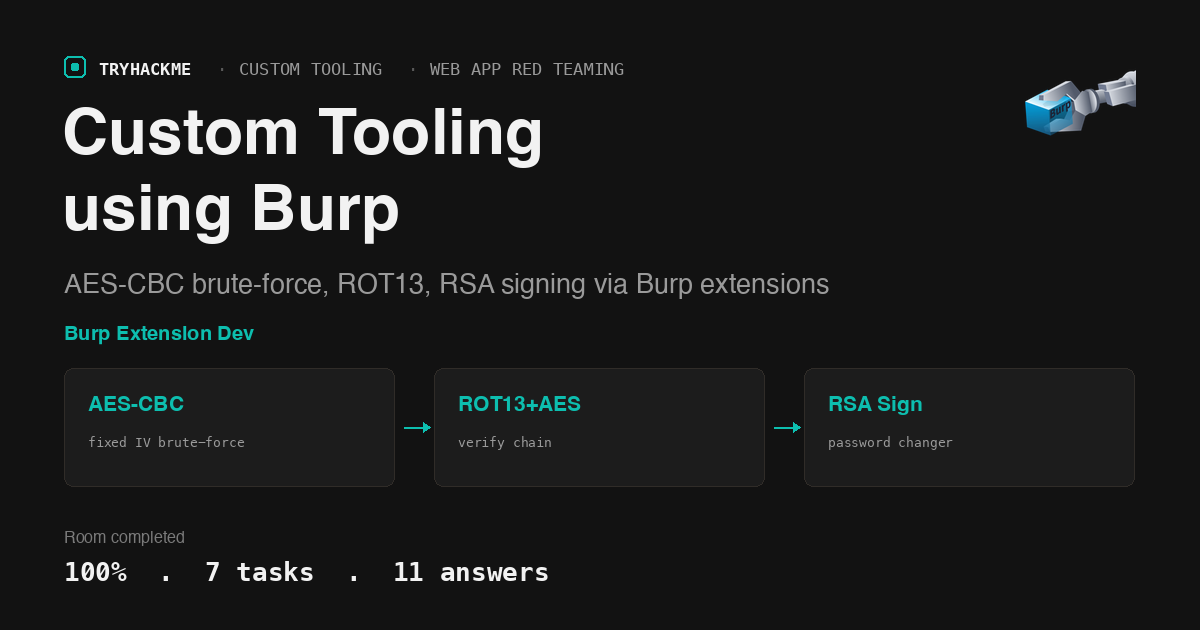
This easy-difficulty room in the Custom Tooling module of the Web Application Red Teaming path walks through building Java-based Burp Suite extensions that handle custom cryptography. The application encrypts every login request with AES-CBC using a random key and a fixed IV, then layers ROT13 and RSA signing on top for the authentication and password-change endpoints. Off-the-shelf Burp tools (Intruder, Repeater) cannot handle this, so you write extensions that encrypt, decrypt, and sign automatically. The room sits alongside Custom Tooling Using Python in the same module, and the next room in the path is Tooling via Browser Automation.
Task 1: Introduction
Setup task. The room deploys two VMs: a Burp Suite Community Edition instance and a target Flask application running on port 8443. The target application implements three authentication layers with increasing cryptographic complexity: a login form (AES-CBC), a secret verifier (ROT13 + AES-CBC), and a password changer (ROT13 + AES-CBC + RSA signing).
Answers
- I am ready to learn about creating custom Burp plugins! No answer needed.
Task 2: Using a Proxy for Custom Tooling
The task compares four intercepting proxies and when to choose each one:
| Decision Factor | Burp Suite | Fiddler | OWASP ZAP | Caido |
|---|---|---|---|---|
| Platform Support | Windows, macOS, Linux | Windows | Windows, macOS, Linux | Windows, macOS, Linux |
| Plugin Support | Extensions in Java, Python, and Ruby | .NET scripting | Add-Ons in Java or JavaScript | JavaScript/TypeScript scripting |
| Plugin Development | High (Burp Extender API + community) | Medium (.NET knowledge) | Medium (ZAP scripting) | High (modern, dev-friendly) |
Fiddler is the only proxy restricted to Windows. Caido uses TypeScript for its plugin API, making it attractive for developers already working in that ecosystem. Burp supports the most languages for extension development (Java, Python via Jython, Ruby via JRuby), which is why the room selects it for this module.
Answers
- Which intercepting proxy currently only has support for Windows? Fiddler
- Which intercepting proxy allows us to write plugins using TypeScript? Caido
- Which intercepting proxy allows plugins to be written in the most amount of different coding languages? Burp
Task 3: Using Extensions in Burp
The task walks through installing extensions from the BApp Store. The example extension is Decoder Improved, which handles encoding and decoding of strings in multiple formats (Base64, URL encoding, hex, HTML entities) directly inside a Burp tab. Once installed, you can navigate to its tab, select “Text” as the input type, choose “Encode as Base64”, enter TryHackMe, and the extension produces the Base64-encoded output VEhNezEwMUJ1cnB9 (which decodes to THM{101Burp}).
The BApp Store contains both free and paid extensions. Many are free, community-contributed tools covering everything from automated scanning (Hackvertor, Logger++, XSS Validator) to request manipulation (Turbo Intruder, JSON Web Token Attacker).
Answers
- What is the decoded value for the string VEhNezEwMUJ1cnB9? THM{101Burp}
- Does Burp only offer paid extensions developed by users worldwide? (yea/nay) Nay
Task 4: Creating a Basic Burp Extension
The login form and its encryption
The target application at port 8443 presents a login form for user ecorp_user with a 4-digit password (0000 to 9999). The form does not submit credentials in plaintext. Instead, the client-side JavaScript at /static/form-submit.js does the following:
- Generates a random 16-byte AES key via
crypto.getRandomValues(new Uint8Array(16)) - Constructs the plaintext:
username=ecorp_user&password=<pin> - Encrypts it with AES-CBC using a fixed IV of
"0000000000000000"(16 ASCII0x30bytes) - Base64-encodes both the raw AES key (as
mac) and the ciphertext (asdata) - POSTs
mac=<base64_key>&data=<base64_ciphertext>to/login
The server decrypts the ciphertext using the mac key and the same fixed IV, then checks the credentials. Because the IV is fixed and the key is sent alongside the ciphertext, the encryption provides no confidentiality against an attacker who intercepts the request. Its purpose in this room is to force the attacker to build custom tooling rather than using Intruder’s built-in payload processing.
The Burp extension
The task provides a Java Burp extension (Montoya API) that builds a Swing GUI with a “Start Attack” button. When clicked, the startBruteForce method iterates passwords from 0001 to 9999, constructs an encrypted request for each one, sends it through Burp’s HTTP client, and checks the response. The extension handles:
- AES key generation and AES-CBC encryption with the fixed IV
- Base64 encoding of both the key and ciphertext
- HTTP request construction matching the form’s POST format
- Response decryption using the same AES key from the outgoing request
- Success detection when the decrypted response does not contain “incorrect”
The brute-force finds the password 0007, and the decrypted success response contains the secret code needed for the next task.
Answers
- What is the password for the user ecorp_user? 0007
- What is the name of the function that performs brute forcing in the Burp extension? startBruteForce
Task 5: Modifying a Burp Extension
Adding ROT13 to the encryption chain
After logging in with ecorp_user:0007, the /authenticate page presents a “Secret Verifier” form. This form uses a different encryption scheme defined in /static/form-verify-submit.js:
- The username and secret are ROT13-encoded before encryption:
ecorp_userbecomesrpbepc_hfre, and digits pass through unchanged since ROT13 only affects alphabetic characters - The plaintext becomes
username=<rot13(username)>&secret=<rot13(secret)> - Everything else (random AES key, fixed IV, Base64 encoding, POST format) stays the same
The task requires modifying the Burp extension to add ROT13 encoding before AES encryption. The ROT13 implementation shifts each letter by 13 positions in the alphabet, wrapping around: A becomes N, B becomes O, and so on. It is its own inverse (applying ROT13 twice returns the original).
The extension intercepts the server’s encrypted response and decrypts it using the handleHttpResponseReceived callback. The response handler extracts the result= parameter from the response body, retrieves the AES key from the mac= parameter in the original request, and decrypts the result using AES-CBC with the fixed IV.
When verifying with ecorp_user and the secret from the login response (THM{Breaking.Custom.Crypto.Is.Fun}), the decrypted response for ecorp_admin reveals the admin’s secret: THM{You.Will.Never.Guess.This.Super.Secure.Secret}.
Answers
- What is the secret of ecorp_admin? THM{You.Will.Never.Guess.This.Super.Secure.Secret}
Task 6: Challenge
The full cryptographic chain
The /changepassword form in /static/form-password-submit.js adds a third layer: RSA-PKCS1v15 signing. The encryption chain is:
- ROT13-encode the secret and new password
- Construct the plaintext:
secret=<rot13(secret)>&password=<rot13(new_password)> - Generate a random AES key, encrypt with AES-CBC (fixed IV)
- Sign the raw plaintext (before encryption) with an RSA private key embedded in the JavaScript file
- POST three parameters:
mac=<base64_key>&data=<base64_ciphertext>&sign=<base64_signature>
The server verifies the RSA signature against the plaintext before processing the password change. This means the extension must not only encrypt correctly but also produce a valid signature.
The task description provides a different RSA key pair (the server’s key pair for request/response encryption in other contexts). The key embedded in the JavaScript file (form-password-submit.js) is the one that produces valid signatures for the password change endpoint.
The challenge flag is obtained by successfully changing the password using the full chain (ROT13 + AES-CBC + RSA signing) and reading the response.
Answers
- What is the flag? THM{end_2_end_encryption!}
Task 7: Conclusion
The room concludes with the key takeaway: when applications implement custom cryptography in their client-side code, off-the-shelf proxy tools cannot automate testing. Building plugins that replicate the cryptographic operations inside the proxy is the standard approach. Burp’s Montoya API gives extensions access to the full request/response lifecycle, so the encryption and signing logic runs transparently on every request.
Answers
- I understand the importance of using plugins to develop custom tooling! No answer needed.
Takeaways
A fixed IV in AES-CBC combined with a per-request key sent in the clear provides zero confidentiality, but it still blocks automated tooling that cannot replicate the encryption. The application in this room sends both the AES key (mac) and the ciphertext (data) in the same HTTP request. An attacker who captures the request can trivially decrypt it. The encryption exists not as a security boundary but as an anti-automation measure: Burp’s Intruder, Hydra, and other brute-force tools cannot natively construct the encrypted payload format. The Burp extension solves this by reimplementing the encryption in Java and calling Burp’s HTTP client, turning a tool limitation into a solved problem. The real defense would be rate limiting, account lockout, or multi-factor authentication, not client-side encryption with a transmitted key.
Layering ROT13, AES-CBC, and RSA signing creates a high implementation bar for attackers but does not increase the cryptographic strength of the system. Each layer in this room’s authentication chain is individually weak or redundant: ROT13 is a trivial substitution cipher, the AES key is sent alongside the ciphertext, and the RSA private key is embedded in the client-side JavaScript. An attacker who reads the JavaScript has everything needed to replicate the full chain. The complexity lies in correctly combining these operations (the right encoding order, the right padding mode, the right key format), which is the skill the room teaches. In a real engagement, this pattern (custom crypto in client-side JS) is common in mobile and web applications, and the approach is always the same: read the JavaScript, understand the chain, replicate it in your tooling.
Room solved 100%: 7 tasks, 11 answers.