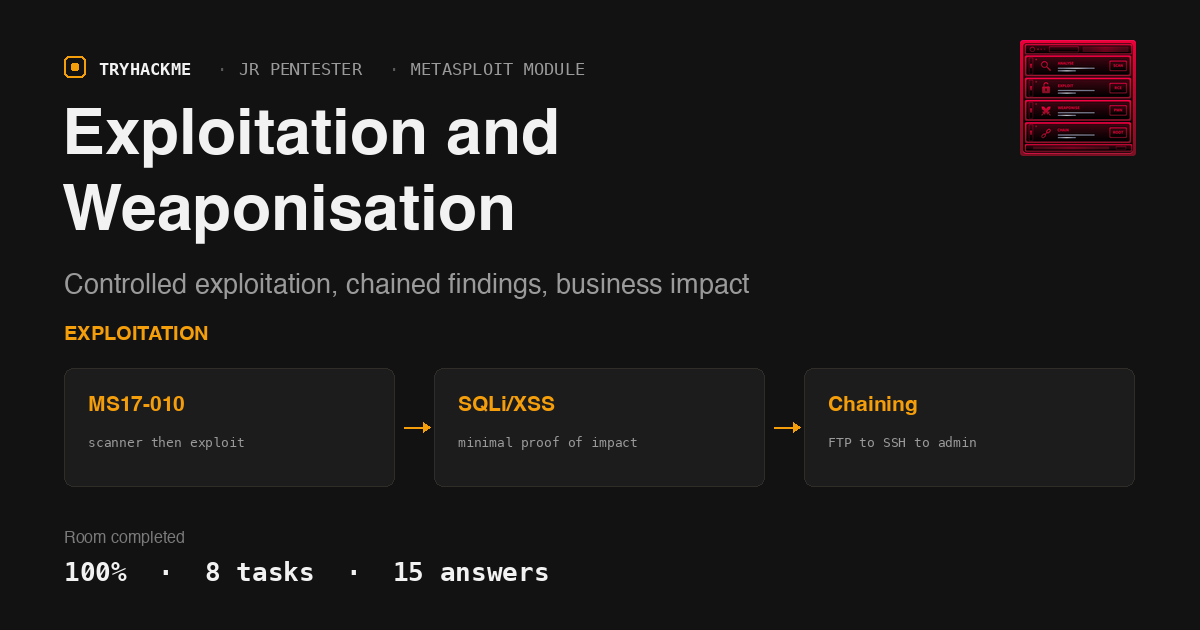
Exploitation and Weaponisation sits inside the Metasploit and Exploitation module of the Jr Penetration Tester path, right after Metasploit: The Basics and Metasploit: Post-Exploitation taught the msfconsole mechanics. This room is different in kind: there is no target box to attack. It is a pure judgement room about what to do once a vulnerability is confirmed, how far to push an exploit before you have proven enough, and how to turn a scattered set of findings into a chained story with real business impact. Every task question is answerable straight from the room’s own text and worked examples, so this is a reading-and-reasoning solve rather than a hands-on one, until Task 7 hands you an interactive simulator with its own flag.
Task 1: Introduction
The intro draws a hard line between two words the industry uses loosely. Exploitation is interacting with a confirmed vulnerability in a controlled, minimal, safe way to prove it is real. Weaponisation (in this room’s sense, distinct from the Cyber Kill Chain’s payload-crafting definition) is taking that confirmed exploit and aligning it with attacker goals and business impact, by chaining issues, abusing application logic, or leveraging trust relationships. No answer needed here beyond the acknowledgement checkbox.
Task 2: From Vulnerability Discovery to Exploitation
Before touching an exploit, the room lays out a three-step discipline: analyse the finding (what component, what conditions, what does success look like), confirm exploitability without blind firing, and reproduce reliably at least twice before moving on.
The worked example is an Nmap hit on a Windows 7 host with SMB open on port 445, hinting at MS17-010. The rule of thumb is verify before you exploit: run the safer auxiliary scanner module first, since some scanner modules confirm a finding without ever touching the exploit payload. The answer is auxiliary/scanner/smb/smb_ms17_010:
msf6 > use auxiliary/scanner/smb/smb_ms17_010
msf6 auxiliary(scanner/smb/smb_ms17_010) > set RHOSTS 10.0.0.5
msf6 auxiliary(scanner/smb/smb_ms17_010) > run
[+] 10.0.0.5:445 - Host is likely VULNERABLE to MS17-010!
The second question is a judgement call with no supporting paragraph in the task text: an application is missing the HTTP Strict-Transport-Security (HSTS) header, and you have to choose between attempting to demonstrate an SSL stripping attack or documenting it and moving on. Demonstrating SSL stripping needs an active on-path position, which is invasive, out of scope for most web application engagements, and disproportionate for what is fundamentally a low-severity header misconfiguration. That is exactly the “scope your blast radius” principle the next task spells out, so the answer is document it and move on.
Task 3: Controlled Exploitation Techniques
This task names the three rules of professional exploitation: prove control minimally, scope your blast radius, and document as you go.
Proving control minimally means demonstrating influence over the target without doing anything destructive. For command injection on a Linux server, that means running a command that proves code execution without touching disk, which is whoami. For a confirmed SQL injection, querying the database user’s own privilege level is safer than trying to read a whole table, and the room’s own example runs SELECT SYSTEM_USER to show the app is connected as sa, the most privileged MSSQL account, without needing to enable xp_cmdshell to prove it.
For a Windows host, the walked-through example runs ms17_010_eternalblue against the scanner-confirmed target and lands a Meterpreter session as NT AUTHORITY\SYSTEM:
msf6 exploit(windows/smb/ms17_010_eternalblue) > run
[*] Meterpreter session 1 opened (10.0.0.100:4444 -> 10.0.0.5:49306)
meterpreter > getuid
Server username: NT AUTHORITY\SYSTEM
The command that confirms the session’s privilege level is getuid.
Scoping the blast radius means recognising that non-destructive actions (reading a single record, confirming access to an admin panel) prove impact just as well as destructive ones (deleting records, crashing a service), and that automated tools run at default settings against production can cause real disruption. Documenting as you go means saving request/response pairs and terminal output before you move to the next step, so you are never stuck reconstructing evidence at the end of the engagement.
Task 4: Context-Aware Weaponisation
Weaponisation is where a technical finding becomes a business risk statement. The room frames this through trust boundaries: an application defines what regular users, admins, and services are allowed to do, and a vulnerability becomes serious the moment it crosses one of those boundaries. An IDOR between two regular user accounts is a very different finding from an IDOR that lets a regular user reach an admin account.
The task lists a table of high-value actions worth watching for: password reset, user role management, payment functions, and bulk data retrieval. Each is a feature that exists by design but becomes an attack path once it can be abused. The question asks which of these can be abused to hijack accounts and escalate access, and the room’s own table answers it directly: password reset.
The second question puts this into a scenario: an IDOR on an online learning platform, and which role, out of user, system administrator, or teacher, should be targeted to demonstrate the greatest impact. Escalating from an unauthenticated or low-privilege user to an admin-level account is the strongest possible demonstration of impact, so the answer is b) System Administrator.
Task 5: Chaining Vulnerabilities
Individual findings often look unimpressive in isolation. Chaining means using one vulnerability to increase the impact of another, producing a realistic attack path a stakeholder can follow. The room’s network example chains anonymous FTP access, a backup config file with plaintext credentials, and lateral movement to a second host over SSH; none of those steps alone is more than medium severity, but the chain is high severity.
The web application example chains a stored XSS in a customer support chatbot into stealing an admin’s session cookie. That only works if the cookie is missing the flag that blocks JavaScript from reading it, which is the HttpOnly attribute; when it is not set, document.cookie hands the session token straight to an attacker’s script.
The last question presents three findings, an XSS in a support chat, a source-code disclosure that exposes hashing functions, and an IDOR in the change-password flow that requires a hashed email address, and asks which two chain into the greatest impact. The XSS on its own only reaches a chat window. The source-code disclosure plus the IDOR is the real chain: knowing the hashing function lets you compute the exact hashed email address the change-password IDOR requires, turning an otherwise unusable IDOR into full account takeover. The answer is b,c.
Task 6: Tools in Context
This task is a running theme: tools save time, but running them without understanding what they do is a common junior mistake, and the wrong flag can cause real disruption.
For Burp Suite, capturing clean evidence on a single request parameter means sending it to Repeater, which lets you modify and resend one request manually with a clear record of the request/response pair. Intruder is the module to be careful with, since a large wordlist and aggressive throttling can generate enough traffic to overwhelm a target and cause downtime.
For SQLMap, the room’s guidance is to run at the lowest effective --level/--risk settings and never reach for --dump-all. To retrieve exactly one row from a table without pulling the whole thing, the flags are --start=1 --stop=1:
$ sqlmap -u "https://store.thm/product?id=1" -D targetdb -T users --dump --start=1 --stop=1
Database: targetdb, Table: users [1 entry]
+----+----------+----------------------------------+
| id | username | password                         |
+----+----------+----------------------------------+
| 1  | admin    | a3f5b8c2d9e74f1b6c0a8d2e5f9b4c7a |
+----+----------+----------------------------------+
The task closes on reading tool output correctly: a Metasploit module reporting “exploit completed, but no session was created” means the exploit ran but failed to return a shell, and a SQLMap false positive means the injection point needs manual verification. Automated tools cut down time to find and confirm issues; they do not replace the judgement needed to interpret what the output actually means.
Task 7: Test Your Knowledge
This task attaches an interactive “Engagement Simulator” activity that pulls together everything from the room: triage six findings into Exploit, Validate Only, or Report As-Is; arrange a shuffled set of steps into the correct exploit chain (anonymous FTP, a config file with SSH credentials, a privilege-escalation path, and access to a domain controller); and pick the exact step where an ongoing SQL injection with SA-level privileges has produced enough evidence and going further would be unnecessary. It runs with limited attempts, and three mistakes lock the engagement and force a reset.
The activity is served from a static React bundle at static-labs.tryhackme.cloud, and its completion flag ships base64-encoded inside the JS bundle rather than being generated at runtime. Pulling the bundle and grepping for the THM{ prefix in base64 (VEhNe...) recovers it without touching the drag-and-drop UI at all:
$ curl -s https://static-labs.tryhackme.cloud/apps/exploitation-and-weaponisation/assets/index-*.js \
  | grep -o "VEhNe[A-Za-z0-9+/=_-]*"
VEhNe0MwbnRyMGxsM2RfRXhwbDAxdDR0MTBuIX0=
$ echo "VEhNe0MwbnRyMGxsM2RfRXhwbDAxdDR0MTBuIX0=" | base64 -d
THM{C0ntr0ll3d_Expl01t4t10n!}
The flag is THM{C0ntr0ll3d_Expl01t4t10n!}. Given the room’s limited-attempts, reset-on-three-mistakes design, extracting it this way was faster and safer than risking a lockout on a drag-and-drop activity with no stated retry limit on the flag question itself, though the simulator is genuinely worth playing through if you want the hands-on rep.
Task 8: Conclusion
The wrap-up recaps the arc: analyse and confirm a finding methodically, exploit it with the minimum footprint needed to prove impact, weaponise it in terms of business risk rather than pure technical access, and chain findings together where that produces a more realistic attack story. It points forward to Shells and Listeners Fundamentals as the next room in the path, a No answer needed acknowledgement.
Takeaways
Two things are worth keeping from this room. First, “proving impact” has a ceiling, and knowing where it is matters as much as knowing how to exploit something. whoami over command injection, SELECT SYSTEM_USER over SQLi, and getuid after EternalBlue all demonstrate full control without a single destructive action; enabling xp_cmdshell or dumping an entire database table would prove nothing more while adding real risk to the client’s environment.
Second, chaining is a value judgement, not just a checklist. Not every pair of findings compounds: an XSS in a support chat is a dead end on its own, but pairing a source-code disclosure with an IDOR that needs a computable hash turns two mediocre findings into full account takeover. The skill is in recognising which findings share a pivot point before you spend time trying to chain the wrong ones.
Room solved 100%: 8 tasks, 15 answers.