
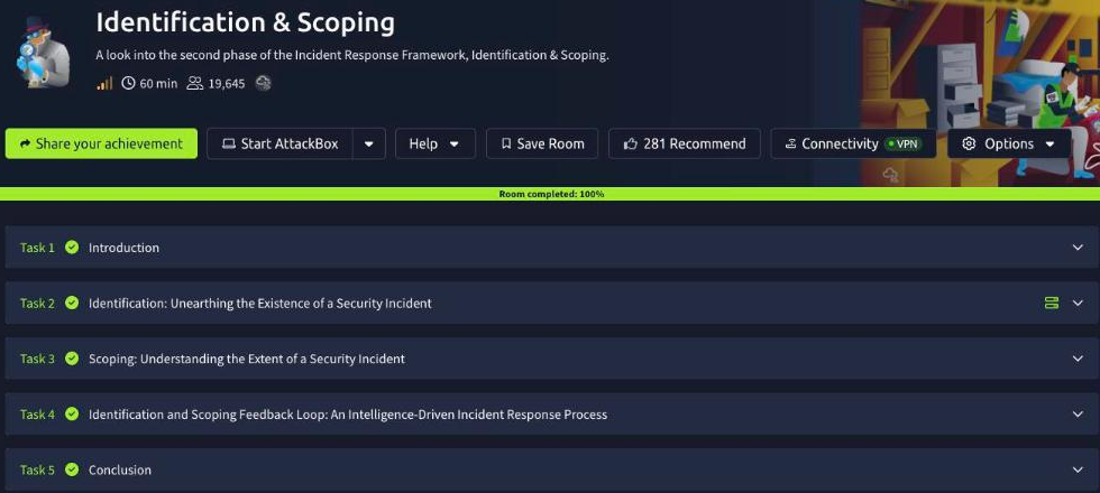
Identification & Scoping
This is the second room of the SOC Level 2 Incident Response module and the phase that comes right after Preparation. The scenario continues at SwiftSpend Financial (SSF): a potential compromise has been reported, and your job is to work the tickets, figure out what actually happened, and scope how far it spread. The room hands you two tools that make that possible: the Asset Inventory (who owns which machine) and the Spreadsheet of Doom (SoD), a living list of indicators of compromise. The whole exercise is reading tickets and emails, correlating them against those two references, and pivoting from one artefact to the next.
Task 2: identification, unearthing the incident
Identification is where technology (the alert) meets people (someone reporting it) meets process (the ticket). The task drops you into the helpdesk queue, and the answers come straight from reading the tickets and the analyst chatter around them.
Ticket #2023012398704232 carries the subject “Weird Error in Outlook”, the kind of vague user report that turns out to be the first thread of a phishing compromise. When you ask around, your colleague John suspects the issue is tied to email-authentication misconfiguration, specifically the SPF, DKIM & DMARC records that would normally stop a spoofed message from landing. To scope whether the affected host actually reached anything malicious, a colleague requests the Web Proxy logs for machine WKSTN-02, since proxy logs show exactly which domains a workstation talked to.
Task 3: scoping, understanding the extent
Scoping is where the Asset Inventory and the SoD earn their keep. The Asset Inventory maps every host to an owner, so when Ticket #2023012398704231 flags a computer whose Endpoint Protection definitions are out of date, cross-referencing the inventory tells you the owner is Derick Marshall, now you know who to contact and which endpoint to prioritise.
The SoD does the same job for indicators. From the email exchanges tied to Ticket #2023012398704232, the phishing site that harvested the compromised credentials is the domain b24b-158-62-19-6.ngrok-free.app, a giveaway ngrok tunnel used to front the fake login page. Ticket #2023012398704233 surfaces another phishing domain that is not yet tracked, kennaroads.buzz, which you add to the SoD so the next analyst catches it instantly. Scoping is exactly this loop: take an artefact from a ticket, enrich it against your references, and record anything new.
Task 4: the identification and scoping feedback loop
The room’s key idea is that Identification and Scoping is not a straight line but an intelligence-driven feedback loop: event notification, documentation, evidence collection, artefact identification, pivot-point discovery, then back around with the new findings. This task makes you run that loop on the phishing case.
Digging into Ticket #2023012398704232 with John, the domain used to actually spoof the sender is emkei.cz, a well-known free anonymous-email service, which belongs in the SoD as a spoofing indicator. Collecting the surrounding artefacts reveals the blast radius is wider than the one ticket: another user, [email protected], received the same phishing email but never opened a ticket or reported it, which is exactly the silent victim scoping is meant to catch. From those same emails, a fresh pivot point emerges, the attacker-controlled address [email protected], an IoC you can add to the SoD and use to hunt for other messages from the same actor. And the payoff of reading the full exchange (including the attachment) is the compromised user’s password in cleartext: Passw0rd!, proof the credentials really were captured and a hard reminder of why phishing gets treated as a genuine incident.
Every answer
| Task | Question | Answer |
|---|---|---|
| 2 | Subject of Ticket#2023012398704232 | Weird Error in Outlook |
| 2 | Per John, the issue could relate to | SPF, DKIM & DMARC records |
| 2 | Data requested for machine WKSTN-02 | Web Proxy logs |
| 3 | Owner of the host needing EP definitions updated | Derick Marshall |
| 3 | Phishing domain that received the credentials | b24b-158-62-19-6.ngrok-free.app |
| 3 | Phishing domain to add from Ticket#…233 | kennaroads.buzz |
| 4 | Domain used for email spoofing (per John) | emkei.cz |
| 4 | Other user who received the phishing email | [email protected] |
| 4 | Additional IoC to use as a pivot point | [email protected] |
| 4 | Compromised user’s password | Passw0rd! |
Wrap-up
Identification & Scoping is the phase where a vague “Weird Error in Outlook” ticket turns into a scoped phishing incident with named victims, attacker infrastructure, and captured credentials. The method is repeatable and low-tech: read the report, correlate it against the Asset Inventory to find owners and affected hosts, enrich every indicator against the Spreadsheet of Doom, and treat each new artefact (emkei.cz, kennaroads.buzz, [email protected]) as a pivot point that sends you back around the loop. Keep both references current and the next analyst inherits your context instead of starting from zero. Next in the module is Intel Creation and Containment, where this scoped picture becomes the basis for actually stopping the bleeding.