| Follow @anir0y | |
|---|---|
| IronShade |  |
This medium-difficulty challenge from the Defensive Security path drops you onto a compromised Linux honeypot attacked by the “IronShade” APT group. The investigation covers 12 questions across a single task: identifying the backdoor account, enumerating persistence mechanisms (cron, systemd services, hidden processes), analyzing SSH logs for attacker activity, and inspecting a malicious Debian package for an embedded secret.
Task 1: Challenge
The VM boots into an Ubuntu 20.04 server (cybertees). SSH access as ubuntu lets you examine the filesystem, running processes, and log files to reconstruct the attacker’s activity.
Machine identity
The first question asks for the machine ID, which Linux stores in /etc/machine-id:
cat /etc/machine-id
  # dc7c8ac5c09a4bbfaf3d09d399f10d96
What is the Machine ID of the machine we are investigating? dc7c8ac5c09a4bbfaf3d09d399f10d96
Backdoor account discovery
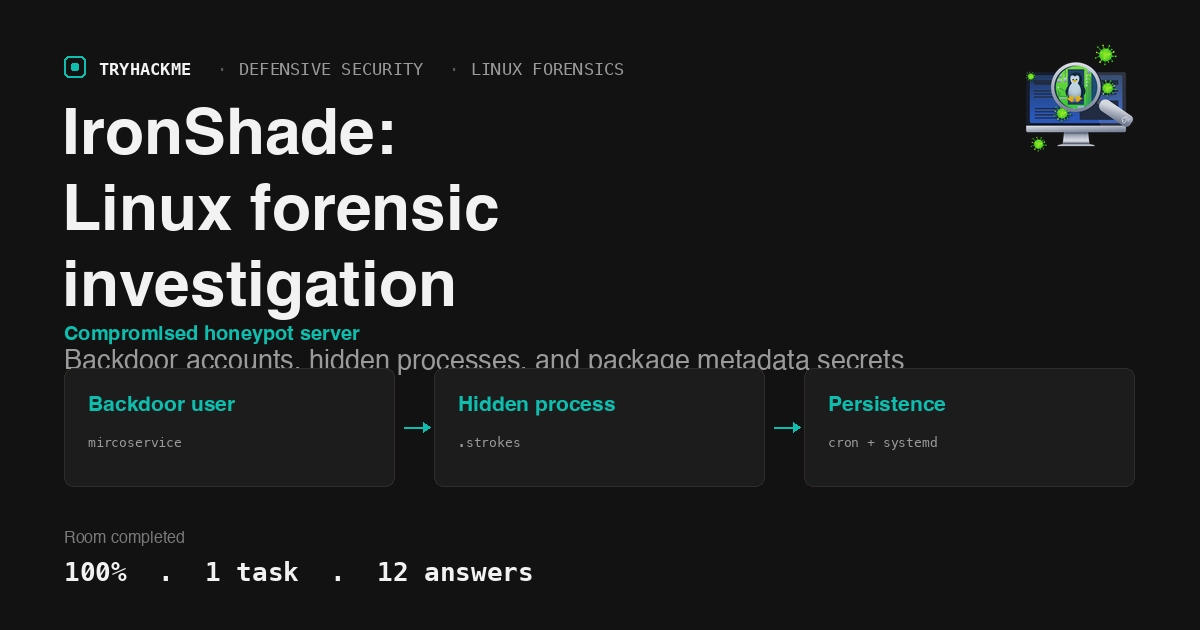
Checking /etc/passwd for non-default user accounts reveals two human users: ubuntu (UID 1000) and mircoservice (UID 1001). The misspelling of “microservice” is a red flag.
grep -E ':[0-9]{4}:' /etc/passwd
  # ubuntu:x:1000:1000:ubuntu:/home/ubuntu:/bin/bash
  # mircoservice:x:1001:1001:,,,:/home/mircoservice:/bin/bash
What backdoor user account was created on the server? mircoservice
Cron persistence
The attacker scheduled a binary to run at every reboot via the mircoservice user’s crontab:
sudo crontab -u mircoservice -l
  # @reboot /home/mircoservice/printer_app
What is the cronjob that was set up by the attacker for persistence? @reboot /home/mircoservice/printer_app
Hidden process identification
Listing processes owned by mircoservice with ps aux shows two suspicious entries running from a hidden directory:
ps aux | grep mircoservice
  # root 572 ... /home/mircoservice/.tmp/.strokes
  # root 851 ... /home/mircoservice/printer_app
The .strokes binary runs from a dot-prefixed directory (.tmp), making it invisible to a plain ls. Its name suggests a keylogger.
Can you identify the suspicious-looking hidden process? .strokes
How many processes are found to be running from the backdoor account’s directory? 2
Hidden file in the root directory
Searching for hidden files directly under / reveals a file designed to look like a systemd component:
find / -maxdepth 1 -name ".*" -type f 2>/dev/null
  # /.systmd
What is the name of the hidden file in memory from the root directory? .systmd
Suspicious systemd services
Examining /etc/systemd/system/ for attacker-installed service units and filtering out legitimate default services leaves two suspicious entries in alphabetical order:
ls /etc/systemd/system/*.service
  # backup.service  badr.service  strokes.service
Both backup.service and strokes.service are attacker-created persistence mechanisms (the former backed up exfiltrated data, the latter ran the keylogger).
What suspicious services were installed on the server? backup.service, strokes.service
Account creation timestamp
Using grep -a to read through the binary-tainted auth.log reveals the exact moment the mircoservice account was created:
sudo grep -a "useradd" /var/log/auth.log
  # Aug  5 22:05:33 cybertees useradd[2067]: new user: name=mircoservice, UID=1001 ...
When was the backdoor account created on this infected system? Aug 5 22:05:33
SSH connection analysis
The same auth log shows all SSH connections to the backdoor account originated from a single IP:
sudo grep -a "Accepted password for mircoservice" /var/log/auth.log
  # Aug  5 22:10:40 cybertees sshd[2115]: Accepted password for mircoservice from 10.11.75.247 ...
  # Aug  5 23:54:31 cybertees sshd[3117]: Accepted password for mircoservice from 10.11.75.247 ...
From which IP address were multiple SSH connections observed? 10.11.75.247
Failed login attempts
Counting all “Failed password” entries for mircoservice across both auth logs (including message repeated N times entries that syslog aggregates):
sudo grep -ac "Failed password for mircoservice" /var/log/auth.log
  # 2 direct lines + 2 "repeated 2 times" = 8 total attempts
The breakdown: two failed attempts on Aug 6, then six more on Aug 13 (two SSH sessions with three failures each, logged as one line plus a “message repeated 2 times” line).
How many failed SSH login attempts were observed on the backdoor account? 8
Malicious package
Reviewing the dpkg install log reveals an unusual package installed shortly after the backdoor account was created:
grep "install " /var/log/dpkg.log
  # 2024-08-06 01:10:20 install pscanner:amd64 <none> 1.5
pscanner is not a legitimate Debian package. It was installed just hours after the initial compromise.
Which malicious package was installed on the host? pscanner
Secret code in package metadata
The package description field in dpkg -s contains the secret directly:
dpkg -s pscanner | grep Description
  # Description: Secret_code{_tRy_Hack_ME_}
The attacker embedded their signature in the package metadata rather than in a file on disk.
What is the secret code found in the metadata of the suspicious package? {tRy_Hack_ME}
Takeaways
Hidden directories and dot-prefixed binaries are the simplest Linux stealth technique, and they still work. The
.tmp/.strokespath is invisible tolsand many monitoring scripts that skip hidden directories. A compromise assessment should always includefindwith explicit hidden-file flags andps auxwith full path inspection, not just top-level process names.Package metadata is an overlooked persistence and attribution channel. Attackers who install custom
.debpackages leave traces in dpkg’s database that survive file deletion. Thedpkg -soutput (maintainer, description, version) persists even if the installed binary is removed, making it a reliable forensic artifact for attribution and timeline reconstruction.
Room solved 100%: 1 task, 12 answers.