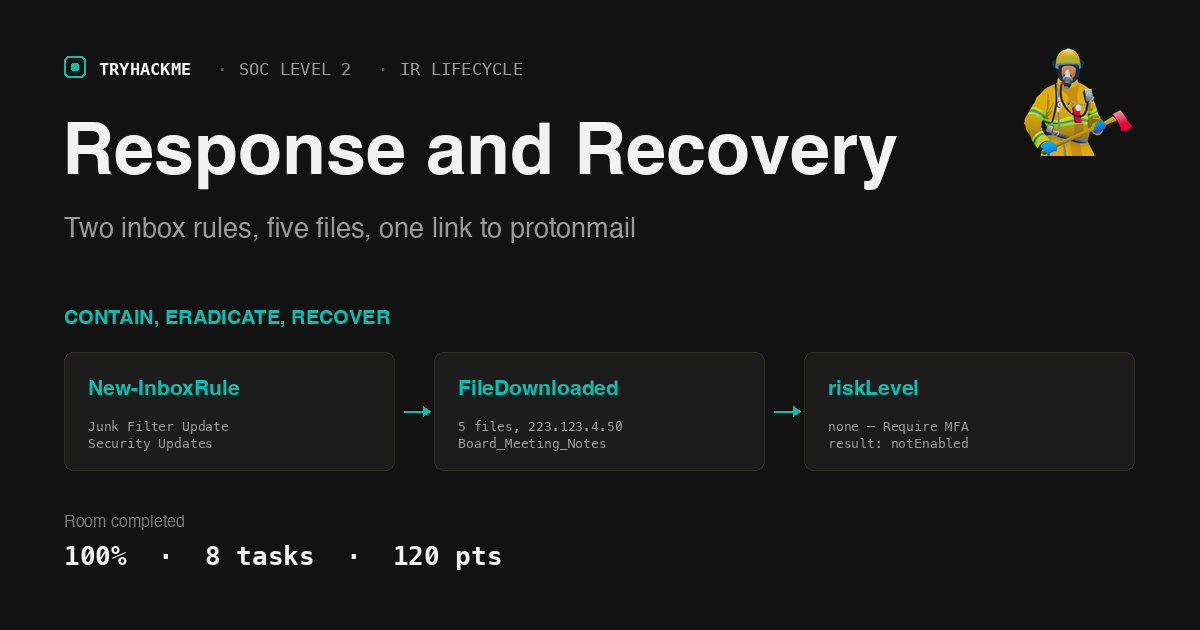
Response and Recovery
Room 3 of 4 in the Incident Response Lifecycle module on SOC Level 2, and the one where the module stops describing NIST and starts making you execute it. The four rooms work a single continuous incident at Nexus Financial: Preparation reviews the policy and asset documentation before anything happens, Detection and Analysis confirms the compromise and scopes it to two accounts, this room contains and eradicates, and Post-Incident Activity turns the whole thing into detection rules.
Eight tasks, eighteen answers, all solved. Twelve of those eighteen live in two practical tasks, and every one of them comes out of index=ir in Splunk.

Set the time picker to All time before running anything. The dataset is stamped 30 March 2026 and the default Last 24 hours returns an empty result that looks exactly like a broken lab.
The dataset is one index and three sourcetypes:
index=* | stats count by index sourcetype
# index  sourcetype                       count
# ir     azure:aad:signin                   634
# ir     o365:management:activity            332
# ir     o365:reporting:messagetrace          12
There are also practice and scenario indexes carrying tens of thousands of events. They are decoys for this room, the task text says to use index=ir, and searching without that filter buries every real finding under 13,000 unrelated sign-ins.
Tasks 2-4: the order is the answer
Three theory questions, and all three are testing whether you read the sequence rather than the vocabulary.
NIST SP 800-61r2 splits response into containment, eradication and recovery, executed in that order. The first activity that must happen before eradication can begin is Containment, you cannot remove an attacker who is still able to act, and the room is explicit that eradicating before containment is what produces the whack-a-mole problem.
Task 3 contrasts two containment strategies. Full isolation disables accounts and terminates sessions immediately; the strategy that monitors the attacker rather than cutting them off is Controlled isolation, chosen when scope is still being determined and more intelligence is needed. The trade-off table is worth internalising: full isolation is fast but tips off the attacker, controlled isolation gathers intelligence but lets them keep operating.
Recovery actions are planned across three timeframes, near term, mid term, long term. The most critical recovery actions fall under Near term: the things that must happen before any affected account is re-enabled, such as enforcing MFA, resetting passwords, removing malicious rules and revoking external shares.
Task 6: two inbox rules, and what the log actually stores
Persistence in a Microsoft 365 identity incident is rarely a binary. It is a mailbox rule. Both compromised accounts got one:
index=ir sourcetype="o365:management:activity" Operation="New-InboxRule"
| table _time, UserId, ObjectId
# 2026-03-30 16:58:48  [email protected]  ...\Junk Filter Update
# 2026-03-30 17:02:40  [email protected] ...\Security Updates
The interesting part is not the rule name, it is the Parameters array inside the raw event. For Laura Chen:
"Parameters": [
  {"Name": "AlwaysDeleteOutlookRulesBlob", "Value": "False"},
  {"Name": "Force", "Value": "False"},
  {"Name": "Name", "Value": "Junk Filter Update"},
  {"Name": "SubjectContainsWords", "Value": "security;alert;suspicious;password;verify"},
  {"Name": "DeleteMessage", "Value": "True"},
  {"Name": "StopProcessingRules", "Value": "True"}
]
The keywords the rule filters for are security;alert;suspicious;password;verify and the DeleteMessage value is True. The question asks for the keywords “in the same format as inside the log”, which is the whole point, semicolon-delimited, lowercase, no spaces. Retyping them as a comma-separated list fails, and the answer mask (41 characters) confirms the exact string before you submit.
Read what that rule does. Any inbound mail whose subject contains security, alert, suspicious, password or verify is deleted before the user sees it, and StopProcessingRules stops any other rule from firing afterwards. Every “unusual sign-in detected” notification Microsoft would have sent Laura Chen was silently destroyed. The attacker did not defeat the alerting, they defeated the human who would have read it.
The rule created on the second compromised account, Kai Patel, is named Security Updates and filters a shorter list (security;alert;password). Per the MITRE mapping in Task 3, T1564.008 Email Hiding Rules, the containment action is to Remove the malicious inbox rules immediately.
Lateral movement is in the message trace, and it is where the answer format trap lives:
index=ir sourcetype="o365:reporting:messagetrace" | sort _time
# 16:20:01  [email protected] -> l.chen    "HR Policy Update, Immediate Action Required"
# 16:20:37  [email protected] -> k.patel   "HR Policy Update, Immediate Action Required"
# 16:57:09  l.chen -> allan.senna    (FromIP 223.123.4.50)
# 16:57:09  l.chen -> m.harris       (FromIP 223.123.4.50)
# 16:57:09  l.chen -> k.patel        (FromIP 223.123.4.50)
3 internal Nexus Financial employees received the internal phishing email. All three deliveries share one MessageTraceId and one timestamp, it is a single send to three recipients, which is why counting distinct events gives the right number only if you count recipients rather than messages.
Note the two IPs in that trace. The original external phish came from nexus-verify.thm over Google infrastructure at 16:20. The internal re-send at 16:57 carries FromIP 223.123.4.50, the attacker’s own address, sending as Laura Chen from a session established sixteen minutes earlier. The corporate IP 197.32.45.112 appears on every legitimate message in the same log, which is what makes the attacker address stand out at all. For T1566 Phishing the containment action is to Block phishing domain at the email gateway.
Task 7: five files, one sharing link, and a risk score of none
SharePoint access is Operation=FileDownloaded, and the ClientIP on every one of them is the attacker:
index=ir sourcetype="o365:management:activity" Operation=FileDownloaded | sort _time
| rex field=_raw "\"SourceFileName\":\s*\"(?<sfn>[^\"]+)\""
| table _time UserId sfn
| Time | Account | File |
|---|---|---|
| 16:55:24 | l.chen | Board_Meeting_Notes_July.docx |
| 16:55:33 | l.chen | Employee_Salary_Data.xlsx |
| 16:55:37 | l.chen | Q3_Financial_Report.xlsx |
| 17:03:38 | k.patel | Full_Employee_PII_Data.xlsx |
| 17:03:45 | k.patel | Payroll_Q3_2024.xlsx |
5 files across both accounts, and the first one downloaded from Laura Chen’s account is Board_Meeting_Notes_July.docx. Three files in thirteen seconds, then a jump to the HR site once the second account was live, this is scripted collection, not a person browsing.
The genuinely alarming event is four seconds after the last download:
index=ir sourcetype="o365:management:activity"
  (Operation=SecureLinkCreated OR Operation=AddedToSecureLink OR Operation=SharingLinkCreated)
# 17:04:17  SharingLinkCreated   k.patel  Full_Employee_PII_Data.xlsx
# 17:04:17  AddedToSharingLink   k.patel  -> [email protected]  (Guest)
# 17:04:17  SecureLinkCreated    k.patel  Full_Employee_PII_Data.xlsx
# 17:04:17  AddedToSecureLink    k.patel  -> [email protected]  (Guest)
A guest sharing link on the full employee PII spreadsheet, pointed at a ProtonMail address, and the message trace confirms the notification email actually left the tenant one second later. Downloading a file requires an authenticated session that containment will kill; a sharing link keeps working after the account is disabled. That is why the eradication action from Task 4 is Revoking all external sharing links created by the attacker from SharePoint, disabling the two accounts alone leaves the exfiltration path open.
Then the question that explains the entire incident. What risk level did Microsoft’s risk engine assign to the attacker’s sign-ins?
index=ir sourcetype="azure:aad:signin"
| rex field=_raw "\"riskLevelDuringSignIn\":\s*\"(?<rl>[^\"]+)\""
| rex field=_raw "\"ipAddress\":\s*\"(?<ip>[^\"]+)\"" | stats count by ip rl
# 197.32.45.112   none   577
# 223.123.4.50    none    57
none. Every field, riskLevelDuringSignIn, riskLevelAggregated, riskDetail, riskState, reads none on all 634 sign-ins, including the 57 from the attacker’s address. I spent a while hunting for the events with a real risk level before accepting that the absence of one is the answer, and the four-character answer mask is what settled it.
The appliedConditionalAccessPolicies block on those same sign-ins says why:
{"displayName": "Require MFA", "enforcedGrantControls": [], "result": "notEnabled"}
The control that was absent is MFA, a Conditional Access policy that exists, is named Require MFA, and evaluates to notEnabled. Stolen credentials were sufficient on their own, and because Identity Protection scored the sign-in as no-risk, nothing downstream had a reason to fire. Enforcing MFA belongs to the Near term recovery timeframe, alongside the password resets and the rule removal, because the accounts cannot safely come back without it.
What carries over
Containment is per-artifact, not per-account. The instinct on a confirmed account compromise is to disable the accounts and call it contained. This incident has four artifacts and each one needs its own action: the inbox rules survive a password reset, the sharing link survives the account being disabled, the phishing domain will simply be used against the next employee, and the sign-in capability itself is what MFA fixes. Task 6 and Task 7 alternate between what you found and what you do about it precisely to build that habit, every artifact you pull out of the audit log should come with a containment or eradication action attached before you move on to the next query.
A risk score of none is a finding, not a blank. The most instructive answer in this room is the one where the data says nothing happened. Microsoft’s risk engine saw 57 sign-ins from an overseas address, on an unmanaged non-compliant MacOS device, minutes after a phishing email landed, and rated all of them no-risk, because the Conditional Access policy that would have demanded a second factor was configured and never enabled. When a control’s telemetry is uniformly clean across an incident, the useful question is not “what did it catch” but “was it switched on”, and appliedConditionalAccessPolicies is where that answer lives.
Room solved 100%: 8 tasks, 18 answers, 120 points.