| Follow @anir0y | |
|---|---|
| Writing Pentest Reports |  |
Writing Pentest Reports is the reporting room of the Pentesting Methodologies and Reporting module in the Jr Penetration Tester path, and it is where the whole module pays off. Threat Modeling for Pentesters decided what to test, Planning and Scoping set the legal boundaries, and this room turns the findings into the one deliverable the client actually keeps: the report. The guiding line from the Conclusion sums it up well: if it is not in the report, it did not happen.
This is a reading room with no VM. Seven tasks cover report structure, audience, vulnerability write-ups, appendices, and QA. Three of them (Tasks 3, 4, and 6) attach an interactive single-page app that ends in a flag. I pulled all three flags straight from the apps’ JavaScript bundles rather than playing each exercise, and I have kept that method in the writeup.
Task 1: Introduction
The scenario: the pentest is done, the shells are gone, and the report is the most important deliverable left. The task frames three ideas: why reporting matters, who you are writing for, and what makes a good report. No answer is needed, so it is completed with a click after joining the room.
Task 2: The Anatomy of a Pentest Report
This task breaks the report into three sections mapped to three audiences: the Summary for business and security stakeholders, the Vulnerability Write-Ups for technical stakeholders, and the Appendices for security stakeholders. The first question asks which stakeholder should get 80% of your report.
The task says 70 to 90% of the report is aimed at Technical stakeholders, the developers or IT team who actually fix the issues. The second question asks which section holds extra information that helps stakeholders understand coverage and next steps.
That is the Appendices, the supporting detail that does not fit the main report.
Task 3: Report Section 1: Summary, and the First Flag
The summary sets the tone and splits into an executive view and a more detailed findings view. The attached app, the Pentest Report Summary Challenge, drops you into a fictional engagement for TryBankMe, a banking app with a race-condition “infinite money glitch”, and asks you to drag the best-written sentences onto the Overview, Results, Impact, and Remediation Direction sections. Scoring 320 or more awards the flag.
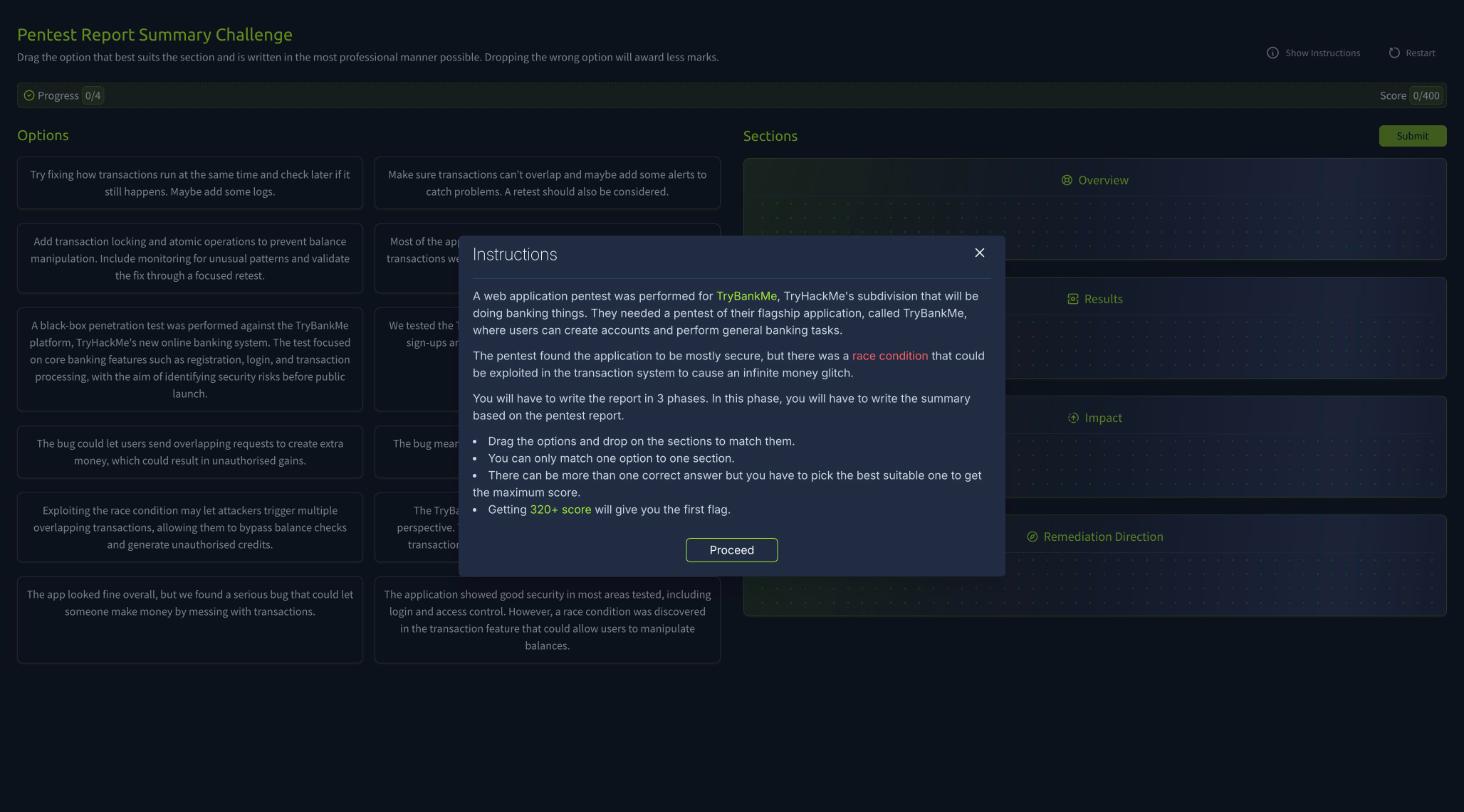
Rather than play the drag-and-drop, I read the app’s bundle. The flag is stored base64-encoded in the single index-*.js file and decoded at runtime, so fetching that script and decoding its token returns the flag directly.
  # the summary app's JS decodes a base64 token into the flag
  atob(<token>)  =>  THM{Summarise.the.Business.Information}
The flag is THM{Summarise.the.Business.Information}.
Task 4: Report Section 2: Vulnerability Write-Ups, and the Second Flag
Vulnerability write-ups are the technical heart of the report, where each finding gets a description, reproduction steps, impact, and remediation advice. The task walks through a worked SQL injection example (login bypass with ' OR 1=1--) and a parameterized-query fix. The attached app, the Vulnerability Write-Up Challenge, has you build the write-up for the TryBankMe race condition.
Same approach as Task 3: the flag sits base64-encoded in the app’s JavaScript.
  # the vulnerability app's JS decodes a base64 token into the flag
  atob(<token>)  =>  THM{Race.Condition.Writeup.Goes.Vroom}
The flag is THM{Race.Condition.Writeup.Goes.Vroom}.
Task 5: Report Section 3: Appendices
Appendices are the audit trail. The task names two you should always include: the Assessment Scope appendix (how close the test came to the scoped Rules of Engagement) and the Assessment Artefacts appendix. The question asks which appendix is vital for the blue team to tell a pentest apart from a real attack.
That is the Assessment Artefacts appendix. It lists the changes you made during testing, like an uploaded webshell, so defenders do not later rediscover your test artefact and raise it as a genuine incident two years on.
Task 6: Styling Guides and Report QA, and the Third Flag
This task covers writing style (past tense, no first-person, mask sensitive data, formal phrasing) and the QA process (read your own work, then have a peer review it). The attached app, the Pentest Report QA Challenge, shows an appendix with five deliberate mistakes and asks you to identify each and classify it.
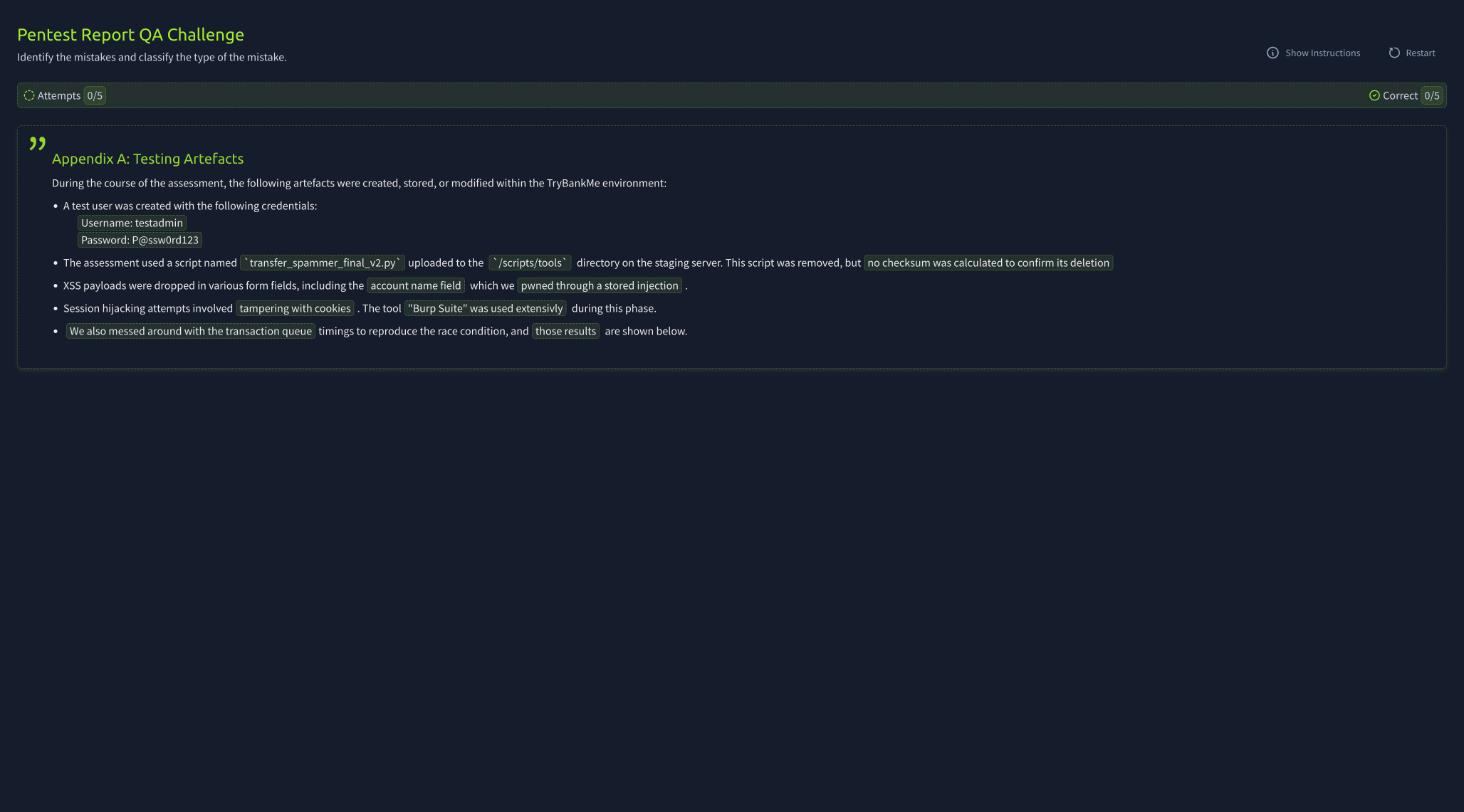
The flag, again, is base64 in the app’s bundle.
  # the QA app's JS decodes a base64 token into the flag
  atob(<token>)  =>  THM{QA.Makes.Reports.Better}
The flag is THM{QA.Makes.Reports.Better}.
Task 7: Conclusion
The closing task recaps the reporting skills: structure for multiple audiences, write an effective summary, build contextualized write-ups, give clear remediation advice, and QA the result. No answer is needed, so the task is marked complete.
Takeaways
Two things worth carrying out of this room:
- Write for the audience that fixes the problem. Most of a pentest report, 70 to 90%, is aimed at the technical team, because they are the ones who have to reproduce and remediate each finding. The executive summary gets the business stakeholders on board, but the bulk of the value is in clear, reproducible vulnerability write-ups with remediation advice the developers can act on.
- The Assessment Artefacts appendix is the handoff to the blue team. Documenting every change you made during testing, uploaded files, test accounts, modified records, is what lets defenders distinguish your authorized test from a real breach. Skipping it is how a forgotten webshell becomes a security incident years later.
Room solved 100%: 7 tasks, 6 answers.